
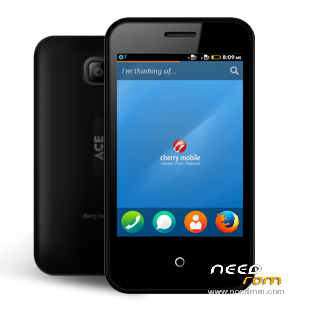
- Title: Cherry Ace (Firefox)
- Listed: December, 2015
- Last modified: 12/26/2015 2:59 pm
- Version: FirefoxOS 1.3T
You must be logged for ROM download.
11686 total views, 1 today
1 Total favorites
 Member Info
DESCRIPTION
TOOLS
ResearchDownload –> DOWNLOAD HERE
Driver — > DOWNLOAD HERE
"Extract to your desired folders"
DOWNLOAD THE FILES, AND EXTRACT. INSTALL DRIVER.
There are two ways you can use this firmware.
1. To fully flash your phone
2. To remove password, pattern lock, and gmail account.
TO remove password, pattern lock and gmail account.
1. Open Researchdownload
2. Load packet and look for file(first button)
3. Check only the following
✓FDL1✓FDL2✓UserData
4. Click in calibration page, and UNCHECK ALL and press OK
5. And lastly press the Play button to continue flashing.
TO fully flash your phone.
1. Open Researchdownload
2. Load packet and look for file(first button)
3. Remove check in the following selection
✓EraseRuntimeNV
✓PHASE_CHECK
✓EraseCache
✓EraseData
✓EraseMisc
4. Click in Calibration/BACK UP page, and UNCHECK ALL and press OK
5. And lastly press the Play button to continue flashing.
When connecting your phone in the PC after you press the Play button in Research Download, press and hold either VOLUME UP or VOLUME DOWN, or you can press VOLUME UP and VOLUME DOWN simultaneously.
- See more at: http://firmwares2you.blogspot.com/2015/09/cherry-mobile-ace-f100-firmwarestock.html#sthash.gfDGpnfq.dpuf
ResearchDownload –> DOWNLOAD HERE
Firmware –> Download HERE
Driver — > DOWNLOAD HERE
"Extract to your desired folders"
DOWNLOAD THE FILES, AND EXTRACT. INSTALL DRIVER.
There are two ways you can use this firmware.
1. To fully flash your phone
2. To remove password, pattern lock, and gmail account.
TO remove password, pattern lock and gmail account.
1. Open Researchdownload
2. Load packet and look for file(first button)
3. Check only the following
✓FDL1✓FDL2✓UserData
4. Click in calibration page, and UNCHECK ALL and press OK
5. And lastly press the Play button to continue flashing.
TO fully flash your phone.
1. Open Researchdownload
2. Load packet and look for file(first button)
3. Remove check in the following selection
✓EraseRuntimeNV
✓PHASE_CHECK
✓EraseCache
✓EraseData
✓EraseMisc
4. Click in Calibration/BACK UP page, and UNCHECK ALL and press OK
5. And lastly press the Play button to continue flashing.
When connecting your phone in the PC after you press the Play button in Research Download, press and hold either VOLUME UP or VOLUME DOWN, or you can press VOLUME UP and VOLUME DOWN simultaneously.
- See more at: http://firmwares2you.blogspot.com/2015/09/cherry-mobile-ace-f100-firmwarestock.html#sthash.gfDGpnfq.dpuf
※Please make a backup of your device before installing or updating ROM
Sir naka developer build po ba to or production build? Gusto ko sana mag lagay ng internal apps for development purpose.
deHost isnt working need other sever please..