
- Title: MIUI v7 ST 7.2.3.0
- Listed: December, 2015
- Last modified: 02/05/2016 10:20 pm
- Version: Stable Global
You must be logged for ROM download.
20655 total views, 1 today
7 Total favorites
CUSTOM





 Member Info
DESCRIPTION
Attention! It is forbidden to upload the firmware on other sites without my permission! If you want to put it on another site, write to me about it, or lay preserving all my initial links!
Please, write all comments on my site. because here i dont reads and dont write direct links in comments, this is the only one way to make money from my ROM… Donations no work for my country, only WebMoney. Thanks!
Languages: MultiLanguage
IF YOU LIKE MY WORK PLEASE DONATE . EVEN 1 $ IS APRECIATED.
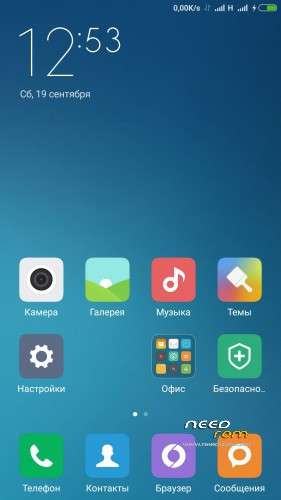
- updated translation for all languages
- added set of challenges in the T9
- added Root-rights
- added to Settings – Modules (Xposed).
- removed a warning with increasing volume of media
- I replaced the radio. An FM radio and works without kitayschiny
- added configuration of access points (APN) for almost all operators (Its base configuration)
- added applications to access the SD card (the default has been removed)
- Locking added advertising in Settings – Advanced
- added to the challenges of access to the lock screen (swipe right)
- removed the check package signatures
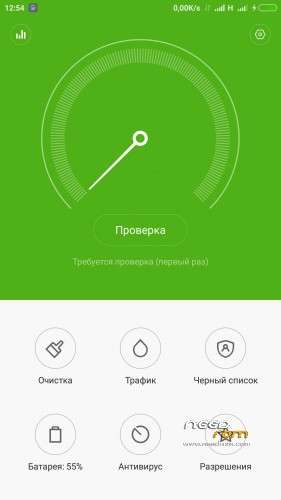
- add additional information to the battery settings Battery
- I removed the application of official updates for security purposes
- Added proxy settings for developers
- for experimental purposes has added an expanded menu reset (There is only normal)
- 1629 added new icons for applications
- Added Titanium Backup version 7.3.0
- corrected and added new icons in the Settings -Advanced
- I added to the Settings sub-labels
- added sound enhancement MaxxAudio. (Settings – Sound and vibration – Sound Enhancer)
- corrected video recording FULL HD (thanks Gauravtech9)
- I corrected the LED (not verified) to put all the green in Settings – Indicator (thanks to the SW. Cheshkin)
- updated kernel (thanks to the SW. Cheshkin)
- I removed all the trash and kitayschinu
1. Download the. Zip file and dump the firmware to the memory card.
2. Loaded in Recovery
3. Making wipes:
1) Wipe Cache
2) Wipe Dalvik Cache
3) Wipe Factory Reset
4. Select Install / Instal zip from SD
5. Choose. Zip firmware file and wait for the end of the process.
6. Boot the system is ready.
※Please make a backup of your device before installing or updating ROM
Double tap on screen?
no, but in future i try make it
Download link not working
https://yadi.sk/d/CFVV1qbpmSb7.....K
Please upload it on mega.nz
Nothing happens when i click download button on yandisk site
this rom support app to sd?
this rom is good.thank you,but sms shut down.would you tell me Why?
i dont have this problem… what language in system are you use?
Korean.
OTA or not ?
this is full rom, install with data, cache and dalvik cache wipes….
i no more answer here, please write all qustions on my blog(site). When you write me on my site, i recieve email about new comment and can right away give answer…
True but how do we access your site? Please post a link to your site, Thanks.
link to your blog?
Is this rom fast and stable? Are games without laggs?
And after first boot. Ram free?