
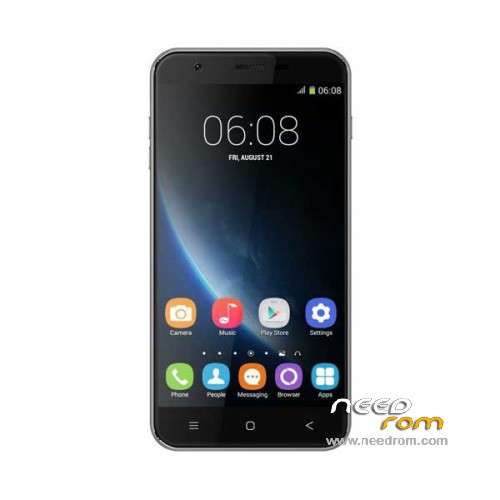
- Title: Oukitel U7
- Listed: October, 2015
- Last modified: 11/15/2015 2:58 am
- Version: ROM Android 4.4.2
You must be logged for ROM download.
17555 total views, 1 today
7 Total favorites
 Member Info
DESCRIPTION
ROM Phone Oukitel U7 – ROM Android 4.4.2
ONLY MT6582
Update Official ROM Oukitel U7 version: YK868_OUQI_EN_6582_WCDMA_EMMC2_V003_151113_1034 – yk868_emmc_wcdma-user 4.4.2 KOT49H
—————————————————————————————————————————————————————
Update Official ROM Oukitel U7 version: YK868_OUQI_EN_6582_WCDMA_EMMC2_V003_151027_1834 – yk868_emmc_wcdma-user 4.4.2 KOT49H
—————————————————————————————————————————————————————
Official ROM Oukitel U7 version: YK868_OUQI_EN_6582_WCDMA_EMMC2_V002_150918_0934 – yk868_emmc_wcdma-user 4.4.2 KOT49H
Gapps include – No Rooted
Language support: Multilang
Install ROM:
Install with SP MDT:
1). Turn off the smartphone. Cable is not connected to the computer.
2). Remove the battery and insert it again
3). Connect your phone to a computer cable. The operating system detects a new device
4). Disconnect the cable from the computer.
5). Run SPMultiPortFlashDownloadProject.exe
6). Choose File> Open File Agent download and specify the file MTK_AllInOneDA.bin (it is in the folder SP_MDT).
7). Click Scatter File and select the MT6582_Android_scatter.txt file (it's in the folder with the rom).
8). Click "Start all".
9). Connect your phone to a computer cable. The program should see and blink. If the phone is not detected, then unplug it from the computer,
remove and insert the battery (if the battery is removable) and reconnect it to the computer.
10). After (OK) click Stop and disable any phone.
11). Completed.
※Please make a backup of your device before installing or updating ROM
Now i can feel free to rooting.
Thanks you!
How to make root for this rom?
sorry,can i update the phone directly to V003 or first must i go with V002?
i tried to root with framarott 1.9.3 without success:(
As I read its comatible only in android 4.2 and less (the device comes with kitkat so it won't work) I recommend not to try with kingoroot,I think its the cause my device turned off by itself every time I turned it on (very annoying and took a lot to me to solve)
i tried with kinogroot and yes its turn off when screen go off so for now its not rooted:(
I have the same problem each time the screen goes to sleep, the phone switches of with a message
So for now I just put sleep on "never" when I want to use it.
Zonck, how did you solve the problem?
How to make root for this rom?
iroot without success.
hi, the newest have hungarian lang? the first and the second hasn't.
no,it has Hungarian just in keyboard settigs
Hi
For root follow this guide
http://forums.androidcentral.c.....-can-i-fix.html
worked for me but no keyguard in phone anymore