
- Title: Shark 1 TWRP 3.0.0.0
- Listed: March, 2016
- Last modified: 03/07/2016 12:04 am
- Version: TWRP 3 megthebest
You must be logged for ROM download.
15994 total views, 1 today
8 Total favorites
 Member Info
DESCRIPTION
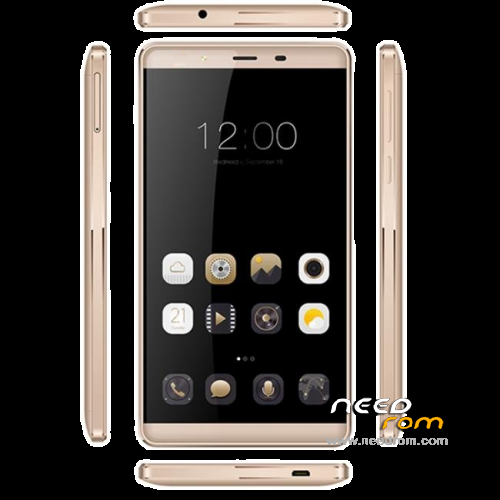
TWRP 3.0.0.0 for LEAGOO SHARK1
MULTILANGUAGE (more than 10 languages, Italian Translation thanks to freedgt/bovirus)
Bugs:
Battery Percentage and Cpu Temp not showed
GUIDE:
Download and Install correctly Mediatek Preloader drivers
( Take care on Windows 8.1/10 drivers, you need to disable driver signature before install:)
https://www.youtube.com/watch?v=50pD0mONm44
http://laurentiumihet.ro/technology/windows-10-mtk-vcom-usb-drivers-for-32-64-bit-drivers-installation-tutorial/
https://thebroodle.com/microsoft/windows/install-mediatek-mt65xx-usb-vcom-drivers-windows-8-8-1/
UNPACK RAR in A FOLDER
1- With flashtool load MT6753_Android_Scatter-TWRP 3.0
2- Select download and connect smartphone to pc (smartphone must be powered off)… in few seconds will start the process and the new TWRP will be flashed.
To restore original stock recovery, you need load ad point 1 the file MT6753_Android_Scatter-Stock.txt
P.P.S to enter in the recovery, power off the smartphone, push VOL + and Power at the same time, you will see three words with VOL + you move selection, with VOL – you must select Recovery
During first boot of twrp, allow modification of system files, according to this screen (if you leave read only, you loose TWRP at second boot):
To have root flash with TWRP the archive supersu.zip found here: https://download.chainfire.eu/696/supersu/
Credits: TEAMWIN TWRP TEAM, https://twrp.me/site/update/2016/02/05/twrp-3.0.0-0-released.html
PLEASE Donate if i help you and Support Me with 5 Stars!
※Please make a backup of your device before installing or updating ROM
With your permission I share manual making screenshots. Thanks for your work
Thanks for your work. I followed your guide and worked. I also installed XposedFramwork, without bootloop, it seems to be working.
I wish I could own this phone soon.
This TWRP doesn't work in the new 160620 firmware. At least not in my freshly flashed complete 160620 firmware (not OTA). Partition map changes?
my just updated OTA to 160620, then flash twrp got error, goto next newly install w7 fresh and install and all ok
Don't work for me.
BROM ERROR: S_DL_GET_DRAM_SETTING_FAIL (5054)
[EMI] Obtain DRAM Failed!
[HINT]:
Please check your load matches to your target which is to be downloaded.*
I'm using the first method too.
Any idea?
refer above, install on old computer got com occupied by other driver problem.choose new computer
Thx a lot!
I would appreciate, if you could update your TWRP build from time to time.
Hello Community,
I've checked several websites for a working recovery and ROM cause the here available one's are'nt working for me.
After hours of searching I've finally found a working ROM and a working recovery which i can flash with the flash tool.
So for this I will give you the download right here:
https://mega.nz/#!hLJWCLoS!_9X.....EPX9v9gqbMWlucs
Have fun with this flash data.
thanks thanks thanks, you're the best my friend, your rom save me after months looking for twrp functional, good job and thanks so much!
Thank you very much
links broken
Hello guys,
it's great to see that it'll work for you.
Sorry @joes2103 i can't see any problems with the download link, it's working fine for me.
But when it'll help you I've uploaded a new one under this link right here.
Hope it works right now:
https://mega.nz/#!fk9QTAQZ!_9X.....EPX9v9gqbMWlucs