
- Title: X5PRO STOCK ROM
- Listed: October, 2015
- Last modified: 10/13/2015 2:04 pm
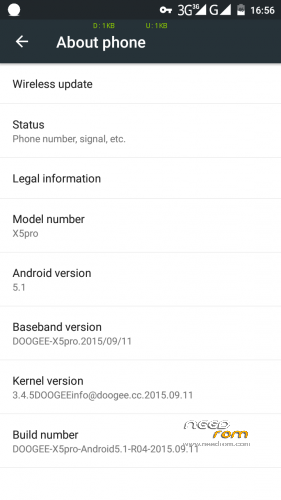
- Version: DOOGEE-Android5.1-X5pro-R04-2015-09-11
You must be logged for ROM download.
28568 total views, 2 today
8 Total favorites
 Member Info
DESCRIPTION
Stock Rom Android 5.1
Minimal GAPPs
No root
※Please make a backup of your device before installing or updating ROM
Make Nandroid backup, NVRAM backup before you start
Please ensure you have installed proper usb driver for Doogee X5pro
HOW TO FLASH ROM
Extract downloaded rom file, use SP flashtool to flash rom.
1. Switch off phone
2. Select scatter.txt file
3. Select OPTION-DOWNLOAD-HIGH SPEED, BATTERY AUTO DETECT
4. Tick Download All With Checksum
5. Click Download
6. Connect phone to usb
7. Once pc detected the phone, flash will begin
8. First red bar, then purple, yellow and finally GREEN in a box
9. Unplug usb and switch on the phone
ROOT
Place SuperSU 2.50 .zip in your sdcard root folder
Go to SETTING – ABOUT PHONE – WIRELESS UPDATE (click 3 dot)
Select LOCAL UPDATE and search for supersu.zip
Stock recovery will start flashing zip and phone reboot
Check out SuperSU app in tray and check root status
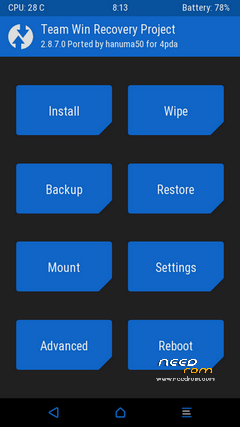
TWRP
Install FLASHIFY from Playstore
Download above TWRP 2.8.7 and extract the rar file
Run Flashify , click RECOVERY- CHOOSE A FILE and select recovery.img
Flashify will flash Twrp replacing stock recovery
※Please make a backup of your device before installing or updating ROM
Decryption key please.
Hello Dr.
The 'Doogee-X5pro-R04-2015-09-11.ZIP' includes a password in order to download it.
What's the password?
Thank you for this post…

Greetings,
tato.-
I will try to upload the rom to other media. Please be patience
Hi.
No problem…. thanks for the effort though.
Link updated.
Thanks drcouffer…
You r welcome
is there an external sdcard needed to root? or should the superuser.zip placed in the internal sdcard?
You may browse using file manager to where your supersu.zip file is located either in external or internal sdcard, bit it is advisable to always use external storage to place zip file
have notication whatsapp fix
Go to Setting – Apps – Whatsapp and tick Show Notification
Thank you drcouffer
Is it possible to update modem.img (baseband) in order to add more 3G and 4G bands. My X5 pro is too limited in North america!
Thanks!
The linked file on Google Drive is actually version R05, not R04. R05 is not cooperative regarding rooting. Is R04 available anywhere?