
- Title: GT-N7102 MT6577 Clone EUROP/US Rooted
- Listed: March, 2014
- Last modified: 03/07/2014 4:45 pm
- Version: JRO03C.N7102ZCALH40
You must be logged for ROM download.
22156 total views, 1 today

 Member Info
DESCRIPTION
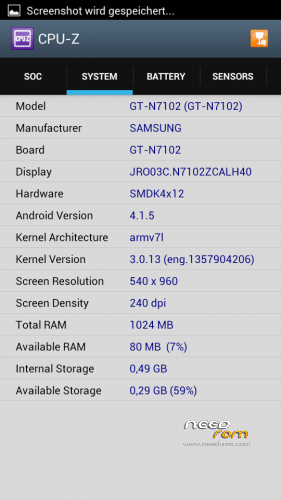
GT-N7102 MT6577 Clone EU/US Rooted for 5,5'' 540×960
Build: JRO03C.N7102ZCALH40
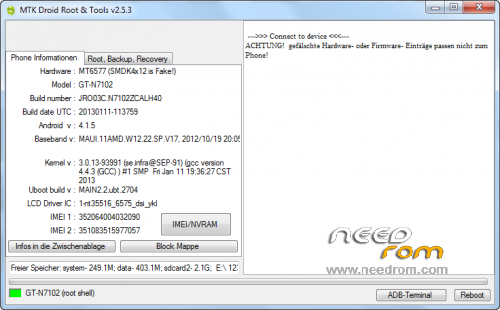
Hardware : MT6577 (SMDK4x12 is Fake!)
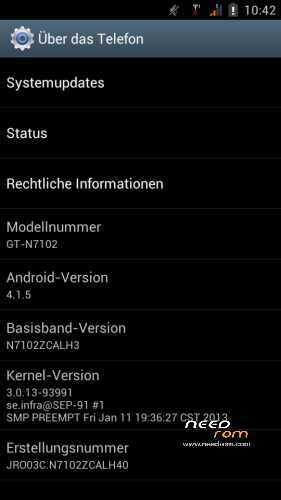
Model : GT-N7102
Build number : JRO03C.N7102ZCALH40
Build date UTC : 20130111-113759
Android v : 4.1.5
Baseband v: MAUI.11AMD.W12.22.SP.V17, 2012/10/19 20:05
Kernel v : 3.0.13-93991 (se.infra@SEP-91) (gcc version 4.4.3 (GCC) ) #1 SMP Fri Jan 11 19:36:27 CST 2013
Uboot build v : MAIN2.2.ubt.2705
LCD Driver IC : 1-nt35516_6575_dsi_ykl
Changes:
CWM-R recovery.img v6.0.2.8 based on carliv@xda (EN)
boot.img (root in shell)
system.img (root in system, gps fix via gps.conf optimized for Europe)
All Gapps included (also Play store, Search bar)
Purged all applications with Chinese language
Language support: Multilang
Install ROM :
-Save your userdata
-Save your IMEI's data
-Unpack the archive
Use flashtool.exe (please downloaded from other ROM's descriptions)
Select a the MT6577_Android_scatter_emmc.txt from Archive
Deselect the PRELOADER Section!
Turn off your phone, remove the battery.
Press F9 (or hit Download button) and connect your phone into the computer via USB data cable
The download process will start and a red progress bar will appear after color purple, yellow. Remark: If download does not start, plugin the battery. Do not switch on!
And green circles display
Finish !
Firmware Upgrade (required if you comes from other ROM!):
Use flashtool.exe (please downloaded from other ROM's descriptions)
Select a the MT6577_Android_scatter_emmc.txt from Archive
Select all Section!
Choice the SEC_RO, CACHE and DATA image file from archive
Turn off your phone, remove the battery.
Press F9 (or hit Download button) and connect your phone into the computer via USB data cable.
The process will start and a red progress bar will appear after color purple, yellow and green circles display. If download does not started, plug in the battery.
Finish !
You can now safely disconnect your phone and turn it on and restore your userdata
Check size of phone memory, if wrong, then formated new,please.
Please doesn't forget to donate and vote for ChinaNeeRom:)
※Please make a backup of your device before installing or updating ROM
how can we download the firmware??
will this work with n7100 clone
touch error how to trying ?? Fix