
- Title: Android 4.4.2 (KitKat) for Tengda S5 G9000
- Listed: June, 2014
- Last modified: 07/01/2014 4:33 pm
- Version: ROM Android 4.4.2
You must be logged for ROM download.
39503 total views, 3 today
3 Total favorites
 Member Info
DESCRIPTION
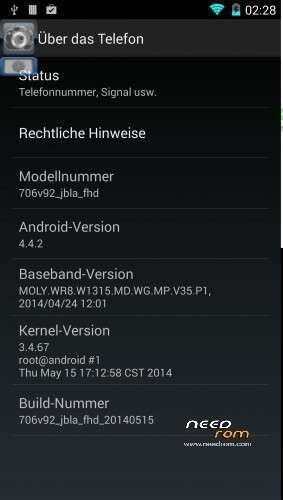
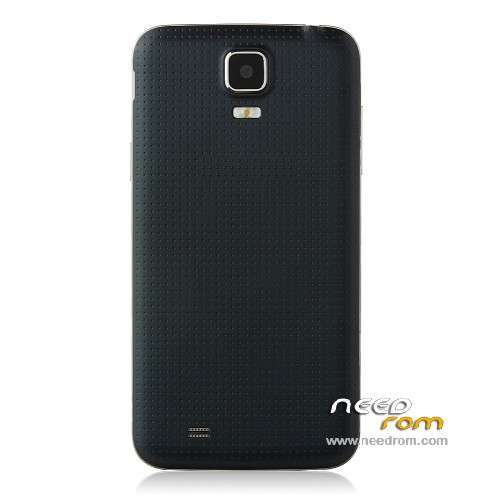
This is an Android 4.4.2 ROM for the Tenda S5 G9000!
A new modified Stock ROM from 10.07.2014 with working Frontcam and 13 Megapixel Backcam is now online!
You can found it under: https://www.needrom.com/mobile/android-4-4-2-modified-stockrom-for-star-tengda-kingleon-s5-g9000-from-10-07-2014-with-working-frontcam/
Installation:
Install the Firmware via Flashtool (I use SP_Flash_Tool_v5.1352.01).
Important: Prior to going the first launch recovery, and there perform a factory reset. For this purpose, use the supplied Recovery! Warning: All Userdata lost! The firmware is not for daily use!
The firmware has been thoroughly tested by me! Everything works very well!
For rooting the two files boot.img and recovery.img to flash, then go to recovery and install SuperSU-v1.80.zip, then flash the original recovery, because this does not work with the factory recovery wipe!
P.S. Its a new Version, fixed Camera and GPS!
Sorry for my bad english!
※Please make a backup of your device before installing or updating ROM
Unfortunately, I do not know how to create a cwm zip!
Possible Bug In AnTuTu bench gives me a result of 0 .. And the camera gives me a resolution of 8 MP and the camera of this device is 13 MP.
Antutu bench says 27816
Another problem is that it does not detect the SD memory card as interne ie sdcart0: ( But everything else works perfect many thanks for donations deverias pay pal greetings Excellent work and still champion
I have no problem with the SD card! If mounted clean and it is possible to select in the settings, if it is to be used as an app store.
If the SD card is inserted correctly?
For the camera: in the smartphone a 8MP camera is installed, the data were faked in Android 4.2.1!
Thanks for clarifying what the camera did not know The sd card is that stock rom is detected as storage0 and this rom sd card is detected as sdcard1. You understand? Thank you very much: D
Everything works fine no problems anymore
I can use this rom for daily use
Thanks
I think GPS not found satellites
Back to 4.2.2
HI!
after the firmware in the phone screen saver appears periodically "Welcome" and nothing is loaded, why?
somebody can help me?
Please go to recovery and make a factory wipe!
Excuse me , how? ask me step by step, thanks
imei non valido
Restore IMEI with MtkDroid, I hope, you have backup it!
Shutdown the Phone, press Volume Up and the Powerbutton and hold it. In short time you see the recovery. Press Volume down and go step by step to factory wipe. Then press Volume Up. Then go with volume down until it is confirmed, then pressures Volume Up! Warning: All Userdata lost!