
- Title: AOSP 4.4.2 V4 MULTILANGUAGE laek.17
- Listed: September, 2014
- Last modified: 09/28/2014 7:54 pm
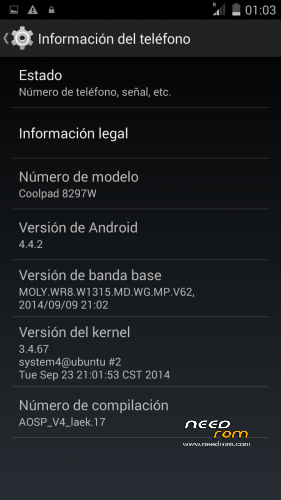
- Version: 4.4.2 Multilanguage
You must be logged for ROM download.
92321 total views, 1 today
15 Total favorites
 Member Info
DESCRIPTION
AOSP 4.4 KitKat ROM V4 laek.17
FEATURES:
MULTILANGUAGE
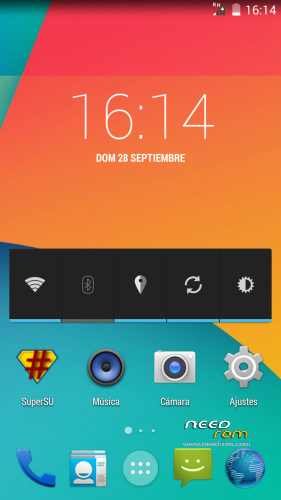
AOSP Aparence
All deodexed
Zipaligned
ROOT Access with SuperSU
Access to phone and external storage
ART mode can be enabled
Totally clean of unnecessary apps
European APNs
Added Busybox
Added init.d support
Added xLoud audio filter to increase clarity at loud volumes
Added xReality(Bravia Engine 3) to enhances the display quality
White status bar icons
Battery icon with percentage
Android L bootanimation
CHANGES V4
Updated Kernel and baseband to v009
HOW TO INSTALL:
If CWM recovery doesn't install it, try TWRP recovery.
Go to recovery mode turning it on with vol + and power buttons (at the same time).
Make a wipe factory reset and a wipe cache.
Go to advanced —> Wipe dalvick cache
Mounts —> Format system.
Install zip from SD Card, select and install it.
ENJOY!
SPECIAL THANKS TO RMG FROM FORUM YDSS BECAUSE I HAVE ADDED SOME THINGS, LIKE STORAGE, OF HIS ROM
※Please make a backup of your device before installing or updating ROM
Im uploading v2.1, sound fixed, notifications fixed, storage fixed, i think is the most stable version, if the upload goes well in 30min it will be uploaded.
thanks for all!
We have install v2 we need wipe everything or just install as update?
Yes, the last time you do it, since this update you won't need to do it.
Extras laek.17 can not download…please help
How install extras ?
Extras are installed via recovery, like a rom after rom installation
How instal extras ?
Muchas gracias crack ¡¡¡
Sound NOT fixed in ver.2.1.Please fix it.Sound too low:)
Tnx.
Kosta you can fix it using this guide I had the same problem.
http://www.myphone.gr/forum/sh......php?p=5497470#
AOSP KK ROM V2 laek.17 F1W , which version of fly-on-mod has?
why path always say "unfortunately, path has stopped." after flashing this roms? is it just me? i tried to clear data and cache, but doesn't seem make any differences. please help
try to change this
Settings -> Date&Time -> Choose date format -> DD/MM/YYYY (31/12/2014)
can't sync google calendar with v2.1 too, please check it if you upload another version
I had sync problems with Gmail solved by wiping dalvik cache
try to download google calender. and sync
after match.. you can delete google calender