
- Title: Bluboo_S8_plus
- Listed: February, 2018
- Last modified: 02/26/2018 9:52 pm
- Version: 7.0
You must be logged for ROM download.
9999 total views, 1 today
2 Total favorites
CUSTOM


 Member Info
DESCRIPTION
Unpack Zip and do it in folder TWRP.
Wipe: Dalvik / ART Cache
Wipe: system
Wipe: Cache
Wipe. Data
then Restore
the scanner of prints unfortunately does not work, maybe someone can bring it to work.
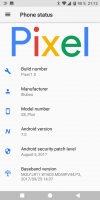
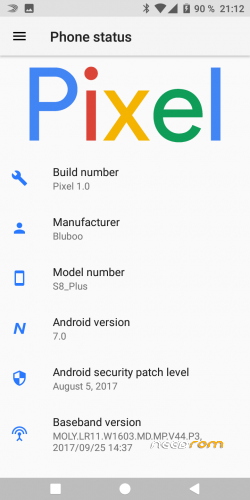
This Rome is based on vladykodi's Pixel 1.0 S8
If you like my work, please rate it !!!!
good luck 
G
M
T
Die Sound-Funktion ist auf 200 Zeichen begrenzt
※Please make a backup of your device before installing or updating ROM
I'll try that thanks
Edit : I put the zip (unpack) in a TWRP folder on my SD card but don't work in TRWP. I tried to unpack the zip but i can't select image to install
Hello,
have you already done a backup (TWRP) of your system in External SD? If so, do the folder (2018-02-26–22-21-10_Pixel_10) in the same folder. Then you can instal it.
Ok i didn't understand. Thanks
erka84 ta reussi ?
After flashing TWRP says: no command. Cant go in TWRP with buttons or with adb run
It is only for the beginner, visit this forum ( https://forum.xda-developers.c.....-t3734065/page4 )to avoid mistakes !!!!
Followed that post. You can see that I posted there allready. Tried two cables, when want to go in twrp with up button(+) and on (no screen). When with adb recovery: no command (on screen). Flash OK, bootloader OK. Maybe scatter wrong. tried with scatter from twrp no help.
It works good for me. Thank you! If we only could get The Original camera app to work with slowmotion video it would be perfect
Works everything…. Thank You for great Rom! . Now the phone is fast as it shoud be. No lagging, sound ok, camera ok. Fingerprint didnt try will try today.
So serve para Bluboo S8 Plus? Não serve para Bluboo S8 ?
É para o Bluboo S8 Plus!!!!
hello
when i try to restore from TWR any custom firmware ….. pixel…experience…ecc
always arrive this error message
extractTarFork() ERROR: 255