
- Title: CyanogenMod Update
- Listed: January, 2016
- Last modified: 05/20/2016 10:15 am
- Version: CyanogenMod 12.1
You must be logged for ROM download.
226647 total views, 18 today
243 Total favorites
 Member Info
DESCRIPTION
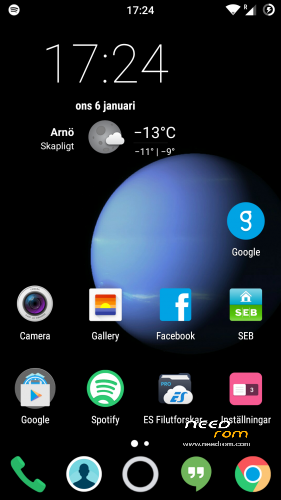
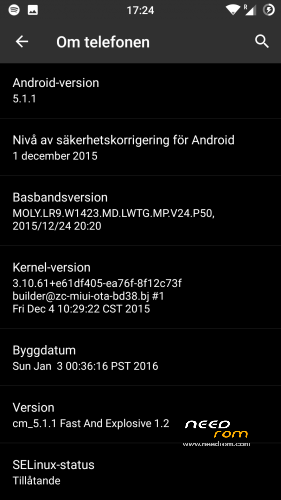
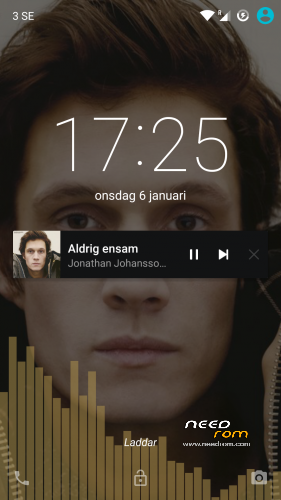
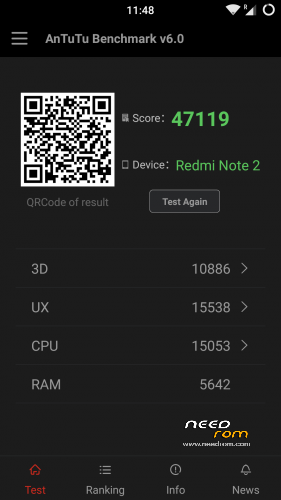
This is CyanogenMod 12.1 for xiaomi redmi note
Change log Fast and Explosive Update 5.2 Clean CM (Latest)
New build and a stable one 
Battery friendly rom and kernel
Latest Gapps
FM-Radio (You need to factory reset your phone for it to work or just start music player once and push play then close the app and open FM-Radio and it should work.)
Clean CM
security patch update
This is the best build so far
Change log Fast and Explosive Build 4.0
New build 2016-03-14
new camera libs
Gapps updated
4G/LTE Optimized
New Modem
Camera apk moddded
Change log Fast and Explosive Build 3.7
Settings is now fixed so all the buttons are working
Maybe more, but i don´t remember
Change log Fast and Explosive Build 3.6
New libs for whole ROM @Coremainia ROM is now even faster!!
faster focus in camera
xposed deleted
uploading separate install for xposed framework
Change log Fast and Explosive Build 3.5
New Build 2016-02-21
kernel optimized by @Coremania
4G lock implemented
Faster and more explosive
Change log Fast and Explosive Build 3.2
New kernel and again optimized by @Coremania
added intelli3g.apk for xposed
added disable su idicator for xposed
some installer faults removed
some camera libs updated, can´t see any difference  Working on it..
Change log Fast and Explosive Build 3.0
New Build
The new kernel for this build has been optimized by @Coremania for battery and snappines (It`s a merged boot.img and it`s for testing)
Also @Coremania managed to do some magic so we can enjoy gestures in future updates
Busybox updated
Different framework
I did my best trying to fix the crazy bluetooth bug. If it`s not working now i can`t do it!!
I can recomend the DEEP DARKNESS theme by Manuel Moellmann
Enjoy
Install
Download zip file to sd
Reboot to TWRP
Factory reset
Wipe cash
Install zip
done
Enjoy CM!!
※Please make a backup of your device before installing or updating ROM
Hello guys.
I still cannot display the weather wiget on my home screen. I will appreciate it if daniel101 or anybody else can come to my rescue.
Apart from this this rom is super smooth.
Thanks.
same here/ no weather wiget
What launcher are you using? Cause I only have that problem if I use novalauncher and I don’t edit widget to bigger sice. I’m not using this rom as my daily driver so can’t really help you, but maybe someone else can help you. First step is to set GPS and your town and then use built in launcher.
trebuchet launcher, one that shipped with ur rom. i can select cLock wiget, then it shows on preview screen. then when u enter homescreen it just being replaced with normal clock wiget. weird
Hi
I can recommended Chronus apk. It's more powerful and usuful apk than stock clock. It has many options and the weather part works great.
Great rom, big thanks Daniel! I have a question, is there any chance to get ClearMotion activated? seems like good feature, and OTA updates?
or will this way work on CM to activate clearmotion? http://www.hasaan.com/2015/12/.....learmotion.html
It will be nice if Clear Motion can be used on this ROM. By the way, this is best ROM so far :3 . Nice
Thanks daniel101. I'm using default launcher as tru_valerich. I have setup my location and GPS is also on. But I don't know why the weather widget is not showing.
Like I mention earlier, good ROM. This did not disturb the day to day usage. This ROM is my own daily driver.
Good work daniel101.
Hello I am on 6.3.31 Developper ROM, I 'd like to move on cyanogen see a little can you confirm that the factory reset or simply must also do a wipe cache and wipre dalvik thank you ??how to acces setting network for change LTE Only mode if not have Mediatek Enginering ?
Please next update will be add Mediatek Enginering, thanks
@Walthexe – change LTE
Goto settings –> Sim cards –> SIM 1 settings –> Preferred network type –> select LTE
That's it.
can any body can fix for sim 2 LTE
thank you
Hello guys. I can confirm that Chronus apk is working fine to bring back the weather widget.
Thank Papakruk
@Walthexe – change LTE
Goto settings –> Sim cards –> SIM 1 settings –> Preferred network type –> select LTE
That's it.
Does any encounter any problem in upgrading to the latest 5.0 rom? I have been a die hard fan since 2.X version and has been upgrading once a new ROM is released. Somehow it took >45 min to first boot the 5.0 rom so I switched it off and restored from the latest backup.
Hello Daniel, I'm sorry for my imperfect English … thank the immense work you are doing to make better our smartphone. I have a question: even if in the settings I deactivate the sim 2, the popup notification of deactivation remains in loop and can not exit the settings unless I press the home button. If after I go to in the settings again, the cursor of the sim 2 is set to off, but in reality the sim 2 remains turned on and I continue to receive calls and sms. What can we do? Thanks for any reply
Please, nobody can help me about post on 04/18/2016? Many thanks