
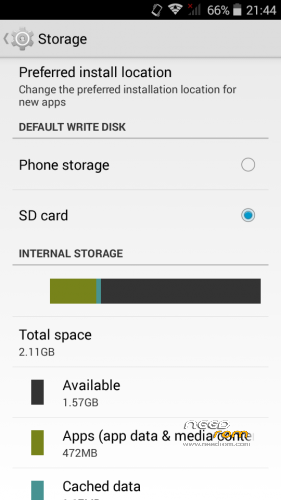
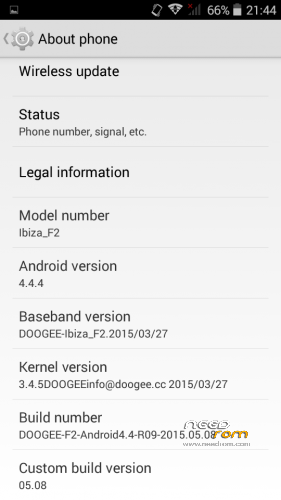
- Title: Doogee Ibiza F2 with 2GB internal Partition Rom
- Listed: November, 2015
- Last modified: 11/10/2015 2:16 pm
- Version: 4.4.4
You must be logged for ROM download.
13560 total views, 1 today
5 Total favorites
OFFICIAL
 Member Info
DESCRIPTION
Dear All
1. Download now the Rom from above link
2. Use 7zip to unzip the files in a folder to your computer.
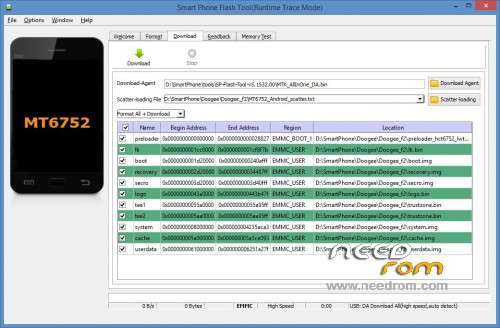
3. Download the Flashing Tool then Unzipp the files in a folder to your computer.
4. Now start Flashing Tool with admin rights.
5. Once you have opend the Flashing tool, please select the scatter file from rom folder and choose "Format All + Download" Option for repartitioning the phone storage to become 2 GB.
※Please make a backup of your device before installing or updating ROM
Hola me sirvio y quedo muy bien gracias
is very good thank
great job, thank you!
is the wla -update ok after flashing the rom?
i tried to install it and it was til green "ok" but the phone stays now ever in boot …doesnt start!…so i try to install again the orig. soft and its teh same…only boot no starting!?
did you fix the problem and how?
No sirve, me dejo el celular inservible, no enciende y no le puedo instalar la rom de fabrica.
Creo que la opcion "Format All + Download" borra los IMEI tengan mucho cuidado. La opcion adecuada sería "Firmware Upgrade" o "Download Only".
well i look after flashing it and the imei is gone…very bad!…how can i get it back?
Hi, using this or stock rom shortcuts disapear every reboot…
Any ideas on how to troubleshoot it?
Thanks
i have same problem with original stock rom. is this 2gb partition rom working for you?
Will this fixed my phone that stuck at no command boot after failed wireless update?