
- Title: Doogee T5 TWRP
- Listed: October, 2016
- Last modified: 06/29/2017 2:18 pm
- Version: TWRP 3.0.2-0
You must be logged for ROM download.
19662 total views, 1 today
9 Total favorites
CUSTOM
 Member Info
DESCRIPTION
Install using Flash Tool
WARNING!! Strictly follow these installation instruction!
Install:
1. Flash the recovery.img using SP FlashTool
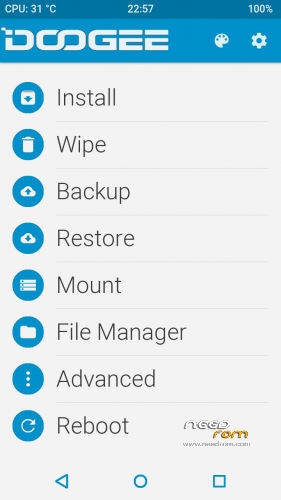
2. Enter into TWRP and Install the patch "SuperSU 2.78-SR1"
3. Reboot to the system

※Please make a backup of your device before installing or updating ROM
Be aware: The Phone will not start, if you didn't have installed the SuperSu. Download it bevor and save it on your storage, your first boot should be into recovery mode and install it. Then all will be nice.
@hanuma50: Thank you very much! That helps a lot to make this phone now realy nice :- )))
Hi there,
I just tried to flash the recovery.img but recovery mode does not work at all: it acts like there is no recovery, exactly as in the stock rom or as in the updated stock rom at https://www.needrom.com/downlo.....ad/doogee-t5/ . I also tried to flash this TWRP recovery together with the ROM at the previous link, by replacing it with the one that's provided there, but it doesn't work as well. How can I fix this?
Install twrp from here:
https://www.needrom.com/downlo.....doogee-t5-twrp/
I tested, run well.
Hi, I can not create cwm or twrp recovery for t5 lite mtk6735m. Mtk droid tools does not work. How did you create twrp….?
Be carefull to use this revovery. It is not possible after that to install any software update, not via OTA and not via TWRP. You stuck with your last version until a complete new flash (and reset to factory mode)
I created new twrp recovery for doogee t5 lite. I used custom cwm recovery from leagoo z5 lte and scatter for doogee t5 lite for mtk6735m… And all works great..
Tried twrp recovery for doogee t5 lite. I used recovery from leagoo z5 lte and scatter for doogee t5 lite, but I got pmt changed error.
Hi, could you give a modified recovery somewhere I can download it to your phone Doogee T5 lite install it. thanks
I did OTA update and after I copied SuperSU into the phone memory.
I installed TWRP as indicated above, started with TWRP, installed SuprSU and it is done.
Everything works well.
My phone is Doogee T5 (no lite, no S)
ve tried flashing, it was OK, but started with old recovery..Why?
fastboot erase recovery
fastboot flash recovery twrp.img
SP-Flash-Tool did not work on T5, not the Win-Version and not the Linux-Version.
Flashing twrp recovery.img with fastboot did the job.
Thanks for the twrp.
Thanks Jazzycom
Hi.I know it is probably rude of me to ask but what is the procedure to flash twrp with fastboot. I have doogee T5 but it always goes to normal recovery after reboot. Thank you. I have been to install this damn thing for a month now.
It worked on Doogee T5 Lite. Thanks!