
- Title: Gfive G6C-(3G Model)
- Listed: August, 2015
- Last modified: 08/13/2015 7:31 pm
- Version: 4.4.2 Kitkat
You must be logged for ROM download.
14862 total views, 1 today
4 Total favorites
OFFICIAL



 Member Info
DESCRIPTION
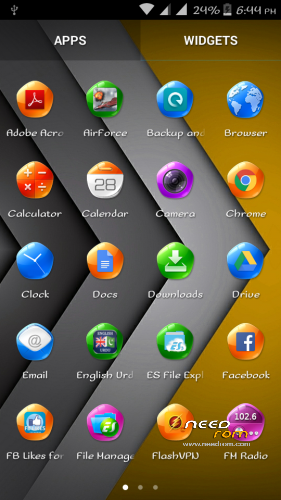
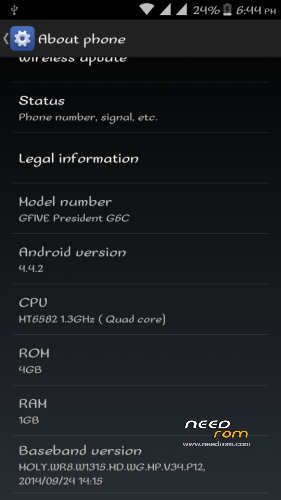
This is 99.98% Original stock rom for gfive g6c. 0.2% is deduct bcz one app is deleted by me for some issues.
You can simply install this rom by going into recovery. Dont forget to factory reset.
.Link FOR CWM recovery for gfive g6c:
https://mega.nz/#!YQsBlBSD!vApR3NLwbWJBZnCO9MaBhpUMNWatsm7JrjtL4SBn-jo
※Please make a backup of your device before installing or updating ROM
Kindly upload gfive president g9 stock rom.
Hi, i need a flash version with IMEI databse files….of these roms can you help me please. Thanks.
just download this one and Flash it:
https://www.needrom.com/downlo.....dent-g6-mt6582/
After Flashing do not turn on mobile, go into recovery "do a factory reset"
then flash custom recovery provided above after then flash this rom …Contact if u have any prob
Hello
ineed official jellybean 4.2.2 rom for president G6C.
https://mega.nz/#!bV4lkJII!w4_.....dyRVjeBwR9hrZiM
official jellybean 4.2.2 rom for president G6C
password………
a0d3n3a3n7s6a9t7T2a9r4i0m3r0a2n7m6o9b7i2l9e4
file not working.hang stuck
Can You Explain the Problem that u r facing.?
after flashing the rom using sp flash tool the mobile stuck on startup logo screen .. what can i do?
After Flashing the Rom, Dont turn on the mobile, go into recovery(Make sure it is stock recovery) and do a factory reset.
Now flash custom cwm recovery using sp flash tool and boot into recovery. Now copy the flashable zip into sdcard and flash it through recovery after that your mobile boot ..!
Link for Flashable Zip: https://www.needrom.com/downlo.....e-g6c-3g-model/
LINK for SP flashable: https://www.needrom.com/downlo.....dent-g6-mt6582/
Link for recovery: https://mega.nz/#!YQsBlBSD!vAp.....sm7JrjtL4SBn-jo
thanks (naq780) it works .. but it is in some other language .. how to change the language and imei is unknown .. how to solve that??
i have corrected the language but imei and baseband is unknown …
If you got baseband error, just flash the "Secro.img" file with SP flashtool and then boot your mobile..!
It will resolve your Baseband error. Now For fixing IMEI there are two methods:
1. Dial : *#*#3646633#*#*
go to "Connectivity" and select "CDS Information"
Now select "Radio information' and first select phone 1(SIM1), you will see Something like this "AT+" just type any letter n then erase it, you will see many options. Select "AT+EGMR=1,7" for phone 1 (SIM1) and "AT+EGMR=1,10 for Phone 2 (SIM2)" .
Between the Colons type your imei number just like this : AT+EGMR=1,7,"1234567890"
after typing click "sent AT command". if you got any error in sending AT command, try giving a space between AT and +. like this "AT +EGMR=1,7"
2. Second method is easy but requires root. you can edit your imei with MTKDroidtool…
i hope i helped you..:)
Hi, i need a flash version with IMEI databse files….of these roms can you help me please. Thanks.
https://www.needrom.com/downlo.....dent-g6-mt6582/
you can flash just imei database file through this.
ps; flash only imei database files.