
- Title: GFIVE G9 MIUI Official
- Listed: August, 2013
- Last modified: 09/03/2014 3:30 pm
- Version: ROM Android 4.2.1
You must be logged for ROM download.
35448 total views, 7 today
2 Total favorites
 Member Info
DESCRIPTION
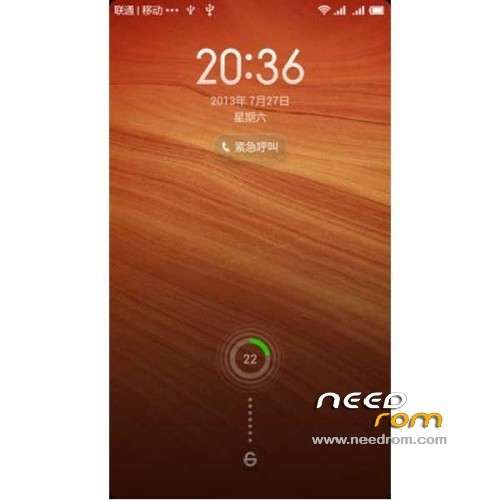
ROM Mobile GFIVE G9 – ROM Android 4.2.1 MIUI
Features ROM:
Update MIUI v5 – 4.8.29
—————————————————————————————————————————————————
MIUI v5 – 4.8.19
Gapps include
Language support: Multilang normally
Install ROM :
CWM
Step 1: Download the custom ROM copied to an external SD card root directory
Step 2: the shutdown state. While holding down:
– Power button + volume button up, to enter the recovery mode.
– Wipe Data / Factory Reset -> delete all user data
– Wipe Cache Partition -> Wipe cache
– Advanced -> Wipe Dalvik Cache
Step 3: Return to recovery main interface Install zip from sdcard -> choose zip from sdcard -> Select your ROM
Step 4: Brush complete, restart the phone Patience required – first boot takes a while
※Please make a backup of your device before installing or updating ROM
I had to delete script then it worked for me it’s 4.1.17. Now will try to update as you have suggested above.
Now I have updated (optimized 119 apps) to 4.1.24 but still it’s showing 4.1.17 version.
yes you are still on 4.1.24 try to maually update it by doing the following steps.
1. copy 12 mb update file from sd card "Download_Rom" folder
2. go to recovery mode and try to update if manually, if not succeeded try to edit that file by removing extra lines & try again
3. if you find update succes but in less than 10 seconds try again to do it untill you see it will take more time about a minute or more then you will see "update success" msg and reboot.
now its really on 4.1.24 enjoy
Two tips
If your games are lagging in this rom try to uncheck “Show Rounded Corners” in Developers option in the settings and boost your games through Master Clean app.
If your microphone volume is low you can increase its volume in Engineering mode by dialing this code *#*#3646633#*#* and then go to Hardware testing then Audio then Normal Mode then select Mic in the drop down menu and then put gradually higher value in all the 0 to 6 levels.
Hope this will help.
I have done through these methods but Try these settings on your own risk.
Very nice rom
1 issue
I can not change the ringtone and notifications sounds, how to fix it?
its very easy mate! Just look carefully when you want to change ringtones wallpapers or themes etc. there is tab called "local" select it and do as you want or if its written in chese then select last tabe and do enjoy. I'm using latest update 2.1.127 now
Thanks alot azhar63, your script modification solution worked for me.. Best regards
sorry 4.27
it typed wrongly
Azhar Brother, im also using MIUI 4.2.7, very nice rom, just a little bit heavy on ram but no matter. Problem is that how i can move Apps on Sd card, GFive G9's internal memory is very low. Plz help in this regard. Thanks
But my device automatically installes apps on sd card. Any how you can use an app from Market like app2sd etc. to move apps
regards
Dear Azhar
Is it necessary to do factory reset and clean dalvik cache to update rom manually (due to script, as you know ) from 4.1.17 to 4.2.14? I don’t want to reinstall apps again and again.
Dear Azhar
i have downloaded new Short update pack of MIUI Build 4.2.14, it is again not installing. What should i do…. Should again edit the file in meta inf folder, upto show progress…….? plz help
Dear honest
have you installed the 4.2.14…..????? if you done it then how?