
- Title: GFIVE G9 MIUI Official
- Listed: August, 2013
- Last modified: 09/03/2014 3:30 pm
- Version: ROM Android 4.2.1
You must be logged for ROM download.
35445 total views, 4 today
2 Total favorites
 Member Info
DESCRIPTION
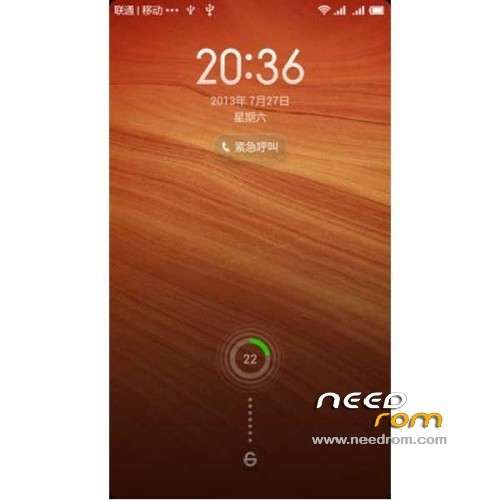
ROM Mobile GFIVE G9 – ROM Android 4.2.1 MIUI
Features ROM:
Update MIUI v5 – 4.8.29
—————————————————————————————————————————————————
MIUI v5 – 4.8.19
Gapps include
Language support: Multilang normally
Install ROM :
CWM
Step 1: Download the custom ROM copied to an external SD card root directory
Step 2: the shutdown state. While holding down:
– Power button + volume button up, to enter the recovery mode.
– Wipe Data / Factory Reset -> delete all user data
– Wipe Cache Partition -> Wipe cache
– Advanced -> Wipe Dalvik Cache
Step 3: Return to recovery main interface Install zip from sdcard -> choose zip from sdcard -> Select your ROM
Step 4: Brush complete, restart the phone Patience required – first boot takes a while
※Please make a backup of your device before installing or updating ROM
Use Link2sd app to move apps.
Please help me !! .. Unfortunately my g5 president g9 software has been removed and my phone stucks on boot after its logo appears, i pressed power button + up volume buttom,then there are 5 or 6 options, i selected installed from sd card but this is empty folder and my phone cannot be attached with my pc Please help !!
just do this first in your ROM file
Open the ROM file (dont extract) Meta inf folder>com>google>android>updater script. open it with notepad and remove all text from the start until the ";" icon before show_progress(0.500000, 0). It worked for me.
remember the text file should be start from show_progress
then copy it to internal sd
THANKS so much @Azhar63 For this Steps!!!!! MIUI ROM is Running in my Blaze2.0 ))
))
Thanks Thanks Thanks @Azhar63
HOW TO INSTALL IT IN GFIVE G9 ????
PLZ HELP!!!!!!!!!!!
EVERY TIME I TRY TO INSTALL IT GIVES SOME
PLZ GIVE PROPER STEPS OF INSTALLING IT ON GFIVE PRESIDENT G9
WAITING FOR UR REPLIES
THANKS
Please update to miui v6 for gfive g9 …rom is good
Please fix gallery..it lags alot
If any one want to flash this rom please use miui recovery: https://docs.google.com/file/d.....sp=docslist_api
Download file
i have a problem when update my rom from 4.8.1 to 4.8.29
what should i do?
please help , i have uploded a picture!
Thanks to rom`s maker and rayyanakhaliq for recovery.
But… Why I cant use front camera?
Good rom! But lag!