
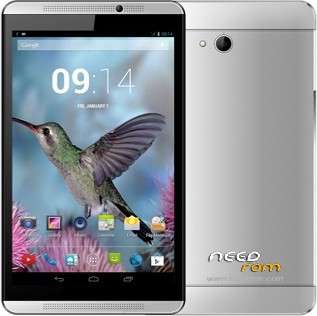
- Title: Ginzzu GT-X853
- Listed: October, 2016
- Last modified: 10/31/2016 4:54 pm
- Version: 4.4.2
You must be logged for ROM download.
12084 total views, 1 today
OFFICIAL

 Member Info
DESCRIPTION
Ginzzu GT-X853 – Official Firmware (OS Android 4.4.2)
Instructions
Install the driver.
Unzip the Flash Tool to the root of any drive.
Unzip the firmware to the root of the drive where the flasher.
You connect the tablet is turned off and wait until the drivers are installed, disconnect from the computer.
Start Flash Tool and choose the scatter scatter from the folder with the firmware.
Click Download and plug off the plate.
Wait window appears, "OK."
※Please make a backup of your device before installing or updating ROM
But this archive is password locked. why?
please add firmware for this gt-x853 Rev. 2 (android lollipop 5.1)Thanks.
this tablet have mt8321. not mt6582