
- Title: HDC NOTE 3 MT6589 1GRAM 4GROM update 6 Des 2013
- Listed: January, 2014
- Last modified: 01/21/2014 12:10 am
- Version: 4.3
You must be logged for ROM download.
41521 total views, 1 today
9 Total favorites
 Member Info
DESCRIPTION
NEW UPDATE FOR OUR BELOVED HDC NOTE 3 MT6589 1GRAM 4GROM
RES 720P DENSITY 320DPI
FIX MULTITOUCH PROBLEM ON MANY APPS
BROWSER CAN PINCH TO XOOM
got 4way gesture down up left right homescreen
Install ROM :
- Unpack FlashTools, and Click on Flash_tool.exe
- Select a the MT6589_Android_scatter_emmc.txt in ROM
- Just hit ok if there any prompt
- Wait file to be added into Flash Tool
- choose Option->USB Model,click USB Model
–> Choose Option->DA DownLoad All->Speed->High Speed, click High Speed
- Turn off your phone, remove the battery.
- "Press F9 (hit Download button)
- and connect your phone into the computer via USB data cable.
- The process will start and a red progress bar will appear after color purple, yellow.
- And green circles display
- Finish !
- You can now safely disconnect your phone and turn it on.
enjoy
※Please make a backup of your device before installing or updating ROM
Works un a star s7589? Thanks
No idont think it will
Only for
Hardware : MT6589
Model : GT-N9000
Build number : JDQ39.N9000XXUAMDF
Update 6 des 2013
Can i flash it to hdc glaxy note 3 max n9006 ?
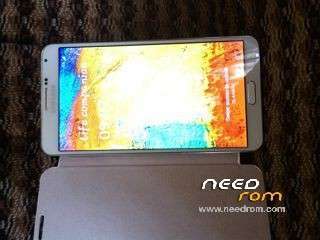
Perfect 1:1 HDC Perfect Galaxy Note III phone
MTK6589 Quad cores 1.2GHz Cortex A9 + SGX544 GPU
5.7 inch HD multi-touch Capacitive screen, 1280*720 resolution IPS screen
3G ,Air gesture
G-sensor, Light sensor, Distance Sensor, Motion Sensor
Build-in GPS Navigation+AGPS
1GB Ram
4G ROM ( Support TF Card up to 32GB)
Android 4.3 jelly bean
work for HDC Galaxy Legend S4??
s-view support cases?
it could enable the administration of sim card?
I have a company that requires me to have roaming enabled and every time I call I skip a message
Doesntsupport sview
Your provider doesnt support this phone bandwith network
You can dial *#4636#* to get phone info and you can change your preffered network
Or *#3646633#* to go to enginnering mode
Or install mobile uncle tools to go there
Good to hear this update that I was really waiting for. But sad to say that I got boot loop after porting this. I think it's in the lib
New Rom
Hardware : MT6589
Model : GT-N9000
Build number : JDQ39.N9000XXUAMDF
Update 6 des 2013
When update android 4.4
the error was corrected in roaming calls (display ad (always, never))
thank ok !!!
hihihi
does it works with note 3 n9006 mtk6582?
been flashed this update for 7 hour, the problem is when plugged in charging the screen become unstable and it very worst. any idea?