
- Title: HDC Note 3 SM-N900 MTK6589 IR Remote New Model
- Listed: January, 2015
- Last modified: 04/04/2015 10:35 am
- Version: 4.3
You must be logged for ROM download.
24769 total views, 2 today
9 Total favorites
 Member Info
DESCRIPTION
ATTENTION : Read Carrefully
Feel free to Donate via Paypal if you apreciatte my work
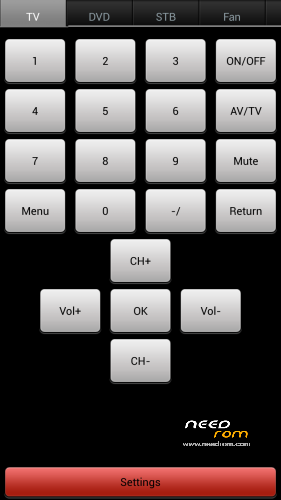
This is the New ROM for ibaby888 SM-N900 Note 3 TV Remote IR
Be very carrefully, because it has different LCD Driver from the previous Note 3 Max, this time Screen Colors are better and that´s why the Driver is different from the old one.In case you get black screen or strip line, is because your N9006 is old Model with Old LCD 
LCD Driver : 1-otm1283a_dsi_boe_lcm_drv
This is Only for SM-N900 Model, 1.2Ghz MTK6589 1GB RAM 8GB ROM TV Remote IR Blaster
Not Tested On Other Devices !
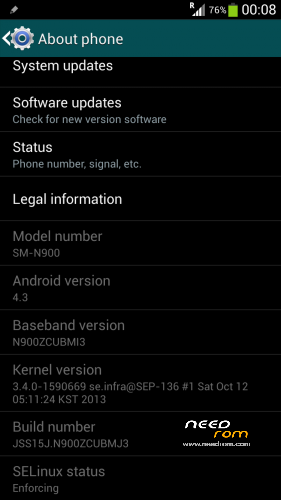
Phone Informations :
Hardware : MT6589
Model : SM-N900
Build Number : JSS15J.N900ZCUBMJ3
Android Version : 4.3
Baseband : MOLY.WR8.W1248.MD.WG.MP.V7.P11.2013/05/28
Kernel v : 3.4.5(bz@ubuntu) (gcc version 4.6x-google ) CST 2014
LCD Driver : 1-otm1283a_dsi_boe_lcm_drv
- This ROM is the Stock ROM, but i work on it and make it perform very smooth.
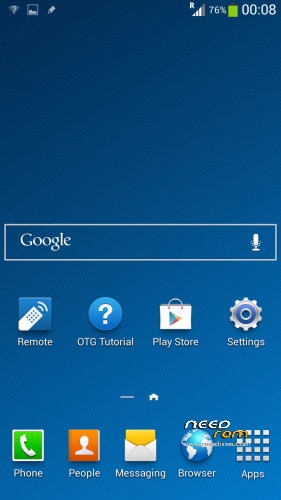
- I have removed ALL the Chinesee App´s.
- I also remove All the Apps that slow down the phone.
- Only the Original Ringtone and Whisper Message Tone has been left in the phone, you need to add your own Music Ringtone ( i remove them to increase system space )
( Live Wallpapers, Trip Widget, S Planner, Magic Smoke etc, all of this have been removed )
Live Wheather Widget Have Been Removed, keymodule OOBE ( not removed )
The ROM has been configured to work and perform flawless and very fast.
- It comes with the following :
: Rooted
: Samsung Logo at BootUp and Shutdown – Works
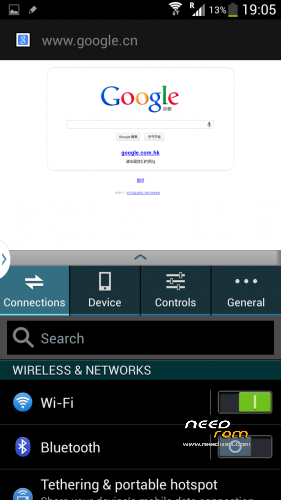
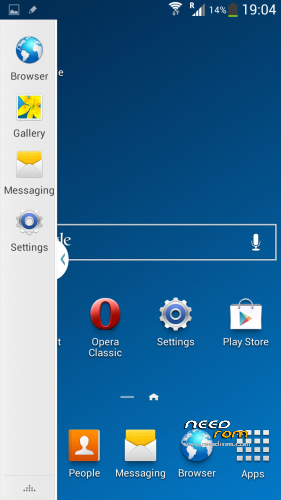
: Multiwindow – Works
: IR Remote – Works
: Playstore – Works
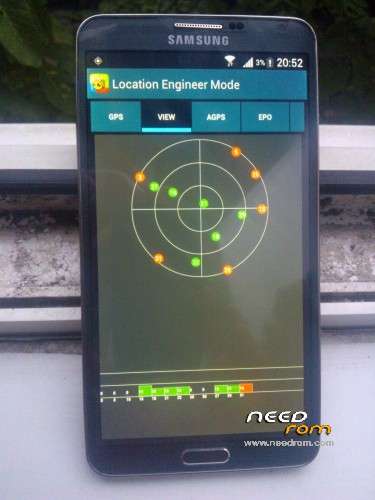
: GPS – Works
Please Read Before Install This ROM :
- I recommend to do a full backup of your ROM first. ( i don´t take any reponsability if u brick your phone,
take it on your own risk )
- Before install this ROM, I recommend to wipe cache, data factory reset, wipe dalvik cache.
This ROM has been tested and succesfully installed on my Device after has been modified.
My Device : HDC Note 3 SM-N900 Model
( Take your battery out and see Model Information )
:: Read carrefully ::
- I recommend to install this with SP Flash Tool v3.1328.0
- How to Install -
PS : Make sure you have proper Drivers installed on your PC, otherwise the Phone won´t be detected.
Turn Off your phone, wait until it vibrates to be sure is off. Take your battery out.
1 – Open SP Flash Tool
2 – Select MT6589_Android_scatter_emmc.txt
3 – Press Download Button
4 – After 1 Second Connect your Phone ( without battery ).
5 – Pc will recognize the phone and the flashing process will start.
6 – Red Progress bar will start, and after the yellow bar, wait until it finish.
7 – Finally, a Green Circle will appear, Download Ok.
You can now disconnect your phone, insert battery and start it up.
First Boot will take longer than the ussual, but is normal.
Thank you
Please make sure you check My Tutorial on How to Increase Volume Sound in the Note 3 Clone here :
https://www.needrom.com/download/increase-volume-hdc-note-3-max-ir-remote/
And also how to Improve GPS on this Note 3 Clone here :
https://www.needrom.com/download/gps-fix-hdc-note-3/
※Please make a backup of your device before installing or updating ROM
Good evening forum friends, I managed the place Where the download link of this article is. I still leave there if needed. Another thing congratulate His work for the developer, but Because You remove all or Nearly all the properties of Samsung 3? That is to remove S note, then a Serves the S pen. Very grateful beforehand, no clutch, you Should Develop a more complete alternative and we are definitely users WHO decides. In my case, I blew the air gesture to the home screen, scroll the multiwindows the eyes. Could you help me with that. Once again congratulations and thanks. Here is the link: http://android-rom-hdc.blogspo.....remote-new.html.
flash succes, but switch back not work
SM-N9006 model, touchscreen go wrong, back button dead!
It's because you dont have the same LCD Driver Screen. this ROM is not Good for you.
SM-N9006 model, touchscreen goes wrong, back button dead!