
- Title: KitKat 4.4.2 980/990
- Listed: September, 2014
- Last modified: 10/09/2014 5:40 pm
- Version: 1.0.7
You must be logged for ROM download.
171532 total views, 10 today
394 Total favorites
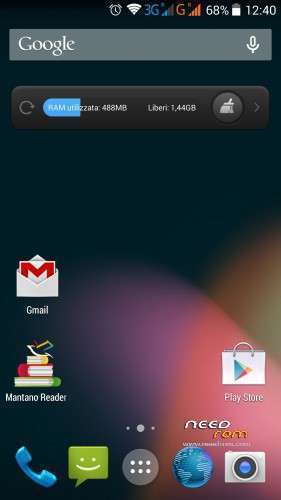
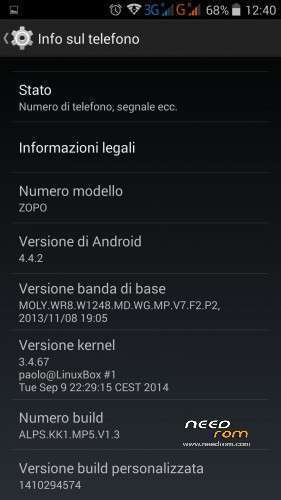
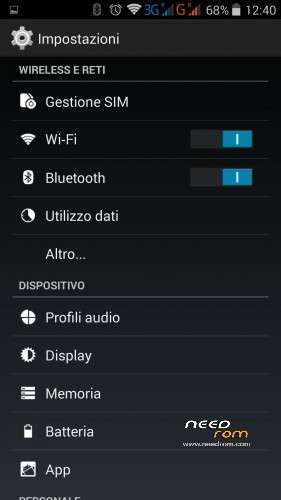
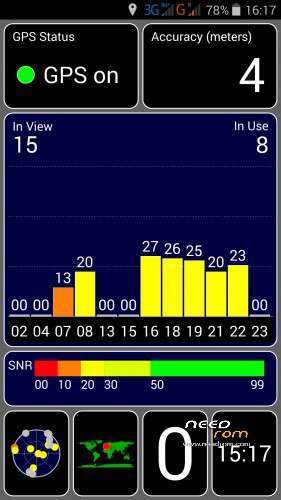
 Member Info
DESCRIPTION
Hi all 
This is the first REAL kitkat rom for zopo 980/990, is entirely (kernel and android) compiled by me from mediatek source
everythings works, only some minor bug are present…but it's only the first public release
changelog:
09/10 – Ver 1.0.7
- Wifi Tweak (little improved speed and stability)
- Flash sync tweak
- Front camera up to 8MPX in Third-party app (only 3MPX in stock camera app)
- Radio FM app now works without headphone
- AROMA: mod for remove reboot option in powermenu
- AROMA: mod for install a new boot logo by aquilacd70
- AROMA: mod for switch back to use Superuser instead of Kinguser
02/10 Ver 1.0.6_new
- changed some commands in flash script, if you are unable to flash the 1.0.6 try with this new version
01/10 – Ver 1.0.6
- root : switched from superuser app to kinguser app
- vendor lib: updated the precompiled vendor lib
- wifi: different firmware files
- wifi: tweak some power parameters
- display: now in aroma you can select the display resolution (FullHD or HD). the HD resolution is nice for boost graphical speed in games
- kernel : fix for working softkey in HD resolution
some info about resolution HD and FULLHD
in the version 1.0.6 i have created a script for set the display resolution (and DPI) in HD or FULLHD.
HD resolution help a lots in games.
to change the resolution during the flash just activate (or deactivate) the option in aroma, enable if you want to use the HD resolution, disable if you want to use the FullHD.
every time you want to change the resolution just flash the rom with the option you want (you need flash because it is necessary to change the kernel depending on the resolution chosen)
There are 2 little problems:
- the first boot after changing the resolution (only the first time) there may be icons with wrong size (too big or too small) in the status bar and launcher, just reboot for fix
- at HD resolution the boot animation is correct, but a few seconds before completing the boot becomes huge, it's just a visual bug
27/09 – Ver 1.0.5
- Tweaks Compass driver and settings
- Tweaks Autobrightness settings
- Increased microphone volume in call
- Increased speaker volume in call
- ZOPO990/C7: alternative kernel with different proximity sensor driver (for those not working with the base kernel)
- Added Bulgarian language
- Added Greek language
- Added Finnish language
23/09 – Ver 1.0.4_new
- Fix color grey in dialog windows
22/09 – Ver 1.0.4
- Fix camera flash sync (maybe it is not perfect yet but it is better than before)
- Added reboot and reboot recovery in power menu (thanks to dimid)
- Added torch app (thanks to dimid)
- new charging led color rules: 0-99->red, 100->green
- AROMA: add a new baseband (2014) if someone wants to try it
- Added Japanese language
20/09 – Ver 1.0.3
- Fix cell low signal strength
- Kernel : different compass driver
- Added Swedish language
- Added Polish language
- Added Slovak language
- Added Slovenian language
15/09 – Ver 1.0.2
- kernel : fix automatic backlight level value steps
- rom: tweak some automatic backlight settings
- rom: fix backlight smooth transition
- rom: fix write permission on external sdcard for some app
- rom: added Google TTS and chrome bookmark sync
- rom browser: set default download directory to "Download"
- ZOPO980/C2: alternative kernel with different proximity sensor driver (for those not working with the base kernel)
11/09 – Ver 1.0.1
- ZOPO980/C2 and C3 – fix accellerometer and screen alignment/rotation
- Add function Sweep2Wake and DoubleTap2Wake in the kernel
- Add script "sets2w" for enable/disable s2w/dt2w function
- Add mod NO S2W in AROMA for those who want to disable s2w/dt2w function
- Removed the big icon 3G and G in statusbar
- Fix 13MPX in stock camera
- Default notification led set to blue
- Different baseband
- Fix low intensity vibration
10/09 – Ver 1.0.0
- first public release
know bug:
- camera stock show only 8MPX, with other app (camera360, google camera etc) u can select 13MPX
- the compass works but is not accurate as on JB
- the vibration is low compared to JB
- ART not work (for now…)
- maybe other…let me know
for enable/disable the function sweep2wake, doubletap2wake and pocket detect i have created a script.
just install a terminal emulator and write:
su
sets2w
and set to 0 what u want to disable
pocket detect use the proximity sensor for disable s2w/dt2w when phone is in pocket (or when the sensor is covered by something)
need this recovery to flash this rom, also need a full wipe (if u update from previous version u can wipe only cache and dalvik)
In aroma installer u can select if flash for zopo 980, 990 or C3
for 980 and 990 there is a 2 variant, A and B (differ only in the rotation of the screen)
try first with the A version, if screen in landscape mode is upside down reflash with the B version
there is also an alternative version with different proximity driver, if proximity sensor does not work try with this
original discussion (in italian): http://www.androidiani.com/forum/zopo-modding/426142-zopo-980-990-c2-c3-c7-rom-kitkat-4-4-2-a.html
※Please make a backup of your device before installing or updating ROM
It's magnifical! Very very good job Paolo!!!
Hi again! unfortunatelly something i have done wrong with my phone and recovery doesn't work any more, i have tried everything, with mobileuncle tools try to flash older TWRP, and the new but the problem remains, i have only black image on recovery and nothing else, restore backup with nandroid can't work either. Any ideas?
sorry i can't edit my post anymore. Finally with power + volume down (i think down), get into recovery and flash 1.0.1 now all are ok, thank you Paolo great rom! keep up the good work. But why google play installs automatically the programs i had on my old rom? this is weird…but it's ok.
Dude. You made my 980 live again. Thanks for this KK>
Didnt check rotation before.
I have ZP980 version B. I choose that also from the Aroma installer. Rotation is indeed upsidedown.
Any one else problems with Youtube-app?
Cannot start it.
use the A version (it does not matter if yours is the 980B)
youtube works fine on my cell
Hi Paolo,
I've been following you and your Rom on androidiani (with g.translate ), i've also tested your work before it was "officially" posted here
  GREAT job, great work and improvements, thank you
  i'm curious what's in 1.0.1
If i'm not wrong, the rom on androidiani was a CM rom, it had also the themeing features what happened?
Thanks again
this rom is not the CM11 but is compiled from mediatek KK source (leaked one month ago and posted on some forum) (cm11 still have bug on bluetooth and acceleration HW)
so…no theming like CM but everythings works
I will flash again, but then use the A-rom.
Flashed again. A-rom is now good with rotation. Youtube not working unfortunately. Rest is great.
you install youtube from google play or from other source ?
I asked other people and for the moment they confirmed that it works
From playstore. Maybe i should flash again with full wipe. Normally wipe cache and dalvik is enough.
Will make backup first and then flash. Will let you know.
great work paolo!!!, works fine on zp990 2/32. Installed 1.0.1 ver.A, and at the moment only a few smal things:
- when connected to PC (usb) then information about USB connection is in another language than chosen (my chosen languange is EN and those info is HU?!?).
- screen is little bit flashing when brightnes is set higher than minimum (on minimum setiing is OK).
- during AAP's instalation from Google store sometimes hangs in this instalation (after restart aap is installed).
THX
frox