
- Title: L861 – HNR-CM13-PP
- Listed: June, 2018
- Last modified: 01/18/2019 12:05 am
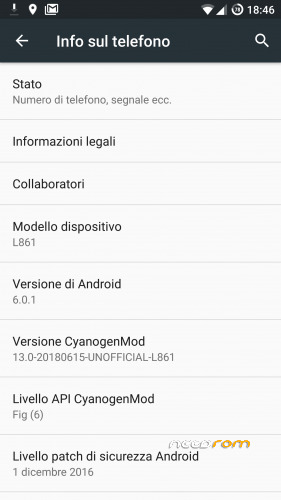
- Version: Android 6.0.1 - CyanogenMOD 13
You must be logged for ROM download.
9237 total views, 1 today
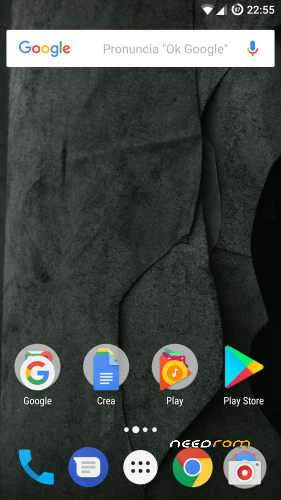
 Member Info
DESCRIPTION
20190217 build HNR-CM13-PP
- Kernel upstream from 3.10.72+ to 3.10.106+
- Additional backported patches
- Minor fixes : battery management
20190117 build HNR-CM13-PP
- LCM Timing fixes for "old" displays
- WiFi / RIL Patches
- Optimized online/offline battery charge
- Additional Camera app
20181007 build HNR-CM13-PP
- New Phone Management – Advanced LTE Services support
- Audio Enhancements (Quality / Loudness)
20180805 build HNR-CM13-PP
- Battery & Thermal Management (kernel + device tree fixes)
- Volume Level fixes (higher gain)
20180705 build HNR-CM13-PP
- Camera App/Framework Fixes & Additions :
+ fixed slowmotion Mode (working again in 1280×720)
+ added timeshift video record mode
+ added TNR Video Mode (Temp Noise Reduction)
+ added Shutter Sound Switch for Camera
+ added Brightness Settings for Camera
+ added ZSL Settings (full working now for all Camera Apps)
+ added Longshot mode (with settings) with 20 Pictures when press long the shutter (not the Hardware Button)
+ fixed android.hardware.camera Interface for using ZSL mode which also enabled ZSD.
20180626 build HNR-CM13-PP
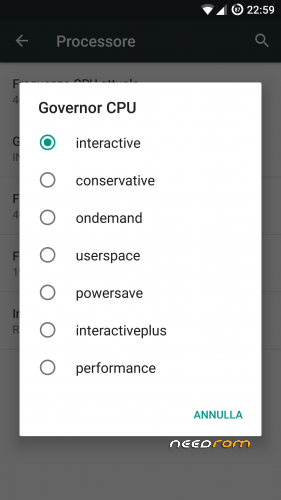
- kernel + device tree fixes for battery management + Governor Timing Settings / CPU usage during standby
20180615 build HNR-CM13-PP
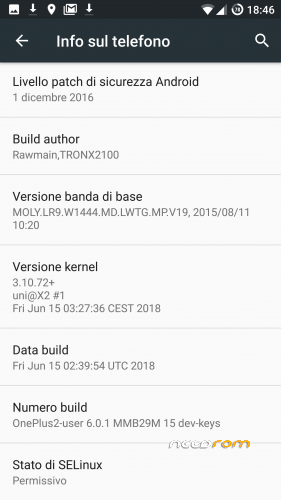
- kernel 3.10.72+
- already bundled with NANO GAPPS package
- NO Need to configure Google Whitelist GSF Device ID (even though still suggested)
- NFC fully working
- Full Miravision Support
- New MTK OMX Codec libraries/settings
- SafetyNET iSu packages (APK + .ZIP for installation from recovery)
- Full battery profile (system / per-app) management
- New CM-SU
- SurfaceFlinger Fix
- DTW Double Touch to Wake.
.
.
0. Disclaimer
The usual stuff :
This package might be most suitable for experienced users but everybody is welcome to use it at his own risk.
Flashing / Rooting your phone and using software tools have risks indeed = if instructions aren't followed you can BRICK YOUR DEVICE. Therefore please read carefully all of the instructions & follow them if You choose to go on at your own risk.
If You don't understand the instructions stop & search on Google/Boards/XDA/etc. and / or ask for help.
All the mentioned software & tools belong to their respective owners/developers. Neither I nor the owners / developers are not to be held responsible if you damage or brick your device.
.
1. ROM Flashing
HNR-CM13-PP – CyanogenMOD 13 – Android 6.0.1 Marshmallow for AMOI L861 device (MT6795 – WQHD) – other known re-brands for such phone :
- STONEX ONE #Galileo – #DaVinci – #Dante
- Santin Dante – DaVinci – Marconi
Pre-Requirements :
- Start from a custom ROM already flashed on the device = FuelOS – PPOS – FlyMEOS – CM13 – HNR-CM13. Such ROMs already include custom TWRP recovery 3.0.2 & have unified data storage (while stock firmware uses splitted-data partitioning).
Once ready enter TWRP recovery through ADB or using QuickReboot (requires root).
Once in TWRP :
- Mount System
- Advanced Wipe : Cache / System / Data
- Install zip (choose latest available package)
- Reboot & proceed with initial ROM setup
.
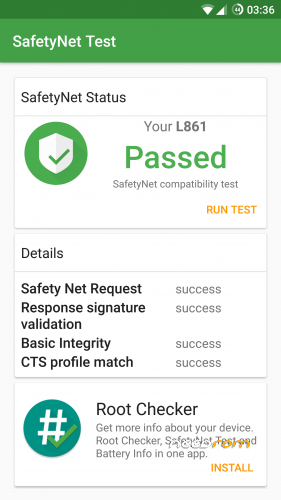
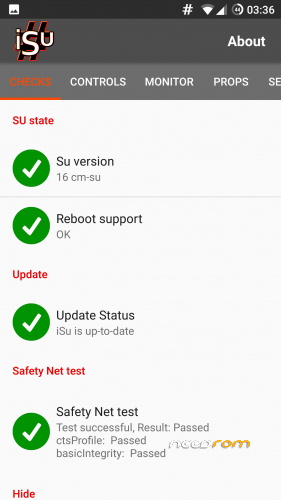
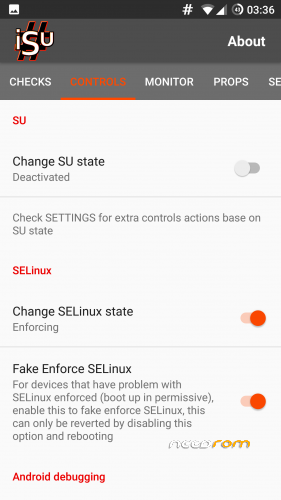
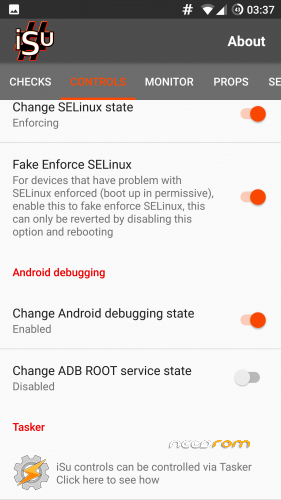
2. SafetyNET iSu
If You have SafetyNET issues while loading some apps, download ISU_SAFETYNET package. Then :
- 1 – Install APK package & reboot into TWRP recovery
- 2 – Mount System & Install ZIP package
- 3 – Wipe Cache/Dalvik
- 4 – Reboot into System
- 5 – Setup iSu according to provided pictures
- 6 – Reboot device
.
*** CREDITS *** .
- Andrea Conficoni (provider of main L861 device for custom ROMs' development & testing) .
- TRONX2100 (Henry) for his hard work & support during last 3 months
- bmv1510 (4PDA.ru) for camera / RIL patch
- lucky76 (TuttoAndroid.net – aka erlucky on XDA) for his kernel development .
- blyha (4PDA.ru) for his CM13 porting on PPTV King7 device .
- Team M.A.D. (XDA) for their CM13 porting on Elephone Vowney Lite device
- scafroglia93 (Lorenzo ORI) for his first contribution to L861 kernel sources
※Please make a backup of your device before installing or updating ROM
Hello, does fm radio work?