
- Title: Lenovo a319
- Listed: September, 2016
- Last modified: 09/09/2016 1:51 pm
- Version: ROM Android 4.4.2
You must be logged for ROM download.
63939 total views, 2 today
28 Total favorites

 Member Info
DESCRIPTION
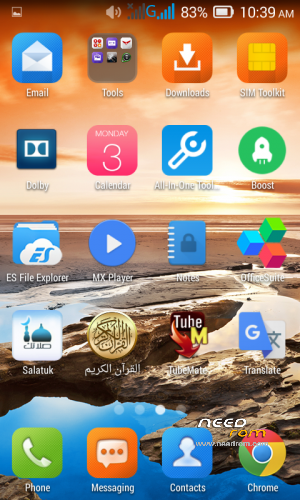
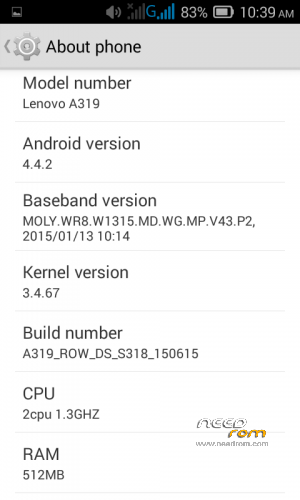
Lenovo a319 Stock ROM , this is the original rom of a319
How to flash rom ….easy.. 
The requirements of Lenovo A319 is battery backup of 40% to 50%.
Download and install Lenovo A319 Usb Drivers.
Download Stock Rom of Lenovo A319 Firmware Password is lenovo2
Power Off your Mobile and remove Battery.
Download and extract spflash tool.
Now open sp flash tool and specify scatter file from that stock rom.
Now press download button. if face any error change download mode to firmware upgrade.
when Green bar of Ok appears your flashing done.
Now unplug cable and remove battery.
Now insert battery and press power button.
Your flashing is complete enjoy
※Please make a backup of your device before installing or updating ROM
Thanks Bro
Thanx I will try it
sp flashtool not work and during error when extract a file.so can I download another flashtool.
If you know another flash do the same job of sp flash tool then try to use if not go to sp flash tool and download it (NB :I USED SP flashtool 3.1)
http://spflashtool.com/
Maybe your rom file is damaged ….
just check where is the problem and fix it
I hope you succed flashing your phone …..PEACE
cant connect internet. it can detect 3g signal, but cant access data, cant connect to the internet. help please
ask your sim operator to send the internet configuration
rom del lenovo a319 de un sim
no dual sim
When i open my Lenovo, The signal is lost. Can you please help me?
If you have invalid imei then it’s easy to fix there à lot about it just Google for it ..
Nice.. i will try it
شكرا
thanks bro………
i m new bro. it working thnxx my bro . i like u .plzz keef halp me