
- Title: M8_UL_M60_SENSE70_MR_BrightstarUS_WWE_6.12.154 0.4 for M8_UL AT&T
- Listed: June, 2018
- Last modified: 07/18/2019 2:00 pm
- Version: 6.0
You must be logged for ROM download.
12595 total views, 1 today
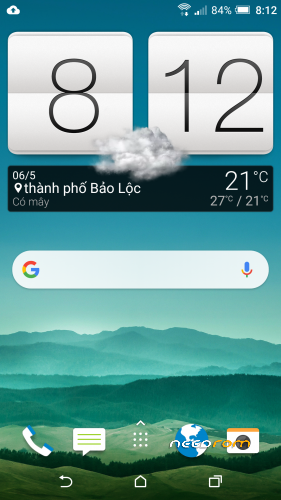
 Member Info
DESCRIPTION
M8_UL_M60_SENSE70_MR_BrightstarUS_WWE_6.12.154 0.4 for M8_UL AT&T
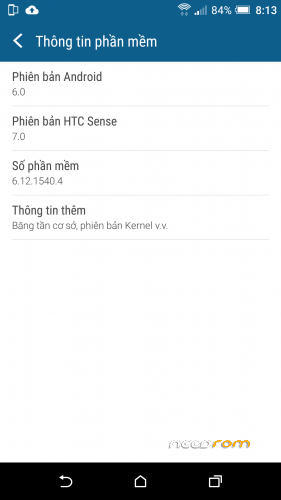
Android version: 6.0
HTC Sense version: 7.0
Software version: 6.12.1540.4
Require: S-OFF, Bootloader Unlocked
Method 1:
Step 1: Run RUU_M8_UL_M60_SENSE70_ATT_MR_Cingular_US_6.20.502.5_combined.exe to update new firmware
Step 2: Flash twrp recovery…
Step 3: Install rom via twrp recovery
Method 2
Install 6.12.1540.4_firmware same install ruu.zip
Install ruu.zip RUU_M8_UL_M60_SENSE70_MR_BrightstarUS_WWE_6.12.1540.4.zip
Steps to extract Firmware from RUU File
Download and install the ‘Universal HTC RUU/ROM Decryption Tool’ on your Windows PC.
Windows 64 Bit Version
Windows 32 Bit Version
After installation you will get the below files:  Keep the folder structure intact. DO NOT change anything in here.
Download and keep the HTC RUU file ready. In my PC, it is in the below location:
C:\Users\V\Downloads\Compressed
Open a command prompt in administrator mode:  Search for ‘cmd’ > Right click on ‘Command prompt’ > Select ‘Run as administrator’.
Once you are in the command prompt, change the directory to the folder where ‘HTC RUU Decrypt tool’ is located. In my PC, it is available in the ‘C:\Users\V\Downloads\Compressed\HTC_RUU_Decrypt_Tool_3.6.5-WINDOWS64’ folder. So the command looks like below:
cd C:\Users\V\Downloads\Compressed\HTC_RUU_Decrypt_Tool_3.6.5-WINDOWS64
Next step is to run the HTC RUU Decrypt tool. Execute the below command in the command prompt:
RUU_Decrypt_Tool.exe
For example, in my case, it is like this:
RUU_Decrypt_Tool.exe C:\Users\V\Downloads\Compressed\RUU_File.Zip
Next, you will be prompted with a bunch of questions. Choose the ones necessary:  Make sure to give ‘Y” for the question ‘Create an sd-card flashable zip [Y/n]:’. For other options, you can choose ‘Y’ for whatever you need.
Sit back and relax! You might see a few error messages like below:  YOU CAN IGNORE THESE ERROR MESSAGES!
Once the process complete, you will find the extracted files in the location where the RUU File is located. The output folder name will start with ‘OUT’.
Done!
※Please make a backup of your device before installing or updating ROM