
- Title: MI FLASH TOOL (XIAOMI)
- Listed: December, 2023
- Last modified: 12/21/2023 6:56 am
- Version: ANDROID/MIUI
You must be logged for ROM download.
3735 total views, 1 today
1 Total favorites
 Member Info
DESCRIPTION
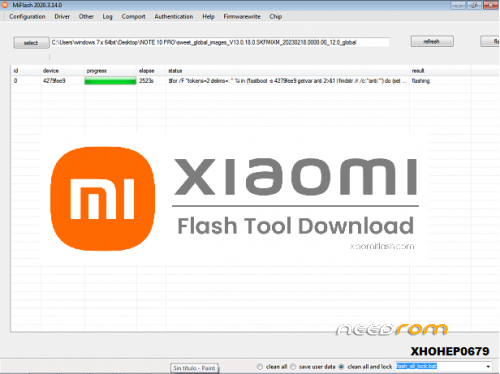
XIAOMI MI FLASH TOOL 2023
CONTRASEÑA DEL ARCHIVO: xiaomiflash.com
AGRADECER Y DONAR..
- Xiaomi Flash Tool Installer- Xiaomi Flash is a desktop program that takes installation on the PC as a must section. So the package of download Xiaomi Mi flash here comes with ADB Tool, Drivers software files, and flash file. So soon after you have downloaded the app, you need installing on the PC
- Mi Flash drivers- Installing the correct drivers to the PC before making the program connected is one of the high responsible steps to make successful connections. So here saving you time, money and effort MiFlash tool comes with the inbuilt drivers. They are as Microsoft MTP, ADB Tool and the Drivers software, RNDIS Driver and Qualcomm USB sequential Drivers. Then you can save time going to install drivers manually
- Different Flashing options- Download Miflash tool is extremely supportive. So there are three flash options as, “Flash all”, “Flash all except storage” and “Flash all except data and storage”
Installation Guidelines for Mi Flash
Xiomi MI Flash Tool comes with a super supportive interface where the user can easily get with the functioning. So remember that it only supports flashing fastboot firmware but not OTA. And we could list down the supported devices for Mi flash tool as below. Xiaomi comes in an installer package where you need installing the program on the Windows PC. It supports through Windows XP to Windows 10.
How to Flash Fastboot Firmware with Miflash Tool
This is a program bringing system alterations. So before moving to the process make a backup and try saving all the existing data. And then, proceed with high attention.
- Step 1: Download the correct Fastboot ROM on the Windows PC by double-checking the compatibility. Then extract and get the workable extensions on the PC
- Step 2: Download Xiaomi Flash Tool Free on the PC and unzip
- Step 3: Move to the installation through the exe file from the folder
- Step 4: Continue to “Browse” by entering the tool interface
- Step 5: Then attach the ROM file
- Step 6: Switch Xiaomi device into the Fastboot mode. So turn off the device and simply take a long press and hold the keys of Volume Down and Power keys
- Step 7: Then connect the device to the PC with a proper USB cable which is in the Fastboot mode
- Step 8: Now you can enter the tool interface and check whether the device is connected
- Step 9: Then select the most suitable flashing option from all three “Flash all”, “Flash all except storage” and “Flash all except data and storage”
- Step 10: Hit flash from the top of the window and wait for several minutes
- Step 11: Once the process is done you can reboot and finalize the process successfully.
※Please make a backup of your device before installing or updating ROM