
- Title: MIUI pro V6 v5.8.6
- Listed: August, 2015
- Last modified: 09/15/2015 4:40 am
- Version: 5.8.6 (Android 4.4.2)
You must be logged for ROM download.
14264 total views, 1 today
1 Total favorites
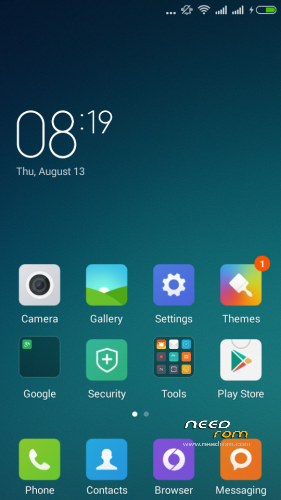
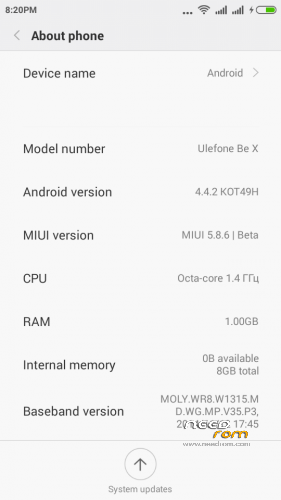
 Member Info
DESCRIPTION
MIUI 6 pro v5.8.6
(13 Aug 2015) Unofficial Ported ROM for ULEFONE BE X
- Date: 13/08/2015
- Weight: 406 MB
- Install ROM using: SP Flash Tool
- Included Recovery: TWRP (optional)
- Removed/Disabled functions from the ROM: Dirac, System Update to prevent future problems
————————————————————————————————————————————-
(16 Aug 2015) UPDATE 160815 (Dolby ATMOS)
- Date: 16/08/2015
- Weight: 16 MB
- Install UPDATE using: Recovery (TWRP)
- Installation: 1) Copy Update to SD card 2) Wipe Cache,Dalvik Cache 3) Install & Reboot
- Include: Dolby ATMOS
- Include: System Update function
————————————————————————————————————————————-
(18 Aug 2015) UPDATE 180815 (Fix WIFI NVRAM WARNING: ERR 0×10)
- Date: 18/08/2015
- Weight: 3 KB
- Install UPDATE using: Recovery (TWRP)
- Installation: 1) Copy Update to SD card 2) Wipe Cache,Dalvik Cache 3) Install & Reboot
- Include: Fix for WIFI NVRAM WARNING: ERR 0×10 issue
————————————————————————————————————————————-
(26 Aug 2015) UPDATE 260815 (Fix WiFi Tethering)
- Date: 26/08/2015
- Weight: 56 KB
- Install UPDATE using: Recovery (TWRP)
- Installation: 1) Copy Update to SD card 2) Do not wipe 3) Install & Reboot
- Include: Fix for WiFi Tethering issue
————————————————————————————————————————————-
New (08 Sep 2015) UPDATE 080915 (Fix Bluetooth file receive)
- Date: 08/09/2015
- Weight: 1,1 MB
- Install UPDATE using: Recovery (TWRP)
- Installation: 1) Copy Update to SD card 2) Do not wipe 3) Install & Reboot
- Include: Fix for Bluetooth file receive issue
Installation Instruction
1. For installation you need FlashTool & TWRP recovery (TWRP include in firmware file of MIUI 5.8.6,
first you can flash only recovery)
2. Download and copy on SD card Updates 160815, 180815, 260815, 080915 & these 2 files:
1.Backup_IMEI(Thracian).zip
2.Restore_IMEI(Thracian).zip
3. Reboot to TWRP
4. Backup your IMEI (Install file 1.Backup_IMEI(Thracian).zip)
5. Wipe Dalvik Cache, System, Cache, Data, Internal Storage
6. Power off the phone
7. Run SP-flash-tool, flash the firmware (instruction)
8. Boot to TWRP
9. Wipe Cache, Dalvik Cache
10. Install Updates 160815, 180815, 260815, 080915 & file 2.Restore_IMEI(Thracian).zip
11. Restart the phone & enjoy!
If you have any problem or question, leave me PM (Private Message)
※Please make a backup of your device before installing or updating ROM
Has anyone tried this ROM? I'm quite keen on it, but only have the Ulefone as daily driver right now
Hi powlemann!
Not just tried, am I using this ROM continuously in my phone for 4 days with no problem. Dont worry, I worked hard to make an working correctly port of MIUI.
i love this rom… very smooth responsive no lagging at all.. continue making custom rom for our be x.
Does it have a FPS?
For questions use PM (Private Message). Thanks.
I have problem with Mi Cloud. Don´t work correctly and stop, and I can not advance in the configuration of my terminal…
There is a new version MIUI available.
can i use cwm in these rom tnx
I have problem with my cloud and my user miui (I don't have).
The miui application register fails and stop installation.
I tried several times and I couldn't install it.
There is a new version MIUI available!
It's not possible for us to continue supporting older versions!
Few bugs are fixed in newest versions!
Thanks!
hello ulefone be pro miui link dawnlode
hello ulefone be pro miui v6