
- Title: MIUIv5 S7589
- Listed: August, 2013
- Last modified: 03/15/2014 2:22 pm
- Version: 4.3.7
You must be logged for ROM download.
61880 total views, 8 today
1 Total favorites
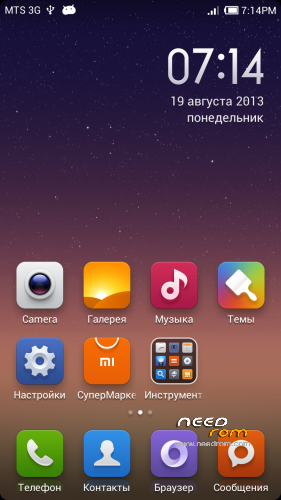
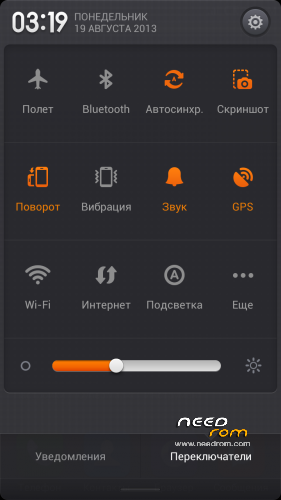
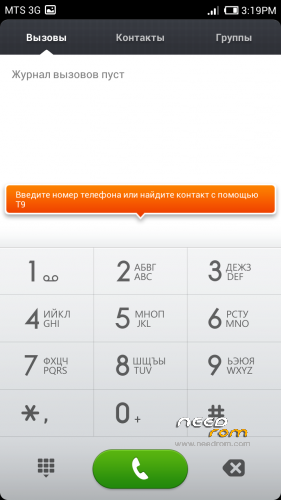


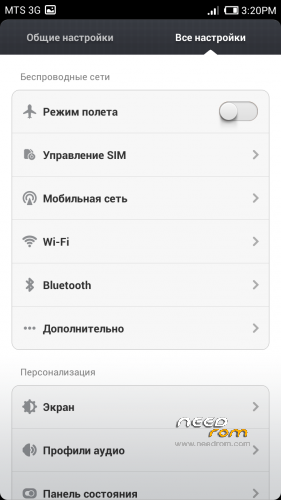
 Member Info
DESCRIPTION
Install only from Recovery!!!
Best smart phones and other equipment at low prices on GearBest.com
Features ROM:
Updated 15.03.2014: added version 4.3.7
Model name: Star S7589 4G or 8G
ROM Author: greeshan
Link to 4PDA === Description and features of VERISON 4.3.7
Features:
- Multilanguage (available in 27 languages: English, Chinese, Polish, Russian, Ukrainian, Slovak, Czech, French, Hungarian, Danish, Dutch, German, Greek, Spanish, Italian, Arabic, Norwegian, Hebrew, Vietnamese, Korean, Indonesian, Brazilian-Portuguese, Turkish, Thai, Bulgarian, Finnish, Portuguese.
Will be added later: Swedish, Romanian, Kurdish)
- Full operation and management of two SIM cards
- Switch between 3G sim cards
- Tweaks, scripts, and optimization of the firmware
- SD memory card as the default
FULL WORKS!!!
Attention! When connecting MiCloud be sent paid SMS. Carefully read the information on the screen when you connect. And who have problems with updates from GooglePlay – make Wipe Cache from Recovery or wipe cache from settings in GooglePlay Market, Google Services Framework, Services Google Play. Who have problems with 3G, try different modem for our device! (MODEMS.zip)
Label operator delete from Settings!!!
IF YOU LIKE MY WORK PLEASE DONATE . EVEN 1 $ IS APRECIATED.
Instructions for CWM or TWRP:
Step 1: Download the custom ROM copied to an external SD card root directory
Step 2: the shutdown state. While holding down:
– Power button + volume button up, to enter the recovery mode.
– Wipe Data / Factory Reset -> delete all user data
– Wipe Cache Partition -> Wipe cache
– Advanced -> Wipe Dalvik Cache
Step 3: Return to recovery main interface Install zip from sdcard -> choose zip from sdcard -> Select your ROM
Step 4: Complete, restart the phone. Patience required – first boot takes a while.
※Please make a backup of your device before installing or updating ROM
Hello Greeshan.
I try what you say now.
Unfortunately dont work.
google play services stop to work every time
wsm tools dont work even with previous version.
the Jiayu g5 miui looks like dead project too.
I dont know what do , because 4.3.7 it almost perfect but battery drain faster and Mtk enginnering is incompleted.
My battery is stopped at 71% how i solve this?
try to celebrate it from Battery Calibration tool, you can find it in Google Play
When I want to enter Recovery Mode a dead Android guy appears wíth a red triangular.
Is there a fix for this?
reinstall Recovery from FlashTool
Hello! Keep experiencing bootloop when I finished to install 4.3.7 on my S7589 4G (same for others version). Need help please, what I'm supposed to do ? Did wipe cache/data/dalvik … Nothing works.
because on my s7589, this rom does not start.
when I install the terminal turns on and off without starting.
Hi, this program can be used in the model Star S1 ?
This is the best Rom that I ever used ~~
better then any S7589 ROM
Thanks a lot^^
Yes but that ROM dont have new LCD driver for s7589 Driver RX.5720TM.572C end dont show nathing on LCD after upload i have the new LCD sooo pliss enybady upload that driver in ROM
Hi, I've a problem with this rom. When finished and installed phone restarts, it just stays on the logo intro, remains a time logo and then reboots itself and never goes out of that cycle. The steps to install this rom I have made as indicated by the instructions, how could fix it? My cell is a Star S7589 4Gb memory.
make wipe data/user again and cache too