
- Title: MIUIv5 S7589
- Listed: August, 2013
- Last modified: 03/15/2014 2:22 pm
- Version: 4.3.7
You must be logged for ROM download.
61876 total views, 4 today
1 Total favorites


 Member Info
DESCRIPTION
Install only from Recovery!!!
Best smart phones and other equipment at low prices on GearBest.com
Features ROM:
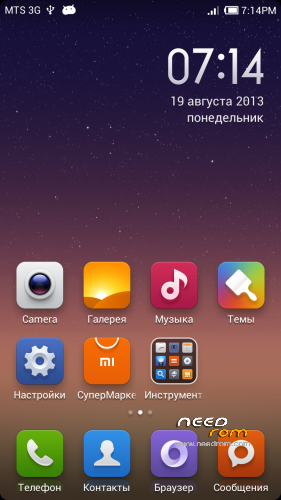
Updated 15.03.2014: added version 4.3.7
Model name: Star S7589 4G or 8G
ROM Author: greeshan
Link to 4PDA === Description and features of VERISON 4.3.7
Features:
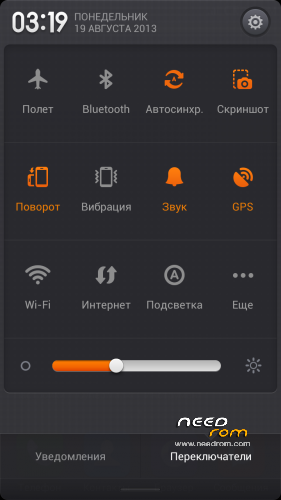
- Multilanguage (available in 27 languages: English, Chinese, Polish, Russian, Ukrainian, Slovak, Czech, French, Hungarian, Danish, Dutch, German, Greek, Spanish, Italian, Arabic, Norwegian, Hebrew, Vietnamese, Korean, Indonesian, Brazilian-Portuguese, Turkish, Thai, Bulgarian, Finnish, Portuguese.
Will be added later: Swedish, Romanian, Kurdish)
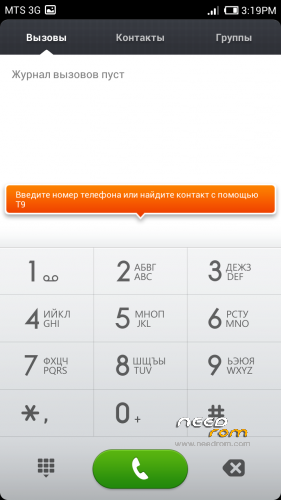
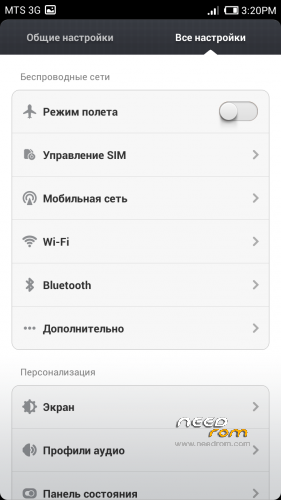
- Full operation and management of two SIM cards
- Switch between 3G sim cards
- Tweaks, scripts, and optimization of the firmware
- SD memory card as the default
FULL WORKS!!!
Attention! When connecting MiCloud be sent paid SMS. Carefully read the information on the screen when you connect. And who have problems with updates from GooglePlay – make Wipe Cache from Recovery or wipe cache from settings in GooglePlay Market, Google Services Framework, Services Google Play. Who have problems with 3G, try different modem for our device! (MODEMS.zip)
Label operator delete from Settings!!!
IF YOU LIKE MY WORK PLEASE DONATE . EVEN 1 $ IS APRECIATED.
Instructions for CWM or TWRP:
Step 1: Download the custom ROM copied to an external SD card root directory
Step 2: the shutdown state. While holding down:
– Power button + volume button up, to enter the recovery mode.
– Wipe Data / Factory Reset -> delete all user data
– Wipe Cache Partition -> Wipe cache
– Advanced -> Wipe Dalvik Cache
Step 3: Return to recovery main interface Install zip from sdcard -> choose zip from sdcard -> Select your ROM
Step 4: Complete, restart the phone. Patience required – first boot takes a while.
※Please make a backup of your device before installing or updating ROM
I found little but on MIUI v5 Star S7589 (3.8.30) about phone call. When I'd call by contact it could not choose SIM 1-2 to call but by dial pad could to choose SIM 1-2. How to slove this?
still no luck after updating to v8. i never got an H+ connection since I installed the rom a week ago even now with v8.
Same it’s the only problem I have. Everything else is spot on perfect XD
Do you guys have any idea to expand the internal memory or not
Hello Greeshan PS (Sensor) dont work.
Recent contacts in dialer unknow numbers.
Herteria use this app. Work perfect.
phanvungROM.apk
Search in google.
anyone else who never gets H+ connection?
I only get G+ always
3G and HSPA(+) work in 1 slot sim card. In 2 slot work only 2G, need wait until Chinese developers will fix it. Who knows, a developer of MIUI – the Chinese. I ported and optimized MIUI under our device, so the problem about moving applications to the SD card, calibration of the sensor and 2 sim is their business. Once they fix it, I will add it too. Everything in my power I try to correct. Thank for understanding.
Yeah we know that and thanks!
I was just thinking that if I can get a proper HSDPA+ connection, that will be best! My 3g connection is too slow, and its on the right sim slot. Its the only thing that is making me think of going back to my previous ROM even though I am loving the MIUI port!
Maybe try a different modem. I have HSPA + works the same as on the official 4.2.1. And yet, try to put in the settings only 3g
Already updated to V8 modem, still no luck!
Baseband updating is a good idea, but it can't solve the problem; not for sure for european / italian mobile networks.
the only way to do this, verified by me an tested several times on my S7589, is in the link below:
http://www.movilesdualsim.com/.....ix-gps-y-3G-%29
sorry for the spanish language, but it seems to be quite simple to translate.
in very simple words, the right way to operate is flashing our phone with some (finally correct !) parameters taken from an other mtk6589 phone , the Z 810.
After that, and assuming that my network is VODAFONE IT , my device performs as fine as a samsung s3, or even better. Telephone calls doesn't close no more unexpectely and modems performs perfectly, near 20 mbit/s
I only want to suggest this modification to the given procedure : when you are ready to flash the phone, search for the file called BPLGUInfoCustomAppSrcP_MT6589_S00_MOLY_xxx_xxx that is the right one for your baseband. You can find it /system/etc/mddb directory,
Have fun but remember ! This procedure has to be re – done each time you flash again your device with an other ROM of your choice.
mac address always change when reboot or turn off.
Hello Greeshan.
3.9.6 multilanguage?