
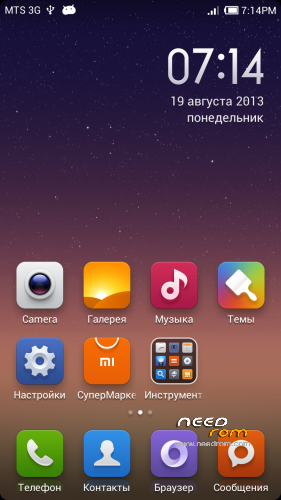
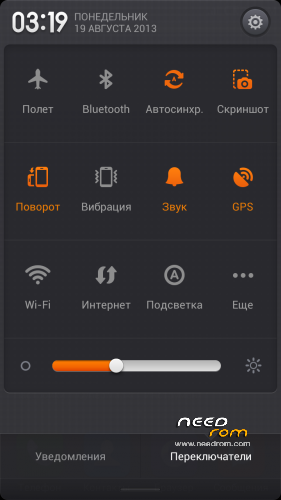
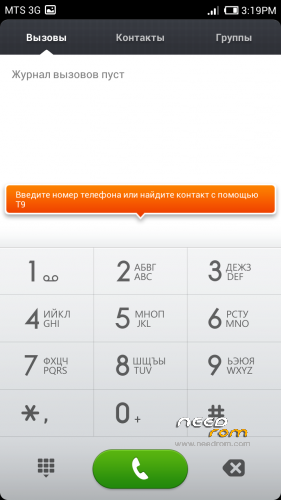
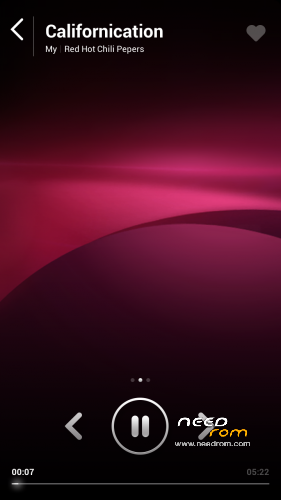
- Title: MIUIv5 S7589
- Listed: August, 2013
- Last modified: 03/15/2014 2:22 pm
- Version: 4.3.7
You must be logged for ROM download.
61876 total views, 4 today
1 Total favorites

 Member Info
DESCRIPTION
Install only from Recovery!!!
Best smart phones and other equipment at low prices on GearBest.com
Features ROM:
Updated 15.03.2014: added version 4.3.7
Model name: Star S7589 4G or 8G
ROM Author: greeshan
Link to 4PDA === Description and features of VERISON 4.3.7
Features:
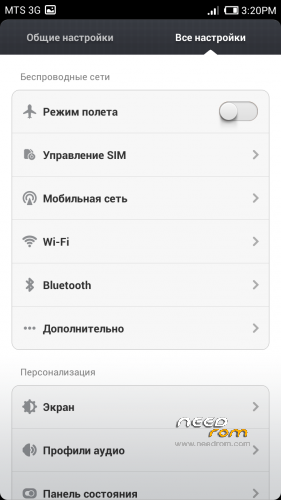
- Multilanguage (available in 27 languages: English, Chinese, Polish, Russian, Ukrainian, Slovak, Czech, French, Hungarian, Danish, Dutch, German, Greek, Spanish, Italian, Arabic, Norwegian, Hebrew, Vietnamese, Korean, Indonesian, Brazilian-Portuguese, Turkish, Thai, Bulgarian, Finnish, Portuguese.
Will be added later: Swedish, Romanian, Kurdish)
- Full operation and management of two SIM cards
- Switch between 3G sim cards
- Tweaks, scripts, and optimization of the firmware
- SD memory card as the default
FULL WORKS!!!
Attention! When connecting MiCloud be sent paid SMS. Carefully read the information on the screen when you connect. And who have problems with updates from GooglePlay – make Wipe Cache from Recovery or wipe cache from settings in GooglePlay Market, Google Services Framework, Services Google Play. Who have problems with 3G, try different modem for our device! (MODEMS.zip)
Label operator delete from Settings!!!
IF YOU LIKE MY WORK PLEASE DONATE . EVEN 1 $ IS APRECIATED.
Instructions for CWM or TWRP:
Step 1: Download the custom ROM copied to an external SD card root directory
Step 2: the shutdown state. While holding down:
– Power button + volume button up, to enter the recovery mode.
– Wipe Data / Factory Reset -> delete all user data
– Wipe Cache Partition -> Wipe cache
– Advanced -> Wipe Dalvik Cache
Step 3: Return to recovery main interface Install zip from sdcard -> choose zip from sdcard -> Select your ROM
Step 4: Complete, restart the phone. Patience required – first boot takes a while.
※Please make a backup of your device before installing or updating ROM
the speak german dont work at the last version "MIUI v5 Star S7589 (3.8.30)_Multi lang "
Can you pls fix it
A lot of thank
very beautiful rom.it is perfect.but it hasn't got Greek language.can you put in and Greek language?i like this really…
If i have more time, i will fix languages, but now i dont have time. The next version will be released later, as I at this time study at university.
dlangua
Thanks, it can help
OK my friend.i’ll wait.good luck with your studies…
Thanks! New version will be released around September 20-21
That was way too confusing! LOL!
Can you send/link me the file that i exactly need and tell me what to do with it?
It is really frustrating that I can only get a 3G reception. No more than 4kbps.
dear friends,
for those of you having serious problems translating from spanish, i wil soon write a "quick and dirty" procedure in english when I'll have to spent a bit of time to do it.
For those ones of you cannot wait again and are a little bit able to work with a personal computer, start to download this below or an other one from the spanish site.
https://mega.co.nz/#!Rx0SDapR!.....acSrWuXnCU07upI
install all driver needed as usual: MTK preloader AND ALSO ==> the DC serial driver from its folder.
install MAUI META program from the compressed archive
I only suggest you to have a copy of your /etc/mddb/BPLGUInfoCustomAppSrcP_MT6589_s00_MOLY_WR8_W1248.* file (.* is intended as wildcars) to submit to MAUI META program during the flash operation. If you intend to download and update baseband at version 8.x, you – of course – will have a copy of this on your PC
follow the instructions included in the main archive; START the program ==> CONNECT the smartphone in a shut down state; the Android symbol will appear; complete the procedure.
100% success, ( or at least with official / based on the officil ROM ). S7589 will run as a samsung S3 or even better. THE very strange thing, for me, is that I heard from some S7589 owners that their device works perfectly "as is". May be there are on the market some models having something different inside, I cannot explain it to myself.
TPC meand Transmit Power Controls, and I can't think a smartphone could make "transmission" if these parameters are incorrect.
Have fun and let me know.
which driver do i need to download and activate for ViPER4Android
CortexA9/15 with NEON
Greeshan that update dlangui is on spit works best for all romspleas could u automaticly include this in your next release pre installed
Sorry for the english, but I do not understand what you are saying … DLANGUI ??? What is this?
Greeshan that’s the name of one of the users who has posted a fix sorry for not e,explaining that
could you please put and greek language in rom with the new update???please……thank you a lot.!
with languages i have problems… if i can i will add more languages…
thank you for the work my friend…