
- Title: MIUIv5 S7589
- Listed: August, 2013
- Last modified: 03/15/2014 2:22 pm
- Version: 4.3.7
You must be logged for ROM download.
61887 total views, 15 today
1 Total favorites
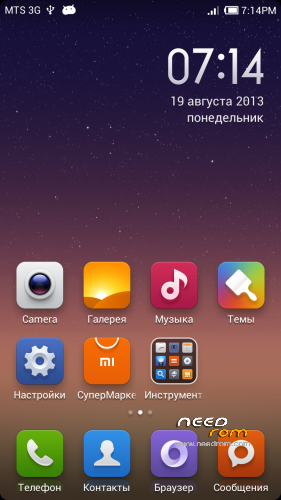
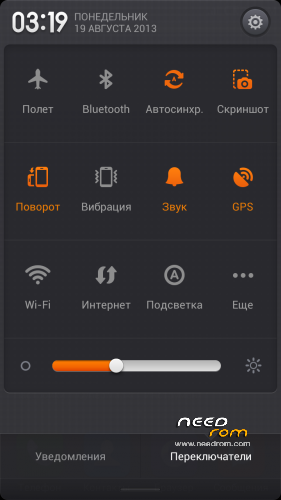
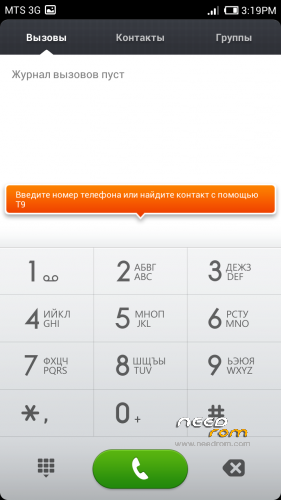


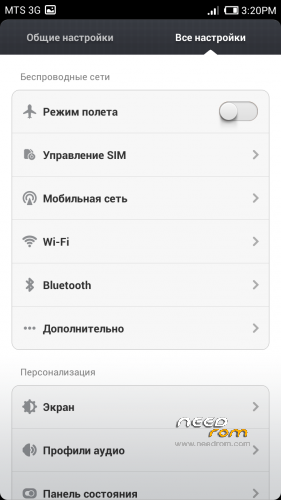
 Member Info
DESCRIPTION
Install only from Recovery!!!
Best smart phones and other equipment at low prices on GearBest.com
Features ROM:
Updated 15.03.2014: added version 4.3.7
Model name: Star S7589 4G or 8G
ROM Author: greeshan
Link to 4PDA === Description and features of VERISON 4.3.7
Features:
- Multilanguage (available in 27 languages: English, Chinese, Polish, Russian, Ukrainian, Slovak, Czech, French, Hungarian, Danish, Dutch, German, Greek, Spanish, Italian, Arabic, Norwegian, Hebrew, Vietnamese, Korean, Indonesian, Brazilian-Portuguese, Turkish, Thai, Bulgarian, Finnish, Portuguese.
Will be added later: Swedish, Romanian, Kurdish)
- Full operation and management of two SIM cards
- Switch between 3G sim cards
- Tweaks, scripts, and optimization of the firmware
- SD memory card as the default
FULL WORKS!!!
Attention! When connecting MiCloud be sent paid SMS. Carefully read the information on the screen when you connect. And who have problems with updates from GooglePlay – make Wipe Cache from Recovery or wipe cache from settings in GooglePlay Market, Google Services Framework, Services Google Play. Who have problems with 3G, try different modem for our device! (MODEMS.zip)
Label operator delete from Settings!!!
IF YOU LIKE MY WORK PLEASE DONATE . EVEN 1 $ IS APRECIATED.
Instructions for CWM or TWRP:
Step 1: Download the custom ROM copied to an external SD card root directory
Step 2: the shutdown state. While holding down:
– Power button + volume button up, to enter the recovery mode.
– Wipe Data / Factory Reset -> delete all user data
– Wipe Cache Partition -> Wipe cache
– Advanced -> Wipe Dalvik Cache
Step 3: Return to recovery main interface Install zip from sdcard -> choose zip from sdcard -> Select your ROM
Step 4: Complete, restart the phone. Patience required – first boot takes a while.
※Please make a backup of your device before installing or updating ROM
А у меня слетает постоянно вайбер. И скайп тоже. Просто вылетают из сети. Если бы не это, то оставил бы с удовольствием данную прошивку. Всё классно, только вот вышеобозначенная проблема… Ладно скайп, он сам по себе и на ругих прошивках глючит. А с вайбером такого не было никогда….
Поставил версию 3.1.1 с маркета, пока не слетал еще… Как вариант пробуйте заблокировать его выгрузку из памяти. Зажатая кнопка HOME и потяните его вниз.
I can't enable Bluetooth in the latest version. I tap the button, it gets orange and then it jumps right back to grey. Strange.
bluetooth works, many times using … Try changing the name of the bluetooth
Hello thx for rom.
But how can i swap modem? I mean if i install the rom over the aroma tool it ask me 5 modem driver, i must selcet one. But how i can change after install the rom a modem driver?
You can find different modem for mtk6589 in Internet and install it from recovery. Or try install other modems from Aroma, but no select install system(ROM) and dont do wipes
@greeshan: No, it dies not. I tried changing it already. Button always jumps to off position right away.
What language you use in firmware? I check myself. On Russian bluetooth works fine. I think the problem arose after translate MIUI to other languages. I already wrote that I do not have time to find and fix errors in each language. So I will not add any more additional languages in the firmware. Who needs to add the language itself through a program jBART. I'm sorry, but I'm learning at the university and dont have more time
I use german language. I also tried it with english and russian now, Bluetooth can not be enabled. Even reflashed it. Does not work. On other ROMs it works.
What is your version of the device? I have STAR S7589 4GB. Now switched to German language, checked bluetooth, is turned on and working. Rebooted the device, checked, bluetooth also works. I do not know what could be the problem
Hello Chinamobilemag .
Try Version 3.9.13 from Greeshan.
You can choose modem from aroma on recovery after flash.
Is the best version.
3.9.27 too bug.
@greeshan: I am using the same device as you.
@munarim: I will try that now
Does not work :/
For me 3.9.13 Bluetooth works perfect.
I got it to work now. I flashed stock firmware and then flashed the latest MIUI version without any modem update. Now it works.
Apparently the problem was in the modem… Tomorrow I will add a new version without the Aroma Installer and different modems for Recovery
Ok Chinamobilemag.
3.9.13 is very stable.
Need just little fixes.
Aroma works perfect.
For me the best rom for this fone.
3.9.27 actually works way better for me than .13
You just install 12 hours ago?
I take 2 days to confirm.
Begin from install (Flash without problem, even modem you told )
I used 3.9.27 for a long time. Bluetooth did not work in earlier versions.