
- Title: N9006/ iBaby888
- Listed: February, 2014
- Last modified: 02/22/2014 3:07 pm
- Version: Android 4.3
You must be logged for ROM download.
35803 total views, 2 today
 Member Info
DESCRIPTION
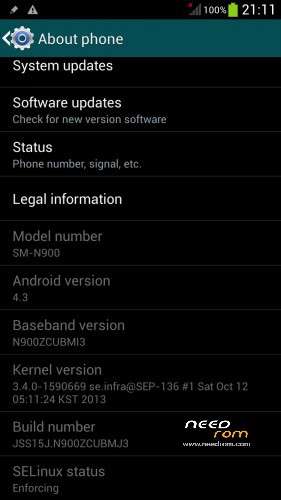
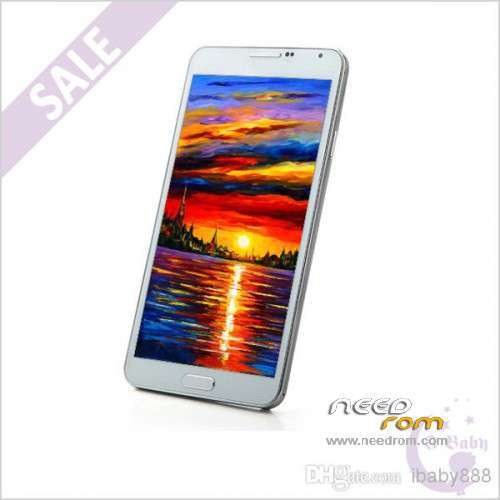
ONLY For HDC N9006/N900 from iBaby888 : MTK6589
+ 5.7 inch IPS + 1280×720 + RAM 1G + ROM 8G
+ Single Sim
Official Version : JSS15J.M900ZCUBMJ3
Baseband: N900ZCUBMI3
Install ROM:
First of all: Make a backup of your system
Install with SP_FLASH_TOOL
- Select a the MT6589_Android_scatter_emmc.txt in ROM
- Wait file to be added into Flash Tool
- "Press Download button and connect your phone into the computer via USB data cable.
- The process will start and a red progress bar will appear after color purple, yellow.
- And green circles display
I made some chances:
GPS – Works
IR – Works
P. STORE – Works
S-VIEW – Works
ROOTED
My phone work perfect…
Good luck
(The UPDATE ROM is complete – All errors have been fixed)
※Please make a backup of your device before installing or updating ROM
Hey ALL, how to updated rom? thanks a lot for answers, sorry I am just beginner.
cant install from windos 8.1 when take battery out a connecting it threw usb it then conects then disconnect and it keeps do that.help if any knows how to fix thanks
In the Update Rom there aren't cache.img and userdata.img files. Where i have to take these files? From the First Rom?
@Dylan77
I never did that, because I can install the ROM update without those two files. But you can try if it works. Make a backup before you do this.
@Jamiefff Google mtk preload drivers
For me GPS still not work (i'm in France)
I have error like "galery has stop" "multiview has stop" etc
What can i do to have gps?
salut…moi non plus le gps ne fonctionne qu'aleatoirement.. finalement j'ai vire l'antenne gps et je m'en suis fabriquer une avec du cuivre…maintenant je capte meme a l'interieur de chez moi.
les mises a jour n'y feront rien , j'ai bien du flasher le telephone 15 fois avec differentes rom..mais rien n'y fait c'est un probleme materiel.
les smartphones chinois ont beaucoup d'antennes defectueuse. regardes youtube et les forums!!
@ AS6221417
Without those files, i can't install no Rom, flash tool give me the error 8038
The same with Firmware Upgrade
Try with the latest version (3.1344) of sp flash tool
Nothing. Also with the version 3.1344 i have the error 8038
You install the Rom with or without battery? Because my pc doesn't see my cell without battery
I use the version: v5.1352.01 and no errors…
@ AS6221417
Excuse me. I downloaded the version v5.1352.01, when I click on download, i have no more the error 8038 but i have a pop up that says: PMT changed for the Rom. It must be downloaded. What means?
Try mode Firmware upgrade mode (F8)
XDA tutorial
http://forum.xda-developers.co.....m/show….php?t=1982587
Sorry, this is the right link:
http://forum.xda-developers.co.....d.php?t=1982587
I tried Firmware upgrade mode (F8) but i have the same pop-up "PMT changed for the Rom. It must be downloaded"
The only Rom that i can install without problems is this: https://www.needrom.com/mobile.....c-n9006-note-3/
Why?
Ok one more try.
In flash_tools version v5.1352.01 click the FORMAT button.
Choose Auto Format Flash and also Format Whole Fash Except Bootloader.
Click Start and connect the phone to the computer.
Once completed, go to Download button, and install the Rom Update in Download mode only.
With me always works without errors.