
- Title: N9006/ iBaby888
- Listed: February, 2014
- Last modified: 02/22/2014 3:07 pm
- Version: Android 4.3
You must be logged for ROM download.
35804 total views, 3 today
 Member Info
DESCRIPTION
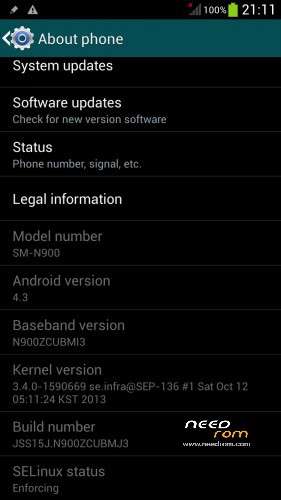
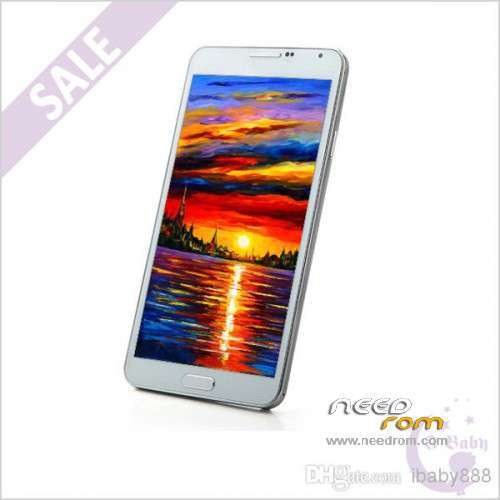
ONLY For HDC N9006/N900 from iBaby888 : MTK6589
+ 5.7 inch IPS + 1280×720 + RAM 1G + ROM 8G
+ Single Sim
Official Version : JSS15J.M900ZCUBMJ3
Baseband: N900ZCUBMI3
Install ROM:
First of all: Make a backup of your system
Install with SP_FLASH_TOOL
- Select a the MT6589_Android_scatter_emmc.txt in ROM
- Wait file to be added into Flash Tool
- "Press Download button and connect your phone into the computer via USB data cable.
- The process will start and a red progress bar will appear after color purple, yellow.
- And green circles display
I made some chances:
GPS – Works
IR – Works
P. STORE – Works
S-VIEW – Works
ROOTED
My phone work perfect…
Good luck
(The UPDATE ROM is complete – All errors have been fixed)
※Please make a backup of your device before installing or updating ROM
I Have some question, can someone answer me?
What errors in this rom are been fixedo? The SystemUI crashes? The apps not showing on recent apps tab, and now have the original like AccuWeather Widget?
@ AS6221417
Finally I installed Rom with your procedure, but when I start the phone, the screen stops at boot with the logo Samsung Note 3 and it doesn't go forward. Why? I'm desperate
Do not worry.
Turn of the phone.
Press the Power button and Volume + at the same time until enter in recovery mode.
Choose the option: Wipe Data/Factory Reset
Reboot de phone and the problem is solved.
Now the phone starts with the boot, but unfortunately the touch does not work and the physical buttons are reversed. I think that my phone (Model SM-900) by now isn't compatible with the Custom Roms
However, thank you very much for your availability
Hello y'all!,
I installed the updated rom with no problem using flash tools, gps seems to work, but the camera app, only shows the front camera but no the back camera, the camera app does not show the button to switch from front to back.
Algo the water efect in the lock screen is gone, and I'm now with the stock "swipe to unlock".
I contacted ibaby888 and he/she sent me the 'original' rom for this phone but when I opened the file in flash tool it gives me an error.
I'll keep trying to install the original rom.
Hello everybody,
I install this very rom and my camera app does not work properly, they I install this ROM:
https://www.needrom.com/mobile.....tk6589-rom-8gb/
and everything works fine, I even recover the original water effect on my "swipe to unlock screen", camera, gps, works fine.
Does not hurt to try this ROM.
the reason I was looking for it is that I deleted the chinese app: PlayAPP and that one has the 'swipe to unlock" effect and the Multi-window funtion, WORD OF ADVICE: Do not delete/uninstall the bloatware that came with your original (fake Note 3).
Best,
Ap0c4lypt0
Well you are the first one who says that the camera does not have all the available options.
In my case, I had none of the problems you had in your cellphone. Yes have all the camera options.
You're right, you should not uninstall the application PlayAPP, because they will lose the multi-window option and lock screen effect.
The difference between this rom for that you speak, is that this has included the CWM recover.
I can directly flash the update file or do I have to flash the first file?
Yes you can flash from Update Rom.
Hello there!I show this rom and it looks like the baseband etc is exact the same as mine device…I didnt buy this device from ibaby but from a guy in aliexpress…So now can i install this rom in my device?I addapt a screenshot to see the specs…If its not for my device then i will be able to restore my backup?Or my device will be completely damaged?:S
.
I'll give one suggestion:
Put a micro sd card in the phone. Make a backup, and put it on the sdcard.
Install the Update rom.
If for any reason does not work well, please follow these instructions:
Turn of the phone.
Press the Power button and Volume + at the same time until enter in recovery mode.
Choose the option: Backup and Restore.
Again Restore.
Choose the backup you placed on sdcard.
Wait until is finish, and reboot the phone.
Hello again!Thanks for your reply my friend but my problem is that im little bit scared with this SP Flash Tool…I've seen some videos and all saying the same thing that if its not for your device or its something goes wrong then the device will completely danaged….This is why im little bit scared…Is there anyway to install this rom via CWM?
hey guys
could someone do me a huge favor and upload the update file to another hosting site. i'm having a really hard time trying to download the file. for some reason it won't go faster then a just couple of kb/s and will simply stop downloading after a few minutes. would really appreciate it !
!
thanks but gps still does not work…
For everyone who has problems with GPS, please follow the instructions on the website below. Works fine with me ….
http://www.gizbeat.com/2159/gi.....tk6577-mtk6575/
Don't work too…