
- Title: Neken N6 Rom
- Listed: May, 2014
- Last modified: 05/09/2014 4:33 pm
- Version: Android 4.2.1
You must be logged for ROM download.
23871 total views, 1 today
7 Total favorites
CUSTOM
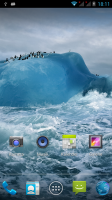
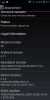
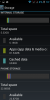
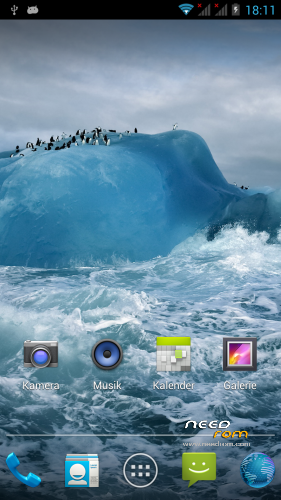
 Member Info
DESCRIPTION
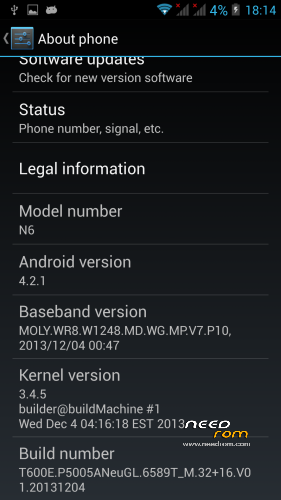
Only for Neken N6 – MT6589T
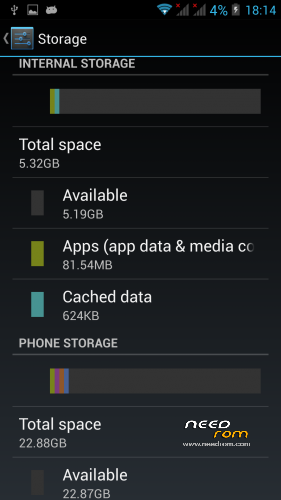
I made a own flashable Rom with a bigger internal storage(5,32 GB).
Details:
- Based on Stock 20131204
- Android 4.2.1
- rooted
- Full Touch CWM Recovery
- Gapps included
- Multilanguage support
- System-rom storage: 640 MB
- Internal storage: 5,32 GB
- Phone storage: 22,88 GB
Install ROM:
I highly recommend a backup with CWM Recovery or MtkDroidTools
- Download and unpack "N6_6589T.zip"
- Download and unpack "SP_Flash_Tool.zip"
- Open the Flash Tool Folder and doubbleclick on "Flash_tool.exe"
- Push the Scatter-loading button, navigate to the ".MT6589_Android_scatter_emmc.txt" in Rom Folder and select it
- File will be added into Flash Tool
- Choose Option "Firmware upgrade" and click the Download button (green down arrow)
- Turn off your phone and remove the battery
- Connect your phone with the computer via USB data cable
- insert the battery
- the process will start automatically and a red progress bar will appear after color purple, yellow
- And green circles display
- Finish !
- You can now safely disconnect your phone and turn it on.The first boot takes a few minutes.
That's all !Good luck !
※Please make a backup of your device before installing or updating ROM
@the tester
Congrats!!
Downloading it right now 10.05.14.08:00.
Let you know how it goes.
It is for 16gb rom or 32gb?
Hi!
Does this rom come with some sort of fixes or tweaks?
Thanks in advance!
Sorry for double post…
Also is it possible to add a zip file for recovery flashing?
Fore some reason sp flash tool does nothing…
Thanks!
Hi,I have same problem like x3ct0R. flash tool does nothing.Thx LubosSorry,was my mistake. USB MTK driver was missing in my PC. Now SP flash tool works. THX
it does not wotk on 1GB 16GB version and to be installed should be adopted by adjusting the curtain files in rom package. it suits to n6+ and older versions of the phone.
Working perfectly on N6 2/32, but where are the built in FMRadio application?