
- Title: NEXUS
- Listed: October, 2014
- Last modified: 10/19/2014 4:18 pm
- Version: 4.2.1
You must be logged for ROM download.
19185 total views, 1 today
1 Total favorites




 Member Info
DESCRIPTION
Intro
This is my final Work. I have put many hours in this ROM, and made the best possible from the MTK firmware. There isn't any liter ROM for the MT6589 chipset in the whole world.
I don't have my UMI anymore, so i will not update this ROM.
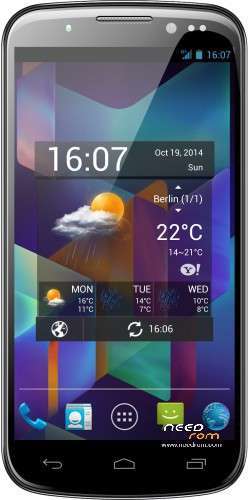
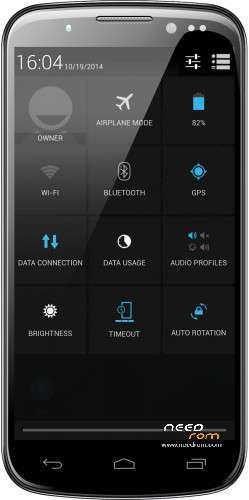
This ROM was themed and optimized by me to get the 100% Vanilla AOSP look. The ROM is very light and fast.
I recommend to use this ROM with Xposed framework to get the best experience.
The ROM wipe automatically data & system, backup your data because this is a clean installation.
Features:
-overall cleaned, ROM has ≈ 152MB
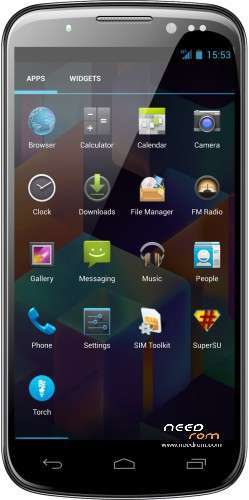
-modded User Interface
-modded logo.bin
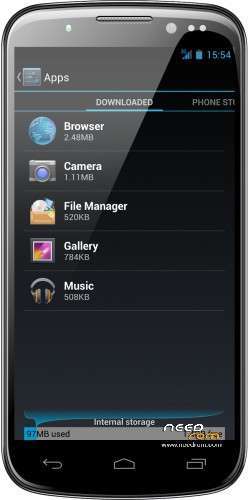
-APPs FileManager, Camera, Gallery, Torch, Music and Browser are installed as user APPs, can be uninstaled easily
-root with SuperSU V2.16
-latest BusyBox V1.22.1
-headphone volume warning removed
-deodexed
-many system APPs replaced with AOSP vanilla APPs
-EPO & A-GPS auto enabled
-FileManager UI modded
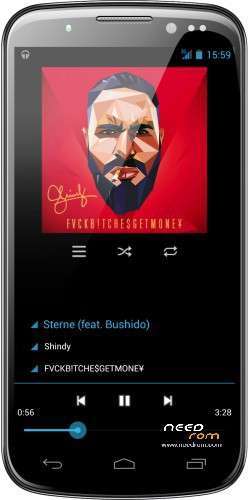
-new music app (based on AOSP music API)
-framework tweaked and modded
-new minimum brightness value
-removed unnecessary libs
-removed unused graphics from system APPs
-KERNEL init.d support
-Android 5.0 system sounds
-auto zipalign on boot
-optimize SQlite database script
-changed NTP server to stock ANDROID server
-fixed some translation issues
-fixed settings app (working developer settings, …)
-CyanogenMOD APN list (more operator)
-OpenCamera MODDED (fixed and modded UI)
-modded QuickPic to "Gallery"
-GPS tweaked (the best possible software tweak, the bad GPS is caused by our bad antena, antena mod would help)
-new very light torch APP
V3.1
- final fixes
- updated SuperSU
- Camera UI improved
ROM Install :
Step 1: Download my ROM and copy on a SD card
Step 2: Reboot and press Volume UP button to enter in the custom recovery
Step 3: Install the ROM
※Please make a backup of your device before installing or updating ROM
this rom strucked at boot,how to go further
try again, this rom works, many users have successfully installed this rom, which recovery do you use ?
I DID TRIED AGAIN WITH 6.0.3.0(BRUNO MARTIN) RECOVERY,SAME STRUCK @BOOT
TWRP is better
This rom is perfect only i have a litte issue youtube app doesnt work very well…
this is not the rom, this is the youtube app, after a update there is a bug in the app
Can this rom help to battery draining problem
no but a better battery will do, and you can use apps like SetCPU or nofrills to underclock your CPU or set profiles, google for SetCPU, i use it and it helps to save power
Mr-Needrom can you tell me how to get fix the youtube app?
use one older version of the app, until youtube fix this bug
https://www.androidfilehost.co.....501681358542417
please Mr-Needrom on your next rom can you add the carrier Telcel México…this rom is perfect and i liked a lot.
Thanks for the new update Mr-Needrom now i can play youtube videos..no problems at all
I just installed this ROM and at the moment everything works fine, although I have to try the GPS
Great work!
After a couple of weeks using this rom, I'm noticing that is not managed well the battery charge. I ordered a new battery, if the problem was the battery and not the rom, I will discuss the results.
Thank you for the rom I hope there will be improvement in the future
Hello, to upgrade from V2 to V3, is there to make any wipe?
Thank you.
the rom wipe system and data, you need to backup with Titanium Backup