
- Title: NEXUS
- Listed: June, 2016
- Last modified: 06/26/2016 12:20 am
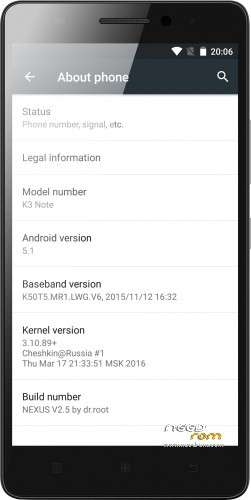
- Version: 5.1 V2.5
You must be logged for ROM download.
135226 total views, 15 today
192 Total favorites
CUSTOM

 Member Info
DESCRIPTION
Intro
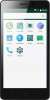
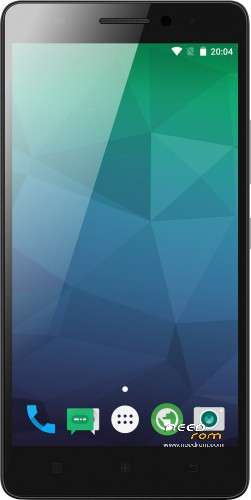
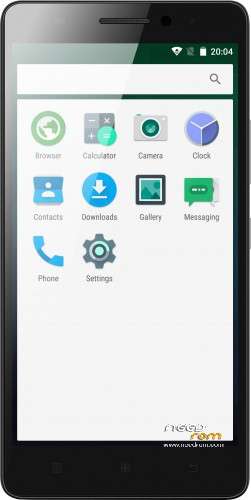
This ROM is really fast and look like android should always look, clean and vanilla.
Features:
New in 2.5
-DT2W
-LED
-extremely light (266MB)
-better performance
-some updated libs
-updated modem
-updated SystemUI for more AOSP look
-fully Lollipop AOSP look and feel
-multilang
-no root (SuperSU)
-no GAPPS (use opengapps.org ARM64)
first minutes after clean install, the system lags. just wait and reboot 
ROM Install
Step 1: Download my ROM and copy on a SD card
Step 2: Reboot and press Volume UP+DOWN buttons to enter the custom recovery
Step 3: Wipe
Step 4: Install the ROM
※Please make a backup of your device before installing or updating ROM
Great ROM, i like it. Everything work fine. I find google text to speech not work.
1) Too large gaps between the icons, do not save space on the desktop.
2) Why can not we make the applications installed in the phone, and the camera shoots at MicroSD?
3) After a complete wipe and install the firmware on the phone was free 3GB of memory, how to explain it?
4) It does not work, "OK Google," out of all applications.
In all other firmware like, especially the lock screen and blind, in comparison with the virgins. Please, please finished firmware because it is very good, but a lot of stocks.
Tnx for your top ROM. Works fine and fast. I like the improvements you made to stock. No problems after installing the GAPPS.
But: As described the led does not work. Also the mute function by flipping the device does no longer work. I also have the problem of no mobile internet connection… How to fix? Provider settings seem correct, SIM is already primary for data. APN settings seem also ok… Anyone know how to fix this for Vodafone NL?
Update: Mobile internet works fine, had te be turned on in the pull down menu! Battery life has doubled over the stock ROM! Top.
Hi jschip, could you please clarify what pull down menu're you talking about? I mean, I have this option (cellular data) enabled, but unfortunatelly I can't use both not 3G and 4G nor even GPRS… I've also checked that correect SIM card is chosen. I just always get a message that I am offline… How did you fix that?
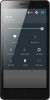
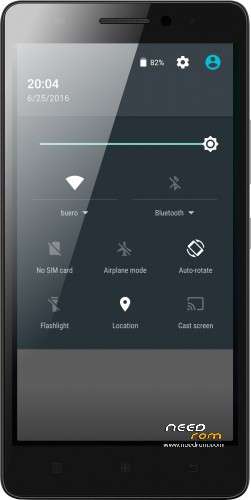
It is the one in the main screen, where you can enable wifi, gps, flash lite, mute, etc. On the bottom right there i found the mobile connection on\off button. I did not find it in the other menus!
IS THIS ROM FOR LENOVO K3 NOTE
?
PLZ REPLY
yes
I am very new to flashing, and yes I've watched all kinds of Youtube and read through here. There seems to be many different ways to flash the ROM, which recovery method is best for this ROM? Does kingroot work to root for this ROM? How about Flashify to install the recovery software?
I noticed there are files within the Nexus V2 folder that are still ZIP files, do I leave those zipped OR unzip before I start this process??
Thank you for your help!!
You don’t have to unzip the file. Just flash it through TWRP.
Tutorial – https://www.youtube.com/watch?.....v=njP6hgwphVo
This is the best of all.
Please keep updating! Doctor
I have tried a lot, and will stick on this rom until doctor update
good !!!!
Xposed not supported
Please help
https://dl.dropboxusercontent......exus_xposed.zip