
- Title: Nubia Z7 Max v3.84
- Listed: March, 2016
- Last modified: 03/25/2016 3:25 pm
- Version: Z7 Max v3.84
You must be logged for ROM download.
32149 total views, 2 today
10 Total favorites
OFFICIAL
 Member Info
DESCRIPTION
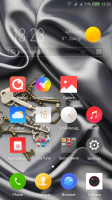
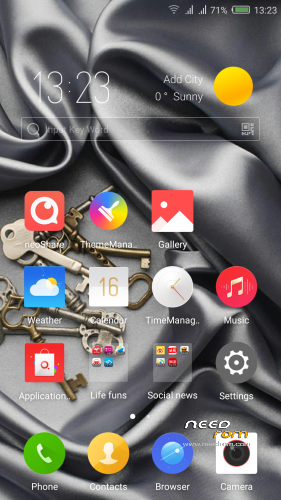
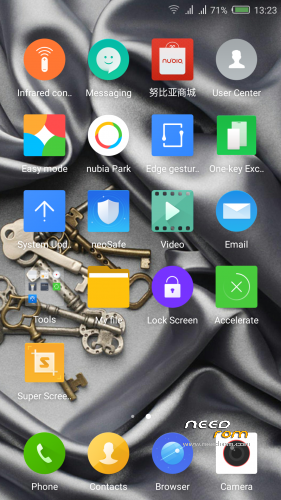
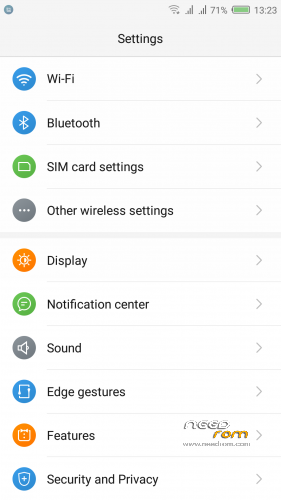
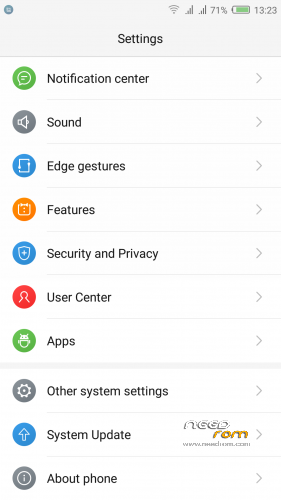
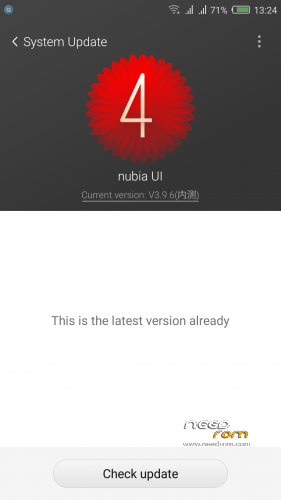
Official ROM v3.84 (UI3.9.6) (Android v5.1.1).
Very fast – smooth and stable Rom.
ONLY FOR MERGED PARTITION.
Install:
1)Enter to TWRP Recovery v3.0.0.0.
2)Make full wipes. Wipe—> Advanced Wipe—> (Dalvik Cache – System – Data – Cache)
3)Install Stock v3.84.zip.
*Before installing this rom you should have preinstalled stock rom v3.22 with nubia tool.
*If have preinstalled CM12.1 or CM13 need to make full wipes and after install this rom Stock v3.83
*Stock v3.22 here: https://www.needrom.com/download/nubia-z7-max-v3-22/
- – - – - – - – - – - – - – - – - – - – - – - – - – - – - – - – - – - – - – - – - – - – - – - – - – - – - – - – - – - – - – -
Install Drivers & Recovery:
1)Download (My Tool https://www.needrom.com/download/z7-max-all-in-one-tool-v1-1-0/ ) UnRAR and run it on your PC.
2)Press 1 to Install The USB Drivers
3)Turn On USB Debugging Mode To Your Phone.(How to: https://www.youtube.com/watch?v=ze7y8rPzH9w )
4)Connect your mobile (mobile to be active) to the computer and select number.
5)DONE.

—-WARNING:This Tool Works Only For Android v5 and v5.1.1 Lollipop—-
- – - – - – - – - – - – - – - – - – - – - – - – - – - – - – - – - – - – - – - – - – - – - – - – - – - – - – - – - – - – - – -
Root:
1)Download SuperSU v2.70.zip and put it to your internal storage.
2)Enter to TWRP recovery and install SuperSU v2.70.zip.
3)DONE.
- – - – - – - – - – - – - – - – - – - – - – - – - – - – - – - – - – - – - – - – - – - – - – - – - – - – - – - – - – - – - – -
Install Google Apps:
1)Download Gapps For Gapps For Android v5.1.1 Nano 20160403.zip and put it to your internal storage.
2)Enter to TWRP recovery and install Gapps For Android v5.1.1 Nano 20160403.zip.
3)DONE.
- – - – - – - – - – - – - – - – - – - – - – - – - – - – - – - – - – - – - – - – - – - – - – - – - – - – - – - – - – - – - – -

- – - – - – - – - – - – - – - – - – - – - – - – - – - – - – - – - – - – - – - – - – - – - – - – - – - – - – - – - – - – - – -
How to Backup and Restore IMEI and MEID:
Try this Nubia Nubia emergency tool:https://www.needrom.com/download/nubian-emergency-tool-v1-0-6/

- – - – - – - – - – - – - – - – - – - – - – - – - – - – - – - – - – - – - – - – - – - – - – - – - – - – - – - – - – - – - – -
Please if you like my work Rate me with 5 Stars.
Thanks.
※Please make a backup of your device before installing or updating ROM
Its fast and stable ROM, but mobile data connection isn't working at all – even not trying to connect.
Second thing – both SIM cards are inactive after system start, every time I have to deactivate and activate them manually
Any advice?
As my modem doesn't work, and I have no mobile data connectio, I see a few possible ways:
a) update just baseband 3.77
b) go directly to LightX 3.77 (or CM12.1)
c) go 3.22, next LightX 3.77 (or CM12.1)
c) go mokee 6.0.1
any hints?
Hello my friends, does anybody know how i get imei numbers back on the phone. What app or program can i use? Please let me know
Its described a few times here, search
Use this tool.
https://www.needrom.com/downlo.....cy-tool-v1-0-6/
Tried to install just baseband, but it didn't work
So, I had to install stock rom 3.22 (via nubia updater) and then, yupee!, modem is working
I have installed v3.77 with stock recovery and it's impossible to install v.3.78, what is the problem? It's necessary recovery twrp to install v3.78?
Work only with recovery twrp.
Hi Tigreos, are you making the LightX 3.78 version as well? Awaiting that one from you. Also what do you mean by "v3.78 is close beta version"? Will this work of i simply flash on CM13 after factory reset from TWRP?
Close bata version is for close beta testers only not for public.
Not make Lightx rom from close beta versions.
Make full wipes and install Rom.
I can not find the icon split-screen, whether it is possible to transfer data to take place on two sim cards at the same time?
does it work for Nubia Z7 (NOT Z7 max)? If not, where I can find ROM for Nubia Z7 because needrom.com has no threads for the Z7.
thanks in advance
You are really doing a great job!
I was wondering whether is there any way to get the new rom versions by FOTA when they are released by NUBIA
Gionfry
I cant install large apps, when i have an extern sdcard.
personal data and storage will delete or not