
- Title: Nubia Z7 Max v3.84
- Listed: March, 2016
- Last modified: 03/25/2016 3:25 pm
- Version: Z7 Max v3.84
You must be logged for ROM download.
32150 total views, 3 today
10 Total favorites
OFFICIAL
 Member Info
DESCRIPTION
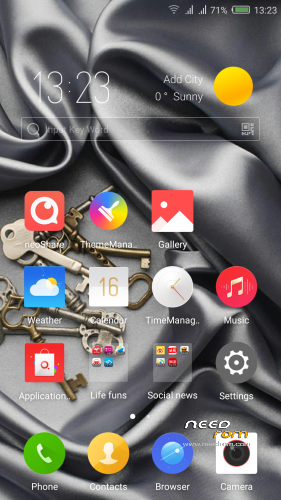
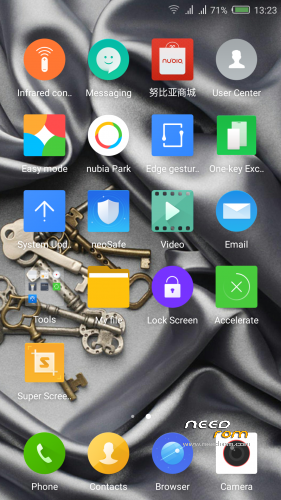
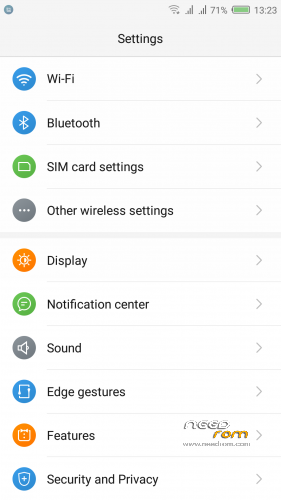
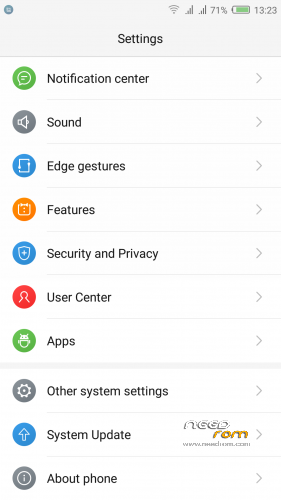
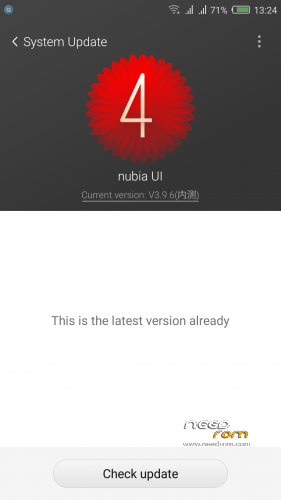
Official ROM v3.84 (UI3.9.6) (Android v5.1.1).
Very fast – smooth and stable Rom.
ONLY FOR MERGED PARTITION.
Install:
1)Enter to TWRP Recovery v3.0.0.0.
2)Make full wipes. Wipe—> Advanced Wipe—> (Dalvik Cache – System – Data – Cache)
3)Install Stock v3.84.zip.
*Before installing this rom you should have preinstalled stock rom v3.22 with nubia tool.
*If have preinstalled CM12.1 or CM13 need to make full wipes and after install this rom Stock v3.83
*Stock v3.22 here: https://www.needrom.com/download/nubia-z7-max-v3-22/
- – - – - – - – - – - – - – - – - – - – - – - – - – - – - – - – - – - – - – - – - – - – - – - – - – - – - – - – - – - – - – -
Install Drivers & Recovery:
1)Download (My Tool https://www.needrom.com/download/z7-max-all-in-one-tool-v1-1-0/ ) UnRAR and run it on your PC.
2)Press 1 to Install The USB Drivers
3)Turn On USB Debugging Mode To Your Phone.(How to: https://www.youtube.com/watch?v=ze7y8rPzH9w )
4)Connect your mobile (mobile to be active) to the computer and select number.
5)DONE.

—-WARNING:This Tool Works Only For Android v5 and v5.1.1 Lollipop—-
- – - – - – - – - – - – - – - – - – - – - – - – - – - – - – - – - – - – - – - – - – - – - – - – - – - – - – - – - – - – - – -
Root:
1)Download SuperSU v2.70.zip and put it to your internal storage.
2)Enter to TWRP recovery and install SuperSU v2.70.zip.
3)DONE.
- – - – - – - – - – - – - – - – - – - – - – - – - – - – - – - – - – - – - – - – - – - – - – - – - – - – - – - – - – - – - – -
Install Google Apps:
1)Download Gapps For Gapps For Android v5.1.1 Nano 20160403.zip and put it to your internal storage.
2)Enter to TWRP recovery and install Gapps For Android v5.1.1 Nano 20160403.zip.
3)DONE.
- – - – - – - – - – - – - – - – - – - – - – - – - – - – - – - – - – - – - – - – - – - – - – - – - – - – - – - – - – - – - – -

- – - – - – - – - – - – - – - – - – - – - – - – - – - – - – - – - – - – - – - – - – - – - – - – - – - – - – - – - – - – - – -
How to Backup and Restore IMEI and MEID:
Try this Nubia Nubia emergency tool:https://www.needrom.com/download/nubian-emergency-tool-v1-0-6/

- – - – - – - – - – - – - – - – - – - – - – - – - – - – - – - – - – - – - – - – - – - – - – - – - – - – - – - – - – - – - – -
Please if you like my work Rate me with 5 Stars.
Thanks.
※Please make a backup of your device before installing or updating ROM
Hi Tigreos
Just installed the rom and feel great but there are 2 problem
1. While on call, the phone was switch to call waiting and also calling the same number again i.e. I can hear the dailing tone.
2. numbers of apps can install but stop running for some reasons.
Any suggestion???
Thanks
Make full wipes and install the ron again.
The weather application not working – positioning failure
Is only for China users.
Download from play store another one.
My phone was working fine in 3.22 version. Then i decided to update to 3.81 version. while trying to update to version 3.81 from 3.22 using recovery, it said failed. Then it asked to wipe cache and then reboot. But phone is not rebooting. It is stuck with the screen in which nubia is written with powered by android. Nothing is happening. If I am trying to restart it again is stuck in the same screen. Please help as to what I need to do to get my phone to start working again properly.
Hi arkamnnoitpro
for this issue,I'm also make full wipe and reboot to recovery.
after that try to install from twrp again.It's work for me.
Successfully flashed this ROM. Not without hitches doh.. (TWRP errors and Android Setup screen that keeps crashing so you can't login to the phone)
My update procedure coming from stock v3.73:
1. Enter TWRP Recovery, Make full wipe (Dalvik Cache, System, Data, Cache)
2. Reboot phone again into TWRP Recovery
3. Install LightX v3.74.zip
4. Install SuperSU-v2.52.zip
5. Reboot phone into Android. Follow the Nubia setup until you are at the home screen.
6. Reboot phone into TWRP Recovery
7. Install Gapps.
8. Reboot phone, done!
-Rebooting between wiping and flashing ROM fixes the TWRP error (E: Error executing updater binary in zip)
-First following the Nubia setup and then installing Gapps wil prevent the Android Setup launching at boot.
Hi tigreos
GMAIL app can't sync email but Inbox is working.
Kindly help to check.
Thanks
แนะน้ำผมหน่อยครับรอมตัวนี้เปิดเน็ตได้ยังครับ
Hey Tigreos
Data on CDMA not working with this update… Cant add/Save APN in settings menu…
Please do something
Hi matriX1218
Do not press OK button.
press back button (right of home),that work.
I have fully installed 3.81 but I have no network and its not reading my sim
The internal test version?
Hi Tigreos
i installed this rom, which is prety thanks for your Work,
where can i find the "third party accounts"
i need it to switch off Google calender and contacts synch..
Thanks
Do you have any solution found?
Hi Tigeos after using this Rom for 1 day i only found:
Gmail does not work (does not synchronize)
Thanks
I am using the 3.81 version of the offcial ROM. Some of the features which are missing:
1. I am not able to search for local music from the Music app. Even when I am searching for a music which is present in my phone it is searching online for relevant music.
2. I am not able to set a 'default calling SIM' for my contacts which was present in the Kitkat version of the Nubia UI ROM. For example: I frequently need to check my internet balance/balance left on my second SIM. So even if I add that contact in my speed dialling, when I press the number the phone starts dialling it with SIM 1 and hence is not getting any response.
3. Also Toggles shortcuts in top notifications tab should also include split screen or multi-window toggle.
Kindly check if these features can be added in the next versions or not.