
- Title: Nubia Z7 Max v3.84
- Listed: March, 2016
- Last modified: 03/25/2016 3:25 pm
- Version: Z7 Max v3.84
You must be logged for ROM download.
32150 total views, 3 today
10 Total favorites
OFFICIAL
 Member Info
DESCRIPTION
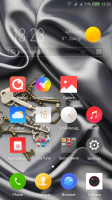
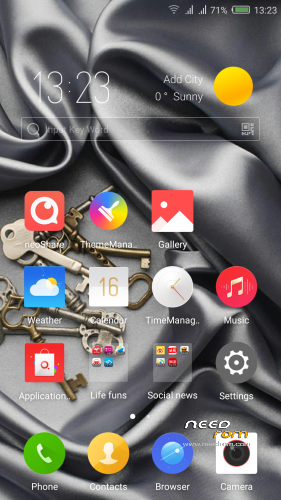
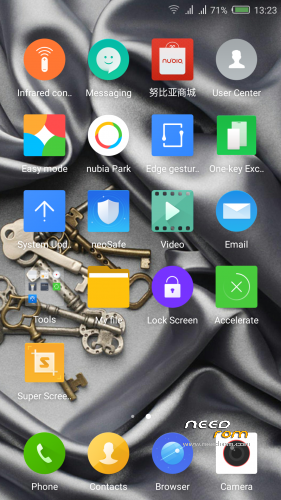
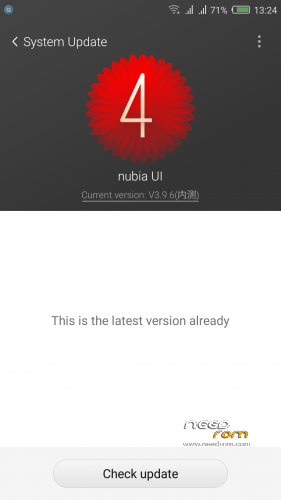
Official ROM v3.84 (UI3.9.6) (Android v5.1.1).
Very fast – smooth and stable Rom.
ONLY FOR MERGED PARTITION.
Install:
1)Enter to TWRP Recovery v3.0.0.0.
2)Make full wipes. Wipe—> Advanced Wipe—> (Dalvik Cache – System – Data – Cache)
3)Install Stock v3.84.zip.
*Before installing this rom you should have preinstalled stock rom v3.22 with nubia tool.
*If have preinstalled CM12.1 or CM13 need to make full wipes and after install this rom Stock v3.83
*Stock v3.22 here: https://www.needrom.com/download/nubia-z7-max-v3-22/
- – - – - – - – - – - – - – - – - – - – - – - – - – - – - – - – - – - – - – - – - – - – - – - – - – - – - – - – - – - – - – -
Install Drivers & Recovery:
1)Download (My Tool https://www.needrom.com/download/z7-max-all-in-one-tool-v1-1-0/ ) UnRAR and run it on your PC.
2)Press 1 to Install The USB Drivers
3)Turn On USB Debugging Mode To Your Phone.(How to: https://www.youtube.com/watch?v=ze7y8rPzH9w )
4)Connect your mobile (mobile to be active) to the computer and select number.
5)DONE.

—-WARNING:This Tool Works Only For Android v5 and v5.1.1 Lollipop—-
- – - – - – - – - – - – - – - – - – - – - – - – - – - – - – - – - – - – - – - – - – - – - – - – - – - – - – - – - – - – - – -
Root:
1)Download SuperSU v2.70.zip and put it to your internal storage.
2)Enter to TWRP recovery and install SuperSU v2.70.zip.
3)DONE.
- – - – - – - – - – - – - – - – - – - – - – - – - – - – - – - – - – - – - – - – - – - – - – - – - – - – - – - – - – - – - – -
Install Google Apps:
1)Download Gapps For Gapps For Android v5.1.1 Nano 20160403.zip and put it to your internal storage.
2)Enter to TWRP recovery and install Gapps For Android v5.1.1 Nano 20160403.zip.
3)DONE.
- – - – - – - – - – - – - – - – - – - – - – - – - – - – - – - – - – - – - – - – - – - – - – - – - – - – - – - – - – - – - – -

- – - – - – - – - – - – - – - – - – - – - – - – - – - – - – - – - – - – - – - – - – - – - – - – - – - – - – - – - – - – - – -
How to Backup and Restore IMEI and MEID:
Try this Nubia Nubia emergency tool:https://www.needrom.com/download/nubian-emergency-tool-v1-0-6/

- – - – - – - – - – - – - – - – - – - – - – - – - – - – - – - – - – - – - – - – - – - – - – - – - – - – - – - – - – - – - – -
Please if you like my work Rate me with 5 Stars.
Thanks.
※Please make a backup of your device before installing or updating ROM
Hi, while I was flashing NX505J (Nubia Z7 max) from v3.09 to v3.22 via Nubia updater v2.1.0 the phone disconnected from PC (WIN10) a the phone went off. The phone is now totally dead. Unable to switch on. Tried to hold switch on + volume keys in any combinations for more than 30 seconds – nothing happened. The phone is really dead even when I connect him to charger there is no reaction. Black screen (at least I it seems that it switched off and not consuming battery. This is my daughter's phone so please any wise advice is really welcommed to avoid eternal revenge of my daughter .
.
Thank you in andvance
Try to reconnect and reflash again. It should work
Friends,

I bought a cellular phone ZTE Nubia Z7 Max about 18 months ago and liked it that much… I inmediatly bought a spare one so i wouldn't have to spend a minute without if it would fail…
It is still new but months later if i want to try to boot it i get the problem it does not detect my simcard.
A closer look tells me (for as far as i can see with the little knowledge i have) it lost its IMEI
Can someone help me put the imei back in?
I still have the IMEI on the new box and everything but i can't program it into the phone
Kind regards!
Hi,
"failed to mount /dev/block/platform/msm_sdcc.1/by-name/system" when I try to flash rom.
The flash completed successfully, but it cannot rotate screen.
Can anyone confirn that it works on NX506J ?
Hi, this is not the first ROM i install on my tablet, and it also worked. But using it i met some problems with play-store and also the amazon app store.
I installed gapps as mentioned above and also used the official amazon store.
Both was also workable at my previous version 3.15 but now i found this trange behaivour.
I can download and install apps from both stores but:
- using the play store some apps like google keep can't sync.
- using amazon store i always get a error message (Amazon Store required) when opening the installed apps. Looks like that the app can't find the store.
Does anybody found the same or maybe has a solution?
I used twrp 3.02 to install and have a proper internet connection. I also tried v3.86 finding the same problems.
Many thanks in advance!
hello
plzzzzzzz
zte z7max
5.1
v3.84
u3.9.6
ENCOMON 2.0.2
help mi
Can i full wipe my CM13 and flash this rom. I want to go back to stock firmware. Thanks
Hi friend.
How to merge patition for nubia z7 max ? Pls.help me.
Thanks.
I can not sync gmail. Can you guys help me, please?
This is the best room i recomand for u guys it s built for chines and save and you will have neosafe and its fast and stabland safe dont use cm14 its not working good