
- Title: Official Cubot S308 ROM 4.2.2 android
- Listed: October, 2014
- Last modified: 10/31/2014 2:10 pm
- Version: official
You must be logged for ROM download.
21708 total views, 2 today
1 Total favorites
 Member Info
DESCRIPTION
If you want to donate me you can donate to my paypal account by sending payment to : lordluka@gmail.com
Ty very much!
ALWAYS BACK UP THE ROM FIRST, here is the link how:
Description:
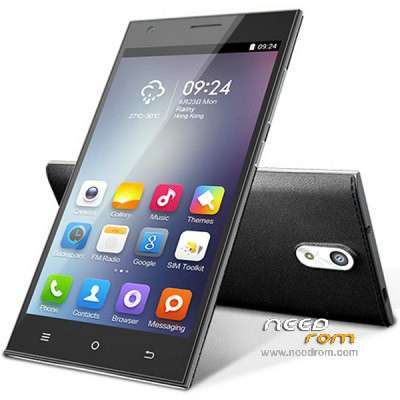
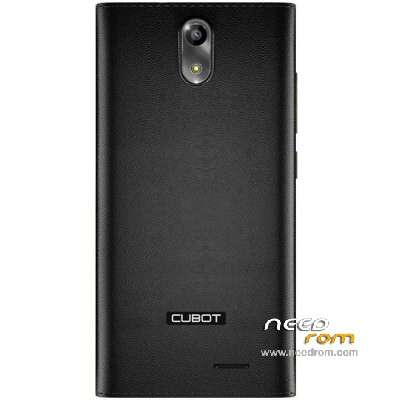
Custom rom for Cubot S308 4.2.2 android mtk6582 2gb RAM, 16gb ROM, Screen Resolution: 1024×720, 5 inch , with 1 gb available internal memory (I can enlarge it to 12.5 gb, for more information inbox me) , ty donate plz
If you need help msg me. I can help you with updateing rom and enlargeing your Internal memory up to normal amount.
Cheers from me, be patient with roms. 
How to install from start for beginers,
First you need to install all USB drivers, adb drivers, just extract rar files with drivers and install all packages, than just connect your phone and see if in device manager phone is recognized.
Than you need vROOT (the setup installs lots of mini apps on computer, so you should after installation go to windows uninstall and uninstall all new apps, except vROOT one). When you have installed it, just run the app vROOT, connect your phone and wait for vROOT to load it and recognize it. Than just click root and wait for phone to reboot. There you have rooted phone with vroot, now you can uninstall vroot apps on mobile phone and you can install super user to use root acces.
For backing up just use this link and follow the steps : http://www.theandroidhow.com/2014/05/how-to-backup-restore-stock-rom-with-sp-flash.html
When you have done all that you can proceed to flashing your mobile phone.
In sp flash tool v5.1408.00, first you load scatter file, than you go options/options/download and you put a mark on DA DL All with chekcsum.
First you go download only, put out your battery and disconect phone, click download and put battery in and reconnect the phone if it wont connect press volume up. Wait for all to finish. Dont bother for all pop ups. Disconect the phone and remove battery.
Next step go choose firmware upgrade, click download put battery back in and reconnect the phone. Wait for all progress till green OK. Start your mobile phone and it should work, if it doesnt try clockwork mode and wipe all data/cache.
Leave comments if the rom works, ty.
※Please make a backup of your device before installing or updating ROM
phone is just dead now
Serious help needed
My S308 is completelly bricked. I'm trying for a couple of days to put the original rom and the MTK device is detected but when i try to download the rom but it doesn't work. It stays on Red bar all the time and after 5 mins or so it gives flash error. Any1 can help please?
Hello, I have the same problem. Help me please!
Hello,
I have a Cubot S308 4.2.2 and I have bricked . I am trying to install this official rom but I can not , the red bar ( Downdload DA) stays red and does not advance. What can I do? thanks
Hello , I have the same problem ... you managed to solve it? Thanks in advanceThank you