
- Title: Pixel UI SuperEvil Farewell Edition
- Listed: March, 2017
- Last modified: 03/09/2017 1:49 pm
- Version: 7.1.1
You must be logged for ROM download.
18594 total views, 2 today
12 Total favorites
 Member Info
DESCRIPTION
*****************************************
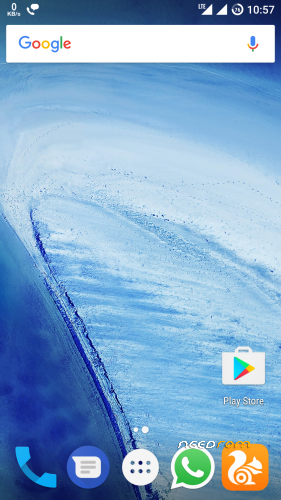
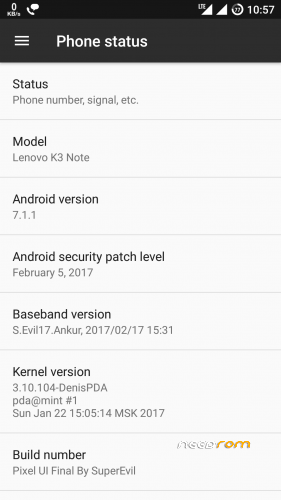
*Pixel UI SuperEvil Farewell Edition*
******************************************
This is the last rom from me for k3 note.
I left k3 devlopment last month only,but cleaning my pc i found this backup.
This was the Daily driver for me.
Fully Stable Rom
All bugs have been fixed from my previous versions.
Farewell Changelogs:
1. Wifi *Fixed*
2. Proximity Sensor*Fixed*
3. Battery Draining *Fixed*
4. More Fluid And Smooth
5. Latest GApps.
6. February Patch.
7. New Modem.
8. New Kernel
9. All Sensors Are Working Fine.
10. Maybe you will face some force closes,but it doesn't affect anything.
11. Youtube Fixed.
12. Bluetooth Headset fixed.
4
4.
* Your warranty is now void.
*
* I am not responsible for bricked devices, or dead SD cards,
* nuclear war, penguin invasions or that you are getting fired because the alarm app failed.
* before flashing it! YOU are choosing to make these modifications, and
* If you point your finger at me for messing up your device, I will laugh at you. Hard
* If you dont like this rom, Stay away from this thread!
*/
Installation Process
Note:- This is a twrp backup.
So restore Via TWRP
Recommended 3.X TWRP Version.
Thanks To/Credits:
* SuperEvil
* 4PDA Devs
* Sandeep Sethi
If You Liked My ROM ,
Then Kindly Rate It.
Thank You For Your Time. !
※Please make a backup of your device before installing or updating ROM
alguien save donde estan los links de descarga? o estoy ciego o no soy capaz de encontrarlos….gracias de antemano
Please how can I Install this rom ? Sorry for my English .
Hope you’ll work hard on working cm13 to finish your work.
need to update!!!
How to install this rom?i've already extract the zip file but in the recovery mode when try to restored the rom,it doesn't appeared..how to solve this?can someone give tutorial..
Open the zip and extract the Pixel_UI_Final_By_SuperEvil folder. Go to the TWRP/Backups folder on your SD-card and find the folder for your phone – on mine, it's called "Lenovo_K50-T5". Put the Pixel_UI_Final… folder in there alongside your existing backups. Boot into TWRP and it should see this as a valid backup which you can now restore.
I've had this ROM running a couple of days now and I like it a lot, Except that I now have no menu button!
Whichever launcher I use, and whichever app, the menu button defaults to Recents. In some apps I get the three-dots icon for a drop-down menu, but in others, eg. Titanium Backup, there is no menu button at all! I tried using the Buttons setting to configure the menu button to Open/close Menu, but this has no effect.
What is going on?? Help!
You. Use xposed additions to change buttons.
There's no such folder named twrp/backup on my sd_card or my device either..how can i solve this?
Create the folders.
thank you superevil

Is there a way u can create a zip file for lenovo snapit camera where one can flash on this ROM?
While trying to flash using twrp recovery, got the error Could not find ‘META-INF/com/google/android/update-binary’. Please help to solve above error.
Open the zip and extract the Pixel_UI_Final_By_SuperEvil folder. Go to the TWRP/Backups folder on your SD-card and find the folder for your phone – on mine, it's called "Lenovo_K50-T5". Put the Pixel_UI_Final… folder in there alongside your existing backups. Boot into TWRP and it should see this as a valid backup which you can now restore .this helped for me thnx to @bryangb
@Vaibhav Singh : There is no TWRP/Backups folder in my SD-card. Please help.
Ok guys, I finally installed this ROM.
As posted in previous comments, follow the same as
extract the Pixel_UI_Final_By_SuperEvil folder. Go to the TWRP/Backups folder on your SD-card and find the folder for your phone – on mine, it's called "Lenovo_K50-T5". Put the Pixel_UI_Final… a folder in there alongside your existing backups.
If you don't have backups folder, then in TWRP create some backup that will automatically create folder for you.
Then in TWRP recovery, choose Restore and choose the file location where we saved our ROM. That's it.