
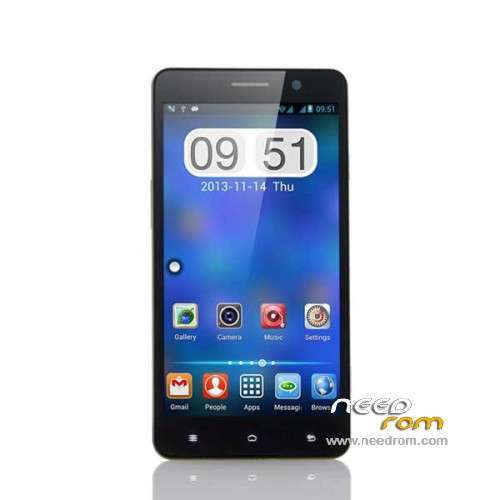
- Title: POMP C6
- Listed: February, 2014
- Last modified: 03/20/2014 8:57 pm
- Version: ROM Android 4.2.2
You must be logged for ROM download.
26198 total views, 1 today
1 Total favorites
 Member Info
DESCRIPTION
ROM Mobile POMP C6 – ROM Android 4.2.2
Update ROM Official POMP C6 Version : ALPS.JB2.MP.V1.51_Release.V2.05_03192014 ( Flash or OTA)
——————————————————————————————————————————————–
Update ROM Official POMP C6 Version : ALPS.JB2.MP.V1.51_Release.V2.04_02212014 ( Flash )
——————————————————————————————————————————————–
ROM Official POMP C6 Version : ALPS.JB2.MP.V1.51_Release.V2.03_02172014
Flash or OTA
Gapps include – No Rooted
Language support: Multi lang
Install ROM :
- Unpack FlashTools, and Click on Flash_tool.exe
- Select a the MT6589_Android_scatter_emmc.txt in ROM
- Wait file to be added into Flash Tool
- choose Option->USB Model,click USB Model
–> Choose Option->DA DownLoad All->Speed->High Speed, click High Speed
- Turn off your phone, remove the battery.
- "Press F9 (hit Download button)" OR " if upgrade ROM Firmware->Upgrade "
- and connect your phone into the computer via USB data cable.
- The process will start and a red progress bar will appear after color purple, yellow.
- And green circles display
- Finish !
- You can now safely disconnect your phone and turn it on.
OR OTA
※Please make a backup of your device before installing or updating ROM
OTA is not availeble (for me) or is it region bound?
If you need OTA come here .
http://en.miui.com/thread-1528.....9-1-1.html
You will get official OTA.
Still can get the GPS up and running
The network carrier has some problemas get lost several times
Reboot is fixed thanks
Is the audio noise when recording a video solved in this version?
Are all downloadable ROMs above MultiLanguage?
Hi
can you tell me how to install these updates in the pomp c6?
Just put on the SD card, enter the recovery mode and select the Zip file?
Or do I have to do differently? I'm inexperienced but I wish I could put the "reslease V 2.05" can you help me?
Hi!
Copy https://www.needrom.com/wp-con.....zh_v2.05_SD.zip file to the root of SD. Open Settings/About Phone/System update/Local update, then click on pomp_89_cn_fhd_zh_v2.05_SD.zip. Wait until the end of process.
That is it.
Lazsosz
Only the version 2.04 supports all languages ; 2:03 and 2:05 are in Chinese or English
Thanks for the information trippogeno!
Why pom c6 auto reboot several times???it happens to you?
Hi, is possible to have POMP C6 – Update v2.05 in multilanguage?????
Hi every one
How will disappear off point of screen?
Ya Ali.
Go into the top task bar
any 4.4 rom?
The pomp is now official 4.4 ROM for this phone yet…
Really sorry for the manufacturers of Pomp.:(