
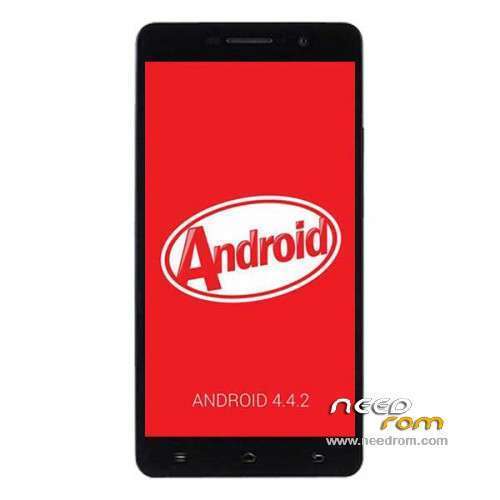
- Title: POMP C6S KK
- Listed: September, 2014
- Last modified: 10/24/2014 7:03 am
- Version: ROM Android 4.4.2
You must be logged for ROM download.
21214 total views, 4 today
88 Total favorites
 Member Info
DESCRIPTION
ROM Mobile POMP C6S – ROM Android 4.4.2
Update ROM Official POMP C6S Version : KK1.MP1.V2.46.2.07 – POMP_C6S_V2.07 – KOT49H
——————————————————————————————————————————————————
ROM Official POMP C6S Version : KK1.MP1.V2.11.2.06 – POMP_C6_V2.06 – KOT49H
Gapps include – No Rooted
Language support: Multi lang
Install ROM :
- Unpack FlashTools, and Click on Flash_tool.exe
- Select a the MT6592_Android_scatter.txt in ROM
- Wait file to be added into Flash Tool
- choose Option->USB Model,click USB Model
–> Choose Option->DA DownLoad All->Speed->High Speed, click High Speed
- Turn off your phone, remove the battery.
- "Press F9 (hit Download button)" OR " if upgrade ROM Firmware->Upgrade "
- and connect your phone into the computer via USB data cable.
- The process will start and a red progress bar will appear after color purple, yellow.
- And green circles display
- Finish !
- You can now safely disconnect your phone and turn it on.
※Please make a backup of your device before installing or updating ROM
v2.07 and v2.08 can not be rooting with Kingo Root
Wheres the 2.08 firmware for the C6s?
I downloaded the 2.0.7 zip file and the flashtools.
I unzipped the 2.0.7 into an empty folder
I launched flashtools and opened the scatter file.
Powered the phone off.
Clicked download in flashtools.
Turned the phone on by pressing the power on and volume down buttons.
A menu im Chinese shows up on the phone.
Now what? I cant read Chinese.
Did I do a step wrong and what do I do now to upgrade the firmware?
Nevermind I solved the problem.
If you have a sticky compass like I did or if you have MTK ENGINEERING MODE START APP and in the MSENSOR DATA you get the error “MSENSOR DATA IS NOT GOOD” then it means the compass needs to be calibrated.
Just download a compass app that alows to calibrate it and do the calibration.
Its very simple, just have to rotate the phone in its 3 axis and thats it.
The compass is now working in realtime and accurately.
Hi,
could somebody write here how to install this rom on c6s?!
thank you.
-instal driver
-run smart phone flash tool on pc
-select scatter- loading (inside zip rom/unzip)
-change download only to firmware upgrade!!! (below scatter- loading File)
-turn off phone
-hold volume down+power (wait pomp logo)
-insert usb cable
-click on smart phone flash tool on download
-select on phone CWM restart
Please,
I have the POMP C6S with android 4.2.2 – ALPS.JB9.MP.V.1.4
This update will work for me ?
Whats the diference between POMP C6S KK and POMP C6S KK – Update V2.07 links ?
Thanks !
Is it possible to install this rom directly from the cwm? from install zip from sdcard?
Funciona Perfecta! La version 2.07 no se puede rootear todavia, pero la 2.06 se puede con KingoRoot.
Para los que le da error el Flashtools es por problemas de drivers o de mala comunicacion entre el movil y el pc. Si sale error 1013 deben darle al Download en flashtools y desconectar el usb y volver a conectarlo nuevamente al telefono, con eso se restablece la comunicacion entre el movil y el ordenador.
———————————————————————————————————————————————————————-
Works Perfect! The version 2.07 can not be rooted yet, but the version 2.06 can be rooted with KingoRoot.
If Flashtools fails is for drivers problems or poor communication between the phone and the PC.
If you get error 1013 should give the Download in flashtools and unplug the usb and reconnect the phone again, with that communication between the phone and the computer is restored.