
- Title: Project Treble ROM In DOOGEE X5
- Listed: June, 2018
- Last modified: 06/01/2018 4:28 am
- Version: Tutorial 1
You must be logged for ROM download.
9317 total views, 1 today
 Member Info
DESCRIPTION
Traditionally, it worked something like this: the OS framework and low-level software were all part of the same code. So when the OS got updated, this low-level software–technically referred to as vendor implementation—also had to get updated. That’s a lot of work.
So, starting with Android 8.x (Oreo), Google separated the two. That means the Android OS itself can be updated without having to touch the vendor implementation. That, in turn, can be updated by itself if needed. Which means updates will be tons faster because "device-specific" files are an "vendor-only" thing, as long as they work just fine you can modify System like if you were talking about any phone and not an specific one, clearly there is some limitiations like cpu architecture (armv7 - arm64 - x86 -x86-64)
In my own words; Project Treble let's you mess with system freely without device-specific files (which are located now in vendor) so if you replace that system with another one that is already adapted to work among with a separate vendor partition it should work just like that with none effort from your part, this means if you have a working vendor you can just replace your system image to one that has Treble support (and is 32bits) and boot it even when it wasnt made for your phone.


So yeah, basically feel free to boot any Oreo 8.1 rom even when it wasnt made specifically for our device because, if the ROM has treble support, it will boot.
Treble ROM's can be found in here;https://forum.xda-developers.com/project-treble/trebleenabled-device-development REMEMBER JUST TO USE X32 BITS (ARM) ROMS.
THIS TREBLE OREO 8.1 ROMS HAVE WORKING GAPPS, AT LEAST I'M 100% SURE LINEAGEOS15.1 GO EDITION HAS GAPPS WORKING.


How to flash?
First of all you need working Oreo 8.1 firmware with vendor partition good to go, learn how to get it here; https://www.needrom.com/download/android-8-1-oreo-project-treble/

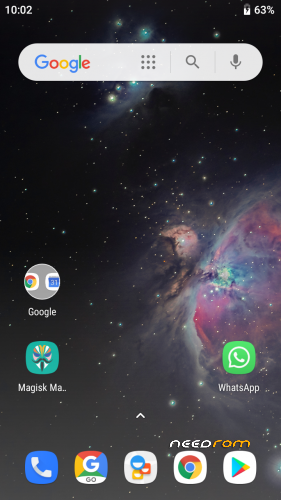
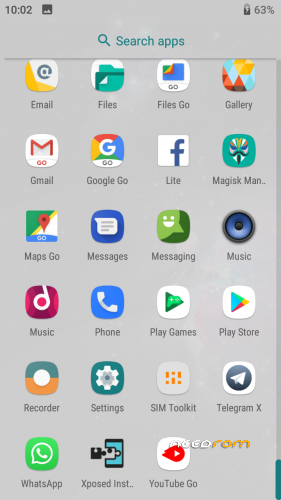
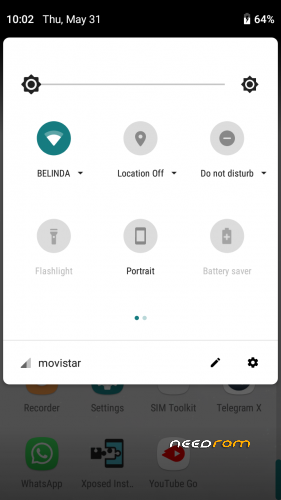
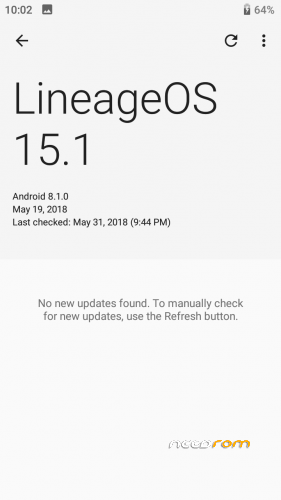
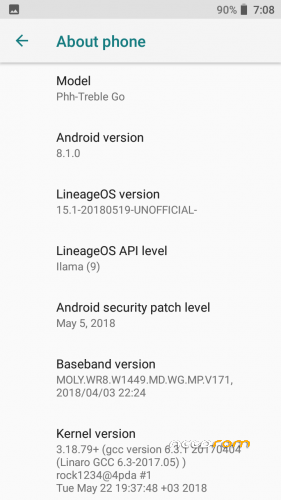
- SCREENSHOTS ARE TAKEN FROM MY DEVICE RUNNING LINEAGEOS15.1 PROJECT_TREBLE ANDROID GO EDITION.
- SCREENSHOT NUMBER 3 IS A MODIFIED NOTIFICATION DRAWER PANEL USING XPOSED MODULE P-IFY TO GET AN ANDROID P EXPERIENCE, BUT YOU ALL KNOW ALREADY HOW QS PANEL LOOKS IN 8.1 SO YOU MAKE AN IDEA.
- TREBLE ROMS HAVE OTA UPDATES, AND HAVE LASTEST ANDROID SECURITY PATCHES WHICH MAKES THEM SAFER.
- TREBLE ROMS FOR MT65XX CHIPSET DON'T HAVE INCOMING CALLS, THAT'S A BUG.
※Please make a backup of your device before installing or updating ROM
What does it mean "don't have incoming calls"? They aren't showing or what ?
don't work at all, it is a problem of all treble builds on mtk
Does that mean that Google apps are working such as play stoee
Yeah, in Treble Roms most of gapps work, I recommend you to try LineageOS15.1 with GO apps variant, that's the one I used in screenshot and it have 100% gapps working!
Ok I'll give it a try:) thank you so much
When you get error "device is not certified by google" follow instructions that I made on JDCTeam AOSP rom nougat, same steps for fixing as before it's easy
there are a way for extend the system partition ?i have only 2 go of rom memory and on a website i see the doogee x5 have 8gb normally