
- Title: RESURRECTION REMIX v5.6.9 Android 6.0.1 MM STABLE (32 bit) K30-T/W
- Listed: July, 2016
- Last modified: 07/15/2016 4:08 pm
- Version: 6.0.1
You must be logged for ROM download.
15703 total views, 2 today
1 Total favorites
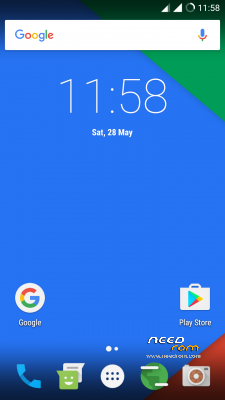
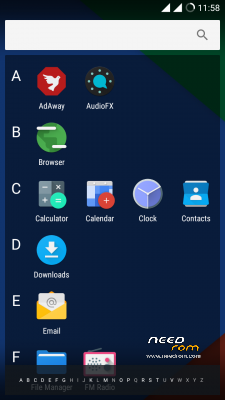
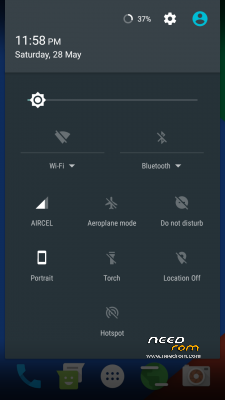
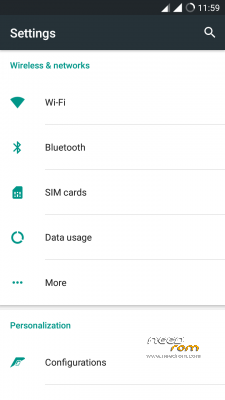
 Member Info
DESCRIPTION
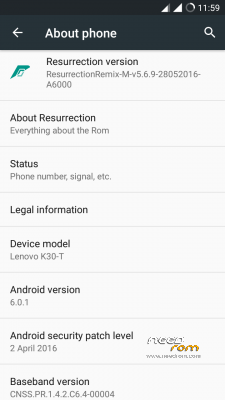
RESURRECTION REMIX v5.6.9 Android 6.0.1 MM STABLE (32 bit) K30-T/W
About Resurrection Remix ROM
Resurrection Remix the ROM has been based on CM,slim.omni and original Remix ROM builds, this creates an awesome combination of performance, customization, power and the most new features, brought directly to your Device
Many things that in previous versions were tweaked with mods, are now included by default in the ROM so, please enjoy!
Special thanks to, the CM team,OMNI team ,SLIMROMS and of course to all the supporters
Included Main Features
Resurrection Remix Marshmallow
Features: Based On Latest Google Android 6.0.1 Release Based On CyanogenMod 13 Sources
Statusbar
-Brightness Slider
-Enable/Disable Show Notification Count
-SuperUser Indicator Switch
-Double Tap To sleep Statusbar
-Carrier Label
-Carrier Label Switch
-Carrier label Colour
-Carrier Label Size
-Clock Customizations
-Time & date
-Clock Colour
-Day & date Toogle
-Center/Right/Left Clock Choice
-Date Format
-Clock Font Styles
-Battery
-Battery Bar customization
-Battery Icon Customization(circle/landscape/Potrait and more)
-Battery % Text
-Network Traffic Indicator
-Network Traffic Arrows Switch
-Incoming/OutGoing Traffic
-Network traffic Color
-Statusbar RR Logo
-RR logo Color
-StatusBar Weather
-Weather Color
-Weather Position(left/right)
-Weather Style
-Weather Size
Animations
-Toast Animations
-ListView Animations
-System Animations
Gestures
-Gestures Anywhere Feature
-3 Finger Swipe Screenshot Gesture
App Circle Bar
-Choose apps in AppSidebar
-Trigger Width
-Trigger Hieght
-Trigger Position
-App Sidebar
-Choose apps in App circle
-Trigger Width
-Trigger Hieght
-Trigger Position
Recents Panel
-Clear All button Switch
-Clear All Tasks Switch
-Clear All Button Location(Top right,Top Left,Top Center,Bottom Left,Bottom Right,Bottom Center)
-Recents Search Bar
-Full Screen Recents
-Slim Recents
-OmniSwitch
Cclock Widget
-CLock And Alarm Customizations
-Weather Panel Customizations
-Calender Events
LockScreen
-Lockscreen Bottom Shortcuts
-Lockscreen General Shorcuts
-100+ Icons for Shortcuts
-Double Tap to Sleep Lockscreen
-Lockscreen Media Art/Enable Disable
-Quick PIN/Patter Unlock
-LockScreen Blur
-Lockscreen Blur Intensity
-LockScreen Wallpaper
-Lockscreen Weather Widget
-Lockscreen Icons Color
Quick Settings
-Draggable Tiles
-Customizable Tiles
-Show Two Main Tiles Per Row
-Dyanamic Tiles Adjustment
-Notification Drawer
-Weather Display Switch
-LongPress Toggles to Enter Settings
-Disable Immersive Mode Messages
-Force Expand Notification
-Task Manager Switch
-Time Contextual Header(HD,Modern,Poly)
-Quick PullDown Switch
Buttons
-Backlight Timer
-Backlight Strength
-Advanced Reboot Menu
-Power Menu Customizations
-Power Off -Reboot(Recovery, Bootloader, Hot Reboot)
-ScreenShot
-Power Menu End Calls Switch
-Restart SystemUI
-Airplane Mode
-ScreenRecord
-On the Go Mode
-Sound Panel
Home Button(For devices with HW keys Only)
-Home Button answer call
-Long Press Actions
-Double Tap Actions
-Menu Button(For devices with HW keys Only)
-Short Press Actions
-Long Press Actions
Search Button(If Device Supports)
-Short Press Action
-Long Press Action
Volume Buttons
-Wake Up Device
-Playback Control
-Ringtone Volume Control
-Keyboard Cursor Control
-Swap Buttons on Landscape mode
-Volume Key Answer
Other Features
-Perfomance Profiles
-LCD Density
-Expanded Desktop Mode
-Heads Up Switch
-Live Display
-Configurable 0,90,180,270 Degree Rotation
-Lock Screen Autorotate Switch
-Double Tap Power Button To enable Camera gesture
-Prevent Accidental Wakeup
-Wake Phone on Charging Plug
-Battery Light Customizations
-Notification Light Customizations
-Font Size
-CM privacy guard
-Performance Tweaks(Kernel Aduitor Inbuilt)
-Includes All Android Marhsmallow Features
-Includes ALL CM13 Features
-AND MUCH MUCH MORE
Installation Instructions
- Make sure you are on stock lollipop or a lollipop/marshmallow based custom rom
- Wipe system/data/dalvik cache/cache partiton
- Flash the ROM
- Flash Gapps without booting into system
- Reboot.
- First boot will take a while…be patient, it will boot
- Enjoy!
※Please make a backup of your device before installing or updating ROM
Hi,
The link to the zipfile does not work?
correction* : it does work, but there are a lot of spams on the link..
i installed this ROM..
After boot, all i saw was the Lenovo Logo..
it says its x32 but my K3 Note is x64..
Will it work?
Nope. This ROM is for K30 Lemon not for K30 Note.
it not for k3 Note
Tested few ROM's and IMO this is best ROM so far
Source and discussion:
http://forum.xda-developers.co.....lenovo-t3383977
Testing in lenovo k30w, how many time will take the first boot?
Guys, can I use this rom to wake up my lenovo k30-w? Its restarting constantly at the lenovo logo. Thanks
The best rom of these for K-30w
What does 32 bit mean in the description??
Lenovo k30w probably all in the 64 bit processor version