
- Title: ROM Miui V5 4.1.24 Multilang
- Last modified: 01/25/2014 5:25 pm
- Version: 4.1.24
You must be logged for ROM download.
20974 total views, 2 today

 Member Info
DESCRIPTION
ROM Mobile ZTE Nubia Z5S Mini – ROM Android 4.2.2 MIUI Multilang
ROM Features:
MIUI V5 – 4.1.24
Gapps not include – No Rooted
Language support: Multilang
Download and unzip Z5s mini Full pack.zip to desktop of microsoft windows
must before any procedure that your usb driver is properly installed, and the mode develloper is enabled
if you do not it does not continue
Mode Develloper :
1, open the "Settings" on your phone, click on the "About phone".
2, which can be seen "version number" that seven consecutive click "version number."
3, then return to the "Phone", you can see the "Developer Options" appeared.
4, click open the "Options for developers."
5, open the upper right of the "switch" area, check the option "USB debugging".
USB driver :
1- Install Adb Driver
Download adb_drivers_z5s_mini_install.exe
The Google USB Driver is required for Windows only in order to perform adb debugging with any of the Google Android devices. Windows drivers for all other devices are provided by the respective hardware manufacturer, as listed in the USB Driver
USB Driver
Dowload and unzip Z5s mini Full pack.zip and In folder USB Driver
follow the procedure as any driver installation under Windows
Example :
http://zteblade3.com/how-to-root-the-zte-blade-3/install-usb-drivers/
ROOT :
1 - Dowload and unzip Z5s mini Full pack.zip and In folder Rooter
open the software AnzhiRoot.exe,on the main interface click the button "ROOT" in the bottom right.
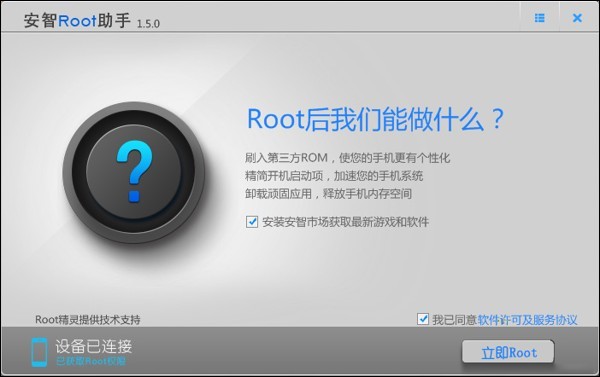
until the end of the procedure.
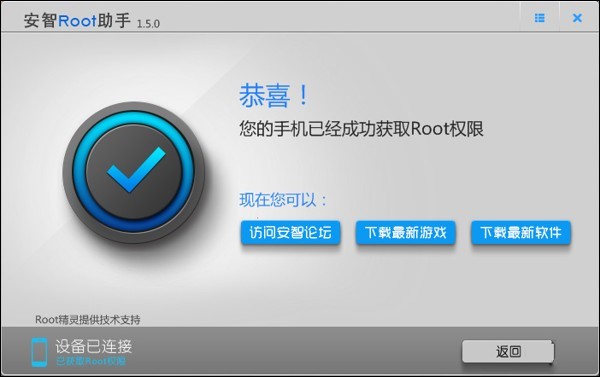
Recovery :
Dowload and unzip Z5s mini Full pack.zip and In folder z5s_mini_tools
CWM ( If you use "this recovery in chinese » Run in shell windows "Install_recovery.bat" replacement cwm (recovery) Chinese version in English
and just tap 1 and Enter, your phone reboot in recovery.
Install ROM :
Step 1: Download the custom ROM miuiandroid_multi_NX403A_4.1.24_jb-4.2.zip copied to an external SD card root directory
Step 2: the shutdown state. While holding down:
– Power button + volume button up, to enter the recovery mode.
– Wipe Data / Factory Reset -> delete all user data
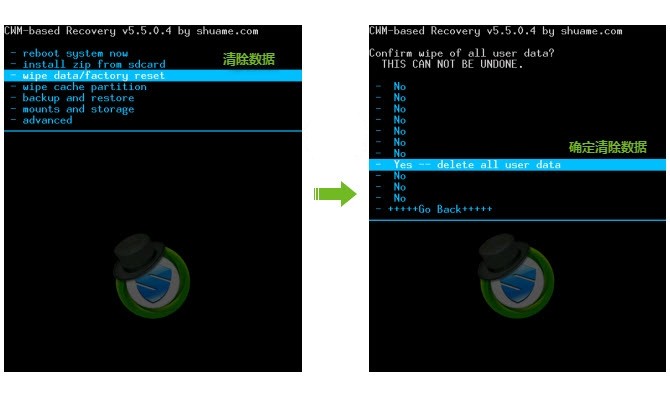
– Wipe Cache Partition -> Wipe cache
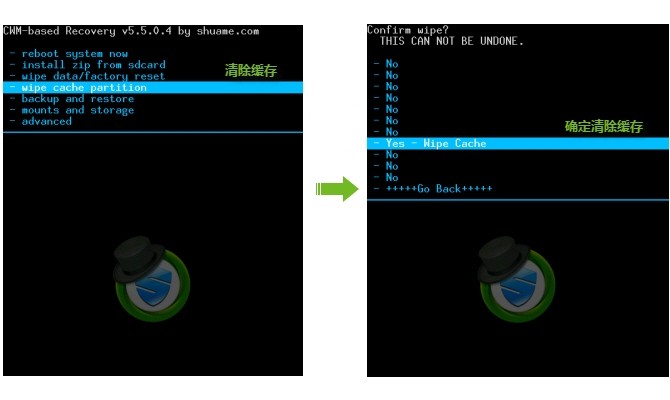
– Advanced -> Wipe Dalvik Cache
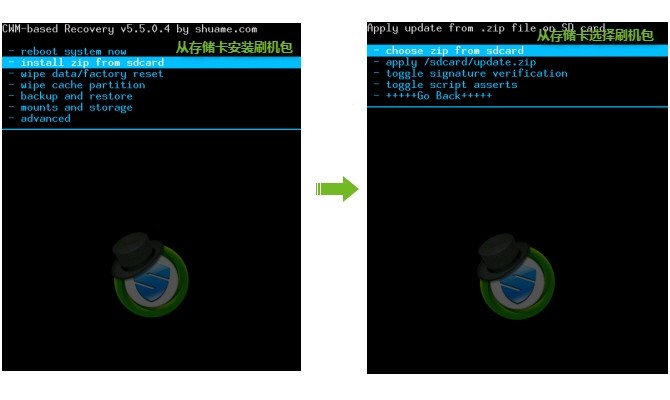
Step 3: Return to recovery main interface Install zip from sdcard -> choose zip from sdcard -> Select your ROM miuiandroid_multi_NX403A_4.1.24_jb-4.2.zip
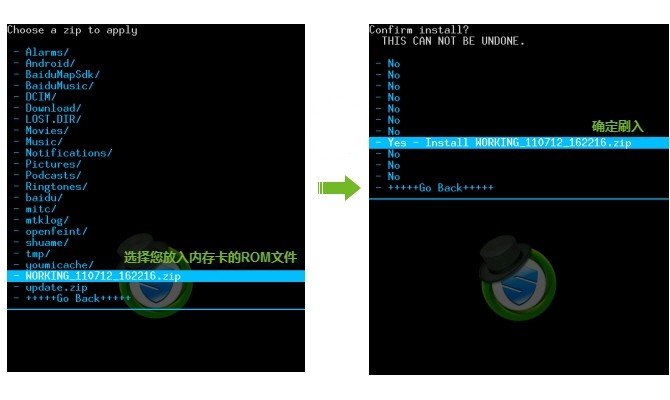
Step 4: Brush complete, restart the phone Patience required – first boot takes a while
ROOT :
Dowload and unzip Z5s mini Full pack.zip and In folder Rooter
open the software AnzhiRoot.exe,on the main interface click the button "ROOT" in the bottom right.
until the end of the procedure.
Gapps :
Dowload and unzip Z5s mini Full pack.zip and In Folder Gapps
Step 1: copy miuiandroid_gapps-4.2.2-small_signed.zip copied to an external SD card root directory
Step 2: the shutdown state. While holding down:
– Power button + volume button up, to enter the recovery mode.
Step 3: to recovery main interface Install zip from sdcard -> choose zip from sdcard -> Select your file miuiandroid_gapps-4.2.2-small_signed.zip
Works Perfectly
※Please make a backup of your device before installing or updating ROM
Hi Guys,
first of all thanks for your job dude. I have a question about drivers installation in folder USB Folder because I don't find the .exe file. Could you tell me how proceed?
Thanks a lot in advance
hi
can i installl this ROM with twrp ?\
the link to download driver does not work
Funciona para Nubia NX406E o Victoria 2?