
- Title: Speed 7 and Speed 7 Plus Galaxy Style V2 Update(20150911)
- Listed: September, 2015
- Last modified: 09/15/2015 6:42 am
- Version: 5.1
You must be logged for ROM download.
13349 total views, 1 today
1 Total favorites
 Member Info
DESCRIPTION
http://www.zopomobile.com/forum/thread-82-1-1.html
20150911-194856
The upgrade log:
Optimization wifi connection is normal, the probability of non-communication, the problem is not the Internet;
2, optimization of some third-party application plug-ins can not be used to restart the problem;
3, optimization resolved to set the root alarm, press the button after the program recently used, remove the alarm, the alarm will automatically turn off the background issues;
4, solve the system language tune into German (Deutsch (Österreich)), you can not start the power saving mode problem;
5, solve the system language tune into German (Deutsch (Österreich)), press the volume key issues can not adjust the volume;
6, solve the tripartite conference call, call time display abnormal, view the management conference call, the list is blank interface issues;
7, part of the solution to optimize the use of the application can not be installed.
Based on the Speed 7 Plus latest firmware(20150911-194856)
I build two versions:
1. one version is through SP_Flash_Tool installation, but no ROOT.
2. Another version installed through the Recovery, has ROOT
DESCRIPTION:
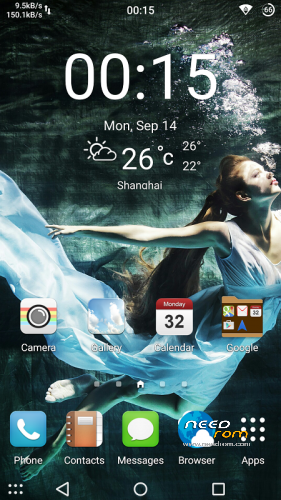
Galaxy launcher;
Added New Weather Plugin;
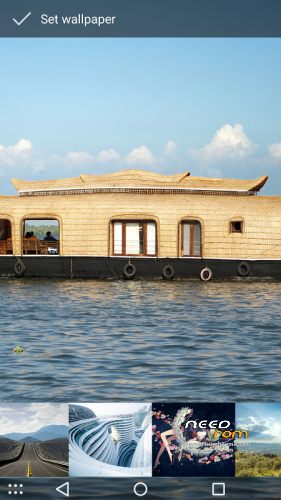
New wallpaper gallery
New Default Wallpaper;
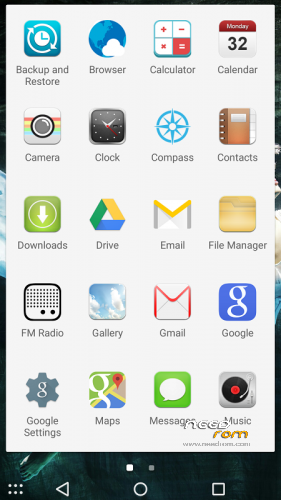
New ICON
Added SuperSU (Rooted)
Added Xposed
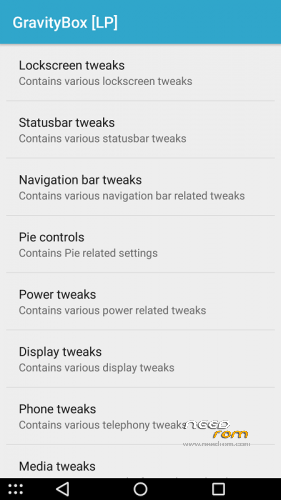
Added GravityBox[LP]
Added CWM recovery
Add android 6.0 boot animation
Remove unwanted applications
Flash ROM Install:
- Download the ROM(RAR format)
- Unpack FlashTools, and Click on Flash_tool.exe
- Select a the MT6753_Android_scatter.txt in ROM
- Wait file to be added into Flash Tool
- choose Option->USB Model,click USB Model
–> Choose Option->DA DownLoad All->Speed->High Speed, click High Speed
- Turn off your phone, remove the battery and replace it after some seconds (and don't turn on the phone).
- "Press F9 (hit Download button)" OR " if upgrade ROM Firmware->Upgrade "
- and connect your phone into the computer via USB data cable.
- The process will start and a red progress bar will appear after color purple, yellow.
- And green circles display
- Finish !
- You can now safely disconnect your phone and turn it on.
Recovery ROM Install
Step 1: Download the ROM(Zip format)
Step 2: copied to phone storage root directory.
Step 3: the shutdown state. While holding down:
–Power button + volume button up, to enter the recovery mode.
Step 4:Install zip from sdcard -> choose zip from sdcard -> Select your ROM.
Step 5: Brush complete, restart
The phone Patience required – first boot takes a while.
※Please make a backup of your device before installing or updating ROM
Thanks a lot for your efforts. I'd like to download and flash immediately. Unfortunately my companies firewall blocks Mega. So my question: Is it possible to upload ROMs directly to Needrom which is not blocked? Looking forward to tonight to flash…
Is samething wrong – both of galaxy style is only for speed 7 not for speed 7 plus.