
- Title: STAR B94M/B943
- Listed: April, 2013
- Last modified: 04/23/2013 10:45 pm
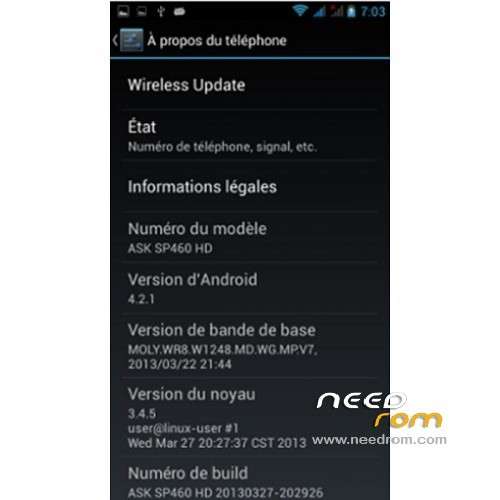
- Version: ROM Android 4.2.1
You must be logged for ROM download.
64438 total views, 4 today
188 Total favorites
 Member Info
DESCRIPTION
ROM Mobile STAR B94M/B943 – ROM Android 4.2.1
For Quad Core version ONLY MT6589
Features ROM:
New JB 4.2.1 ROM available, given by the manufacturer.
The build.prop says it's a ASK SP460 HD, but it doesn't matter
All works perfect:
Wifi stable
3G stable
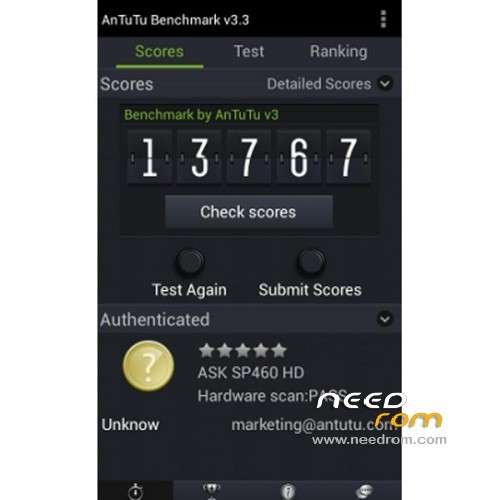
Antutu: 14100 points (version 3.3)
Network localsation and GPS works fine (but GPS may need a modified gps.conf for Europe)
[How to] Installation:
Make backup
Switch off the phone, connect usb and remove the battery
You must use SP flash tool and flash the firmware.
Select the scatter file given in the download
Then click download, and put the battery. After it's finished, remove the usb connection, and restart the phone.
Root and recovery are possible too, download the link, and use SP Flash tool in the same way. It's preferable to install TWRP instead of CWM, the Root is proposed at the end of the next recovery.
[UPDATE] 23/04/2013
I've baked a new build.prop file in order to improve some stuffs:
- Powersave tweaks: to activate the deep sleep mode. Indeed there was no parameters for the deep sleep mode in the native ROM. But be carrefull, the synchronization in mail acompt settings shut it down and kill the service until reboot. So shutdown your synchro if you want to save battery.
- 3G improvement tweaks
- Network and internet improvement tweaks
- Return of the B943 model name… bye bye ASK SPK460 HD ^^
[How to] Installation:
Download this File on your computer: Build_STAR_B943_23042013.zip
- Extract it and copy the build.prop file on your Sdcard (on the phone)
- From the phone, open a file explorer with root rights (Root explorer for me)
- Then copy build.prop, go into root / directory of the phone, go in /system
- Set the RW (read write) mode in your explorer, and paste build.prop into the /system directory. It will replace the original one (root explorer will make a backup by itself).
- It's not finished !! Don't forget to set the rights of the file, set them on rw-r-r (owner= read write, group= read, others= read)
It's done, reboot your phone
Enjoy !!! 
※Please make a backup of your device before installing or updating ROM
is it possible to build a CM10.1 Rom with stock kernel??? i am not a dev….just want to know…..
Hello, nop, CyanogenMod ROM are not developped for Mediatek processors. Mediatek sources are not free
bad news….so we have to wait for another release, for example JB 4.2.2 or (as pronounced) 4.5…. we have "only" ability to mod a stock rom….right?
sorry, forgot something:
do you know http://uot.dakra.lt ? I changed my bootanimation with one from there….just go to the kitchen, select the bootanimation you want, download the zip-file, extract it and copy the new bootantimation.zip to "/system/media/"
Reboot and have fun!
Have you seen this:
http://www.jetdroid.org/shanzh.....quid-e2-launch/
https://github.com/varunchitre.....9_kernel_source
could this be the first step for CM on our phones?
Hi, for CM you should ask the question to its developers ^^
Thanks for the links, but i'm already working on a MOD ROM custom
here: https://www.youtube.com/watch?.....eature=youtu.be
hey guy's sombody can help me? I have rooted the phone but I can't install the ROM. I get the message "Installation Aborted". There is a tutorial somwhere?
Scan this thread at XDA Devfelopers http://forum.xda-developers.co.....d.php?t=2207989
Or this one if you can manage Russian.
did it fix problems with audio. Microphone, volumen???
The microphone issue is an hardware problem, it has to be changed http://forum.china-iphone.ru/s.....t26438-760.html
http://forum.china-iphone.ru/s.....ivi-t26438.html
Thank you emard !!!!!
You are welcome, lozizio