
- Title: STAR B94M/B943
- Listed: April, 2013
- Last modified: 04/23/2013 10:45 pm
- Version: ROM Android 4.2.1
You must be logged for ROM download.
64439 total views, 5 today
188 Total favorites
 Member Info
DESCRIPTION
ROM Mobile STAR B94M/B943 – ROM Android 4.2.1
For Quad Core version ONLY MT6589
Features ROM:
New JB 4.2.1 ROM available, given by the manufacturer.
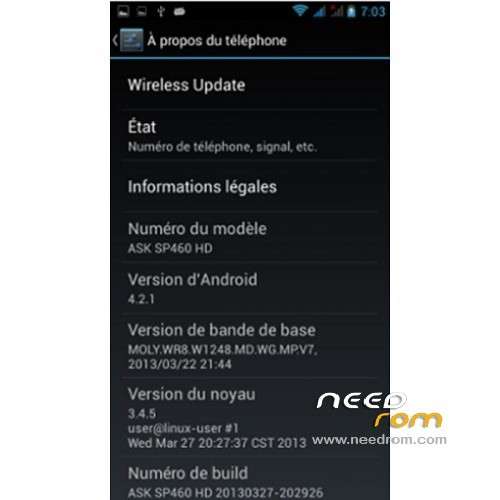
The build.prop says it's a ASK SP460 HD, but it doesn't matter
All works perfect:
Wifi stable
3G stable
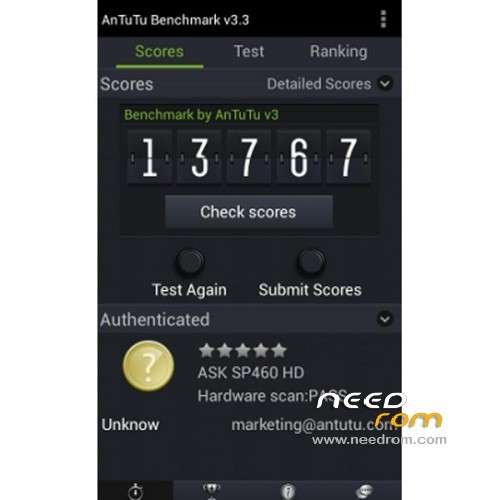
Antutu: 14100 points (version 3.3)
Network localsation and GPS works fine (but GPS may need a modified gps.conf for Europe)
[How to] Installation:
Make backup
Switch off the phone, connect usb and remove the battery
You must use SP flash tool and flash the firmware.
Select the scatter file given in the download
Then click download, and put the battery. After it's finished, remove the usb connection, and restart the phone.
Root and recovery are possible too, download the link, and use SP Flash tool in the same way. It's preferable to install TWRP instead of CWM, the Root is proposed at the end of the next recovery.
[UPDATE] 23/04/2013
I've baked a new build.prop file in order to improve some stuffs:
- Powersave tweaks: to activate the deep sleep mode. Indeed there was no parameters for the deep sleep mode in the native ROM. But be carrefull, the synchronization in mail acompt settings shut it down and kill the service until reboot. So shutdown your synchro if you want to save battery.
- 3G improvement tweaks
- Network and internet improvement tweaks
- Return of the B943 model name… bye bye ASK SPK460 HD ^^
[How to] Installation:
Download this File on your computer: Build_STAR_B943_23042013.zip
- Extract it and copy the build.prop file on your Sdcard (on the phone)
- From the phone, open a file explorer with root rights (Root explorer for me)
- Then copy build.prop, go into root / directory of the phone, go in /system
- Set the RW (read write) mode in your explorer, and paste build.prop into the /system directory. It will replace the original one (root explorer will make a backup by itself).
- It's not finished !! Don't forget to set the rights of the file, set them on rw-r-r (owner= read write, group= read, others= read)
It's done, reboot your phone
Enjoy !!! 
※Please make a backup of your device before installing or updating ROM
how to modify gps.conf for europe?
Hello,Benoit31! I don't know if I'm the only one have this bug.I just flashed this rom couple days ago. When I turn on the speaker of the b94m,I can't hear anything but just noise. Do you know what happen? Thank you.
Hello, i have no idea, works fine here. Have you replaced the build.prop file ?
Try to do a wipe cache and dalvik cache from Recovery after boot.
If it doesn't work, make a back up of your data. So you can do a Factory Reset.
i have 3g and gps problems on at&t usa, will this fix it?my phone is on edge. i have the quad core with 1gb ram. i really like this phone and dont want to get rid of it. i followed the directions, i see the update in the scatter but it dosent download. first time doing this.dont know if im missig something.
Hi, don't forget to remove the battery before connecting the phone to the PC. Then start SP flash tool, load the scatter file, click on Download, and connect the battery. The transfer start only like that
Hi;
thanks for the ROM: it is great!!
However, I cannot make te WIFI tethering work….it is not a DNS problem….is somebody else experiencing the same isse?
Thanks.
Giuseppe.
p.s. Also, I am occasionally experiencing problems related to the deep sleep issue (I used your last .prop file, and also installed an app that explicitily disables LED notifications)….but this is minor for me compared to the WIFI theter above!!
Wifi tether works fine for me. Go and have a look here, page 55-56
Thanks,
I already tried the advices given there, with no results
Regards,
Giuseppe.
ok, i was doing your update first. i guess i have to root it first. i cant ,maybe cause my phone firmware is 4.1.2 ? when i try the root ,a message pops up and say files have no path.(bootimg and preloader) do i have to put a check on all of them or certain ones? or do i have to update my firmware an if so how? i went to update on the phone and it say i have the latest. i appreciate the help.
Of course all tools you find here are only for this ROM (4.2.1)
If you want to use them, you must upgrade the firmware before
how do i update it?
Dear friends, here is Benoit31's build.prop (given in the header) in CWM flashable zip form. In case, anyone of you spoils your build.prop while editing and device boot fails, you need only to connect your phone to PC, reboot it to CWM through MTKDroidTools, activate mount USB storage in section mounts and storage within CWM, copy the file you downloaded from my link to SD root and flash it. The phone will reboot automatically. https://www.dropbox.com/s/73s9.....uildProp943.zip
Hi, where did you find this rom? Is there a site from manufacturer? I've search but didn't find any information about Star . Thanx
No website and support for the "Star" brand. There is a manufacturer Alps, and a ROM designer PULID. All the ROM you can find for tese devices are "underground"
And it not works for me,….I press download and put battery but nothing happens,…
I don't have MTK drivers,…I use Pda Net.
Don't say it doesn't work if you don't use the good tols :p
Thanx. And sorry I mean sp flash tools didn.’t work for me.