
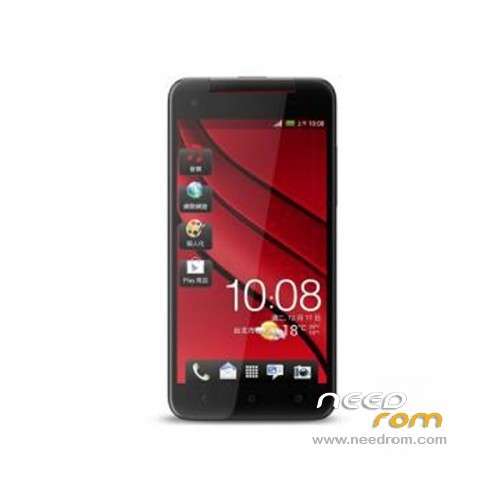
- Title: STAR X920E
- Listed: April, 2013
- Last modified: 05/15/2013 9:36 pm
- Version: ROM Android 4.2.1
You must be logged for ROM download.
28985 total views, 4 today
1 Total favorites
 Member Info
DESCRIPTION
ROM Mobile STAR X920E – ROM Android 4.2.1
Based on version Official Star X920e : 20130403_e2001_v89_zlh_hd (this ROM is not for zlh_mto)
Changelog offical :
-Music audio parameters increases, the default maximum
-Normal version updates
Features ROM :
1. Add completely ROOT only
2. Added real machine boot images
3. Change the default storage to an external card, easy to install a large number of games and software.
(PS: external card as the default storage in the case of hold external card can not take pictures and download things).
4. Various optimization
Language support: Multilang
Install ROM :
Unpack FlashTools, and Click on Flash_tool.exe
Select a the MT6589_Android_scatter_emmc.txt in ROM
Turn off your phone, remove the battery.
Press F9 (or hit Download button) and connect your phone into the computer via USB data cable.
The process will start and a red progress bar will appear after color purple, yellow.
And green circles display
Finish !
You can now safely disconnect your phone and turn it on.
Note: if error Flash "searching" next to the "EMMC" use flashtools of velvetfinger
※Please make a backup of your device before installing or updating ROM
the news rom it's not ok with my phone, the sreen is white. with the 20130403_e2001_v89_zlh_hd rom it's ok.
with the new tom problem of screen driver ?
Try with mode recovery I have put rom (look links).
Others have this problem ?
socrate, i check the rom (form chinese site) i think rom v404 for cmw it's older than v403
if see in that site v404 has april 3rd, while v403 has april 23rd
play store in v403 is 4.0.27 in v404 is 3.10.14
thx i look
Star x920 4gb rom.
"Added real machine boot images"- no this boot images,only many colour vertical lines.With recovery same situation.
i have the same problem at boot only vertical lines and no boot logo.after booting terminated phones works good. perhaps the boot animation is not supported plz SoCr@Te can you adjust it? thanks
Sory,My mistake All work fine
when i press the dowload button or f9 nothing happen, i've installed the driver, i'm connecting the device just after clicking on download
also the tool is still "searching" next to the "EMMC" field, it should be usb no? is it the driver not functionning?
You need press download,and reconnect battery.Also check for unknown devices in windows device manager
SoCr@Te
Can you fix this little bug on screen in next revision?
http://rghost.ru/46082930.view
Thank you
for those who have similar problem than me with flash tool, use this version http://www.4shared.com/zip/kf_....._h7u-/