
- Title: Tengda S5 Android L (5.0)
- Listed: July, 2014
- Last modified: 07/19/2014 2:45 am
- Version: Android L (5.0) themed 4.4.2
You must be logged for ROM download.
46267 total views, 12 today
116 Total favorites
 Member Info
DESCRIPTION
If donations reach $50 from now, I will start the TouchWiz ROM ASAP and upload it. 
Goal: $50 Reached: $10
A patch with some new features will roll out soon!
Thanks for shanos and safcalibur for testing out the many beta versions!
Tengda S5 Android L (5.0) ROM (4.4.2Base) (G9000)
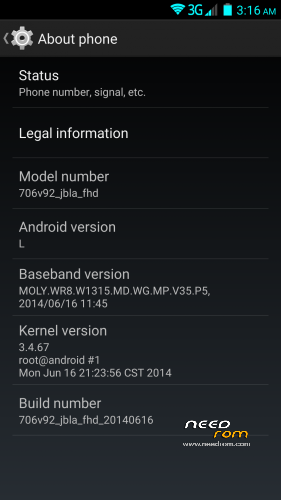
Phone identification name: 706_v92_jbla_fhd
About the ROM:
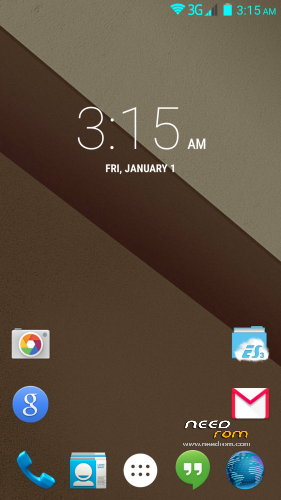
- Android L themed (the base of the ROM is still 4.4.2)
- Custom touch recovery which has built in File manager, and finally the USB Storage Mounting works…
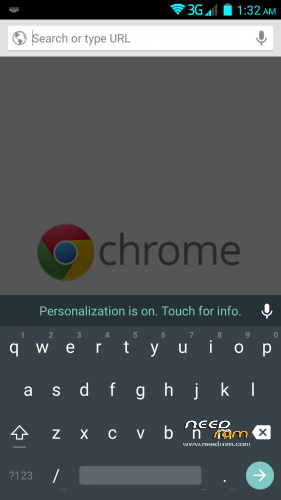
- Pre-installed apps (Chrome, SuperUser, BusyBox, ES File Manager, Google Now Launcher)
- Fully rooted, busybox installed, and filesystem fully RW.
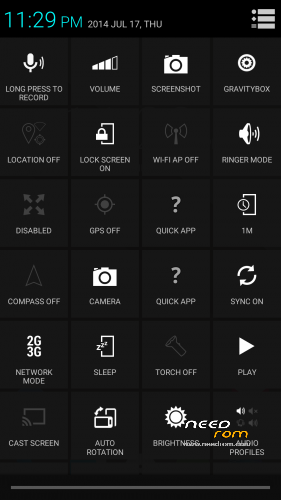
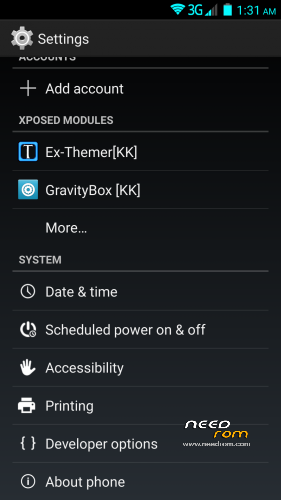
- Xposed framework and modules to customize your phone!
Changelog:
- Advanced Power Menu
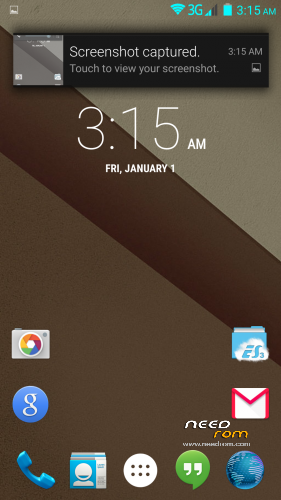
- Heads up notifications! (Can be disabled in GravityBox)
- Added Xposed Framework fully working!
- Xposed Modules: GravityBox, SDcardfix, Ex-Themer, BurntToast
- Modules are visible in system settings
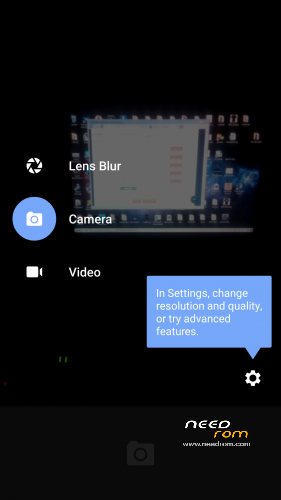
- Added fully working Android L camera (stock camera still present because S View uses it)
- KK Launcher L is set as default to avoid Google Launcher force closing. You can set Google Launcher as default after updating Google Search from Google play!
- Heading towards Android L (5.0) about 60% done. More details below.
- System now shows that you have the Android L version, like on the Nexus 5.
- Replaced Root Explorer with ES File Manager (its more compatible with the filesystem)
- Added GPS Fix
- Fixed signal color in status bar so it matches the wifi and the battery.
- Added back the stock Browser alongside Chrome (got many requests)
- Fixed some visual and non-visual bugs
Android L features at the moment:
- Google Now Launcher (Can be activated by updating Google Search)
- Boot logo and animation
- Ringtones, notifications, alarms and system sounds
- Android L material keyboard
- Google Play Services updated (no noticable change, just needed for the L stuff)
Things I'm working on:
- Android L camera (its almost done will be added in next update) done
- L lockscreen and statusbar and systemUI (I very very hard and time consuming…)
- Xposed Framework and some must-have modules (still in testing state) done
How to install the ROM:
Download HOW TO INSTALL.pdf for very detailed instructions with pictures!
Be sure that your battery is charged more than 50% before flashing.
If you have any questions post them in the comments!
I will do my best to update the rom with new features!
Known issues:
- When you are in recovery and you hit reboot it always ask if you want to fix the root or not, just ignore it, doesnt matter if you hit Yes or No nothing will happen.
- You can still only wipe data/cache on the Stock recovery!
If you find anything that is not listed above, message me and I'll try to fix it.
I'm also taking suggesting for what to include in the rom!
Donations are welcome and will affect future updates!
Donators can also request a custom boot logo and
animation! 
Big thanks to MasterBo for helping me with a lot of things!
Donations so far:
- chepito
- mokkorisensei
- nzjacob
- shanos
- gabriolastyle
- teZco
- fega72
Thank you very much!
※Please make a backup of your device before installing or updating ROM
A little off topic but I cracked my screen today, does anyone know where to get a screen for these phone???
I dont think theres a screen replacement for this
I have found several screens that are very similar does anyone know if this phone is manufactured under other brand names?
Star S5, Dapeng S5, Kingleon, look for the G9000 model name
http://www.sunsky-online.com/v.....PH-6017B%20.htm
hello,
I have a few questions: my phone tengda s5, I look in AnTuTu 2 gb / ram and has score 28200 points. parts and ask him if my android has only 1 gb / ram? How many points do AnTuTu?
Thanks for answers!
Your phone only has 1gb of ram and has been mentioned in my post above, the Chinese manufacturer is using a file changeram.xml at startup to change the system ram value to 2gb. If you download terminal emulator from playstore and type “free”, you will see the true 1gb shown there and also using 512mb virtual memory as a trick also.1gb and 2gb will not change your antutu score, more ram in android only means more apps can be open at once you will not see faster performance.
mobileuncle tools shows me total mem 2097152 kb! so it has 2 gb ram
Open esfile explorer and go into folder called “etc”. There you will see a file called changeram.xml. open this file and change value from 2048 to 1024. Reboot phone and tell me what mobileuncle tools tells you now . Chinese manufacturer is changing true ram values to trick customers
I CAN NOT SAVE IN 1024! AND AFTER RESTART ALL 2 GB / RAM!
well i tried to follow excacly how its in the PDF. I might do something really stupid wrong. When i hit the download button turn of the phone remove the battery and put in the battery again and fast attach the USB cable nothing happens. I see only that the battery is loading. What am i doing wrong?
Remove the battery. When you connect the USB cable (without battery) push the volume+.
does not work for me. thanks anyway fega72. I have problems with my home button. I hope this ROM will solve this problem.
Take out battery, disconnect usb from phone. Hit download in flashtools, put in battery and connect the usb really fast. It should work. If you see that big battery icon, you were too slow and/or didnt hit download in flashtools before all this
DPluss really i tried that many times. Even in less then a second. I read it all over and over again and again, but that damn battery icon is always comming. I also tried on win8 and win7 machine. I ll go try on winXP machine.
did you install all the possible ADB drivers? install this: http://ge.tt/3NF6Vuf/v/0 when its installed, plug in your phone when its booted up fully, and it will recognize it, after that you should be able to flash.
Titanium backup still not restoring apps for this rom, also front camera not working. Phone Tengda S5
Nobody else came up with the camera issue, its probably a hardware issue on your side. I'm not sure about the titanium backup, what did you try to restore? Is it really that important?