
- Title: Tengda S5 Android L (5.0)
- Listed: July, 2014
- Last modified: 07/19/2014 2:45 am
- Version: Android L (5.0) themed 4.4.2
You must be logged for ROM download.
46258 total views, 3 today
116 Total favorites
 Member Info
DESCRIPTION
If donations reach $50 from now, I will start the TouchWiz ROM ASAP and upload it. 
Goal: $50 Reached: $10
A patch with some new features will roll out soon!
Thanks for shanos and safcalibur for testing out the many beta versions!
Tengda S5 Android L (5.0) ROM (4.4.2Base) (G9000)
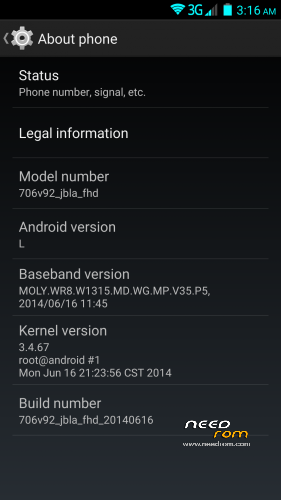
Phone identification name: 706_v92_jbla_fhd
About the ROM:
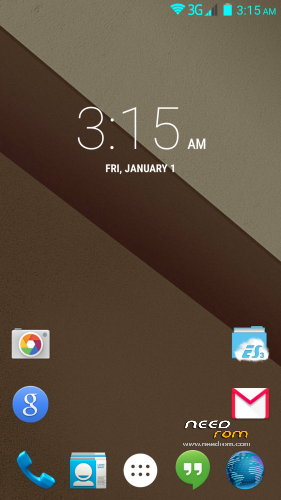
- Android L themed (the base of the ROM is still 4.4.2)
- Custom touch recovery which has built in File manager, and finally the USB Storage Mounting works…
- Pre-installed apps (Chrome, SuperUser, BusyBox, ES File Manager, Google Now Launcher)
- Fully rooted, busybox installed, and filesystem fully RW.
- Xposed framework and modules to customize your phone!
Changelog:
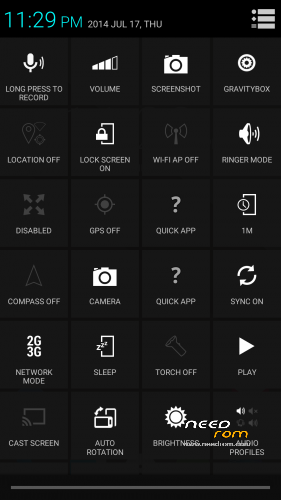
- Advanced Power Menu
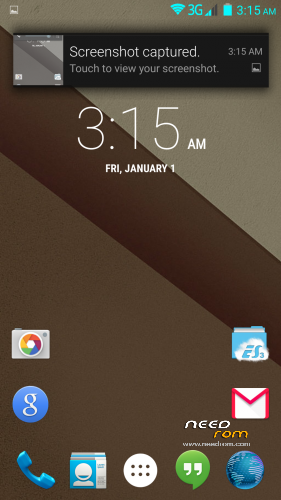
- Heads up notifications! (Can be disabled in GravityBox)
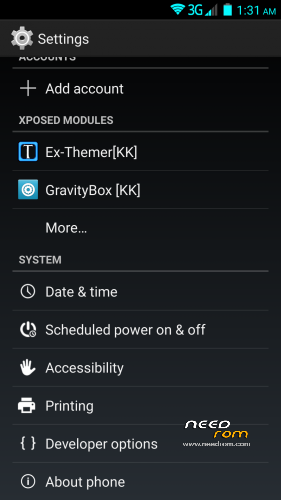
- Added Xposed Framework fully working!
- Xposed Modules: GravityBox, SDcardfix, Ex-Themer, BurntToast
- Modules are visible in system settings
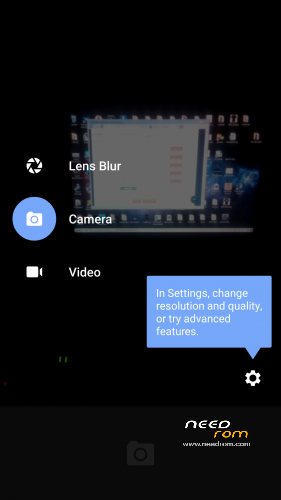
- Added fully working Android L camera (stock camera still present because S View uses it)
- KK Launcher L is set as default to avoid Google Launcher force closing. You can set Google Launcher as default after updating Google Search from Google play!
- Heading towards Android L (5.0) about 60% done. More details below.
- System now shows that you have the Android L version, like on the Nexus 5.
- Replaced Root Explorer with ES File Manager (its more compatible with the filesystem)
- Added GPS Fix
- Fixed signal color in status bar so it matches the wifi and the battery.
- Added back the stock Browser alongside Chrome (got many requests)
- Fixed some visual and non-visual bugs
Android L features at the moment:
- Google Now Launcher (Can be activated by updating Google Search)
- Boot logo and animation
- Ringtones, notifications, alarms and system sounds
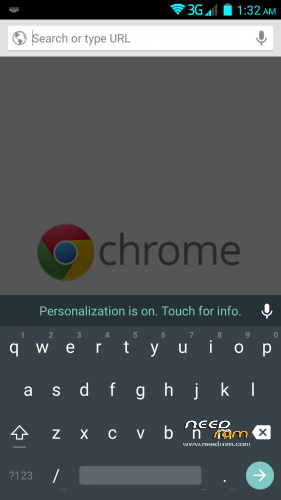
- Android L material keyboard
- Google Play Services updated (no noticable change, just needed for the L stuff)
Things I'm working on:
- Android L camera (its almost done will be added in next update) done
- L lockscreen and statusbar and systemUI (I very very hard and time consuming…)
- Xposed Framework and some must-have modules (still in testing state) done
How to install the ROM:
Download HOW TO INSTALL.pdf for very detailed instructions with pictures!
Be sure that your battery is charged more than 50% before flashing.
If you have any questions post them in the comments!
I will do my best to update the rom with new features!
Known issues:
- When you are in recovery and you hit reboot it always ask if you want to fix the root or not, just ignore it, doesnt matter if you hit Yes or No nothing will happen.
- You can still only wipe data/cache on the Stock recovery!
If you find anything that is not listed above, message me and I'll try to fix it.
I'm also taking suggesting for what to include in the rom!
Donations are welcome and will affect future updates!
Donators can also request a custom boot logo and
animation! 
Big thanks to MasterBo for helping me with a lot of things!
Donations so far:
- chepito
- mokkorisensei
- nzjacob
- shanos
- gabriolastyle
- teZco
- fega72
Thank you very much!
※Please make a backup of your device before installing or updating ROM
Works front and back cameras?
what is Antutu X valoration?
Both cameras work, Antutu score is 29000 points
but what is ROM base?
all previous 4.4.2 i have test havent problems with GPS Fix,
this, i dont now, test please,
i not have time to test all new ROMS, if base rom is same of other not need try
Only the 4.2.2 roms had problems with the GPS lock, 4.4.2 roms are fine
not, GPS FIX in 4.2.2 works correct
in 4.4.2 have problems: few satellites and desconections.
I have test and GPS have same problems
Waiting for new ROM with GPS Fixed, this ROM not valid for my
Nobody is forcing you to flash this rom mate…
Thank you for your time in explaining in details how to flash stock recovery and your ROM, I really appreciate that.
Let me give your ROM a try since you promised to update.
Thank for the advice, I was thinking if some can flash a rom than he can flash a stock revocery aswell. But I'll edit the description!
hello,
nice and smooth rom
but i lost imei too and can, t write it back with mtktools it won, t save the imei
so i have flash back the other kitkat rom i have made a backup of that one now its works again
i try everything to get back imei but after reboot still got no imei
i will try a ohter time when i have a seccond phone
keep on the good job
After installing this(DPluss) ROM connect to PC and use MTK Droid Tools. There you have the option to write NVRAM/IMEI
I've made it! I wrote back IMEI with MTK Droid Tools and now I use your ROM
Thank you DPluss
Well done! Pls help the guy above your comment how to restore the imei Or PM me how you did it and I add it to the description!
I lost my IMEI too but i can write it back with MTK Droid tools. Rom seems very good so far Great Job , but i didn't like that bootlogo and animation want to get back MasterBo's Samsung logo/animation how can i change it ?
Well, I made the logos and they will stick around the rom development , but if you dont like them you can always donate a small amount to my paypal and I can make you a custom one! Send me a private message.
I had problems with gps on 4.2 and 4.4 roms, however I installed gos fix from app store and gps status from app store
after running them both I am now able to get a lock on my gps (on other kitkat rom not tried with this one as weekend has been crazy busy)
shanos
The GPS Fix will be featured as a default system app in the next release!
I am working hard on the next build right now. it will include Android L keyboard(full) and fixed signal bar colors.
problem fixed about lost imei
what did i do a have the other kitkat rom earlyer installed with imei
on top of it i flashed this rom and no wipe
after the install i have the new rom with all my apps complete installed and working imei
it works for me but take care always make a compleet backup of the existing rom you have installed so you can always back to it when something went wrong
Please what rom did you flash this rom on without full wipe and did you flash the stock recovery provided here before flashing this rom? Link to your first rom would be appreciated.
Thanks.
and i dump chrome browser its big and lazy
put back the aosp browser
and flashed the LG keyboard for me personaly its the best rom now
DPluss you deliverd a great job
thanks