
- Title: Tengda S5 Android L (5.0)
- Listed: July, 2014
- Last modified: 07/19/2014 2:45 am
- Version: Android L (5.0) themed 4.4.2
You must be logged for ROM download.
46277 total views, 22 today
116 Total favorites
 Member Info
DESCRIPTION
If donations reach $50 from now, I will start the TouchWiz ROM ASAP and upload it. 
Goal: $50 Reached: $10
A patch with some new features will roll out soon!
Thanks for shanos and safcalibur for testing out the many beta versions!
Tengda S5 Android L (5.0) ROM (4.4.2Base) (G9000)
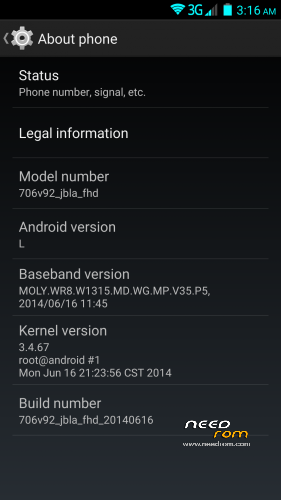
Phone identification name: 706_v92_jbla_fhd
About the ROM:
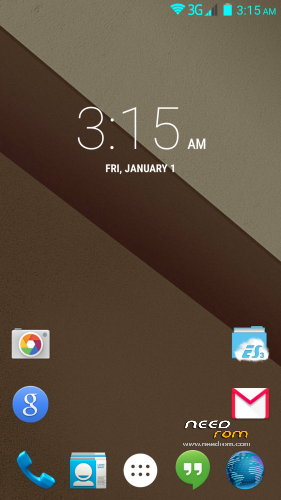
- Android L themed (the base of the ROM is still 4.4.2)
- Custom touch recovery which has built in File manager, and finally the USB Storage Mounting works…
- Pre-installed apps (Chrome, SuperUser, BusyBox, ES File Manager, Google Now Launcher)
- Fully rooted, busybox installed, and filesystem fully RW.
- Xposed framework and modules to customize your phone!
Changelog:
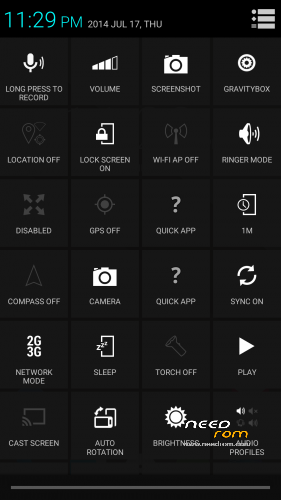
- Advanced Power Menu
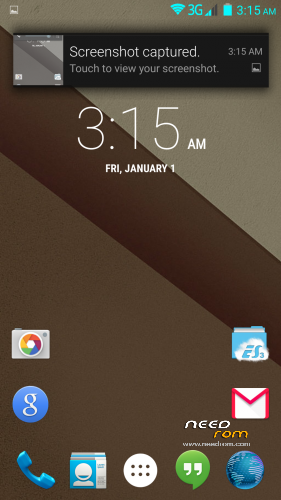
- Heads up notifications! (Can be disabled in GravityBox)
- Added Xposed Framework fully working!
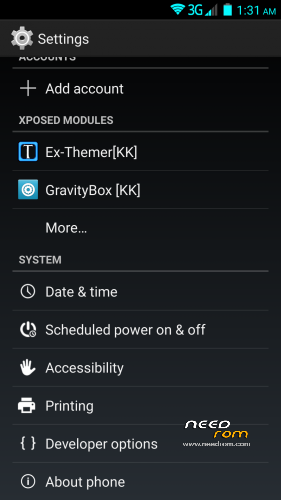
- Xposed Modules: GravityBox, SDcardfix, Ex-Themer, BurntToast
- Modules are visible in system settings
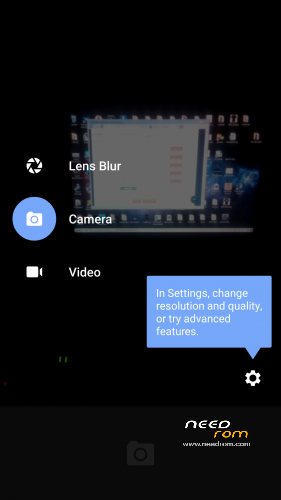
- Added fully working Android L camera (stock camera still present because S View uses it)
- KK Launcher L is set as default to avoid Google Launcher force closing. You can set Google Launcher as default after updating Google Search from Google play!
- Heading towards Android L (5.0) about 60% done. More details below.
- System now shows that you have the Android L version, like on the Nexus 5.
- Replaced Root Explorer with ES File Manager (its more compatible with the filesystem)
- Added GPS Fix
- Fixed signal color in status bar so it matches the wifi and the battery.
- Added back the stock Browser alongside Chrome (got many requests)
- Fixed some visual and non-visual bugs
Android L features at the moment:
- Google Now Launcher (Can be activated by updating Google Search)
- Boot logo and animation
- Ringtones, notifications, alarms and system sounds
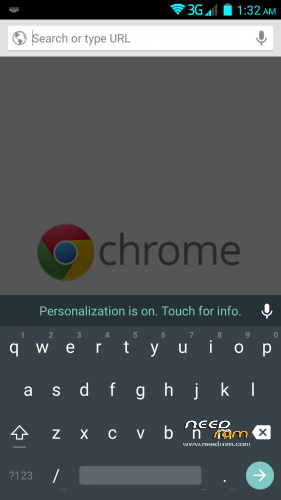
- Android L material keyboard
- Google Play Services updated (no noticable change, just needed for the L stuff)
Things I'm working on:
- Android L camera (its almost done will be added in next update) done
- L lockscreen and statusbar and systemUI (I very very hard and time consuming…)
- Xposed Framework and some must-have modules (still in testing state) done
How to install the ROM:
Download HOW TO INSTALL.pdf for very detailed instructions with pictures!
Be sure that your battery is charged more than 50% before flashing.
If you have any questions post them in the comments!
I will do my best to update the rom with new features!
Known issues:
- When you are in recovery and you hit reboot it always ask if you want to fix the root or not, just ignore it, doesnt matter if you hit Yes or No nothing will happen.
- You can still only wipe data/cache on the Stock recovery!
If you find anything that is not listed above, message me and I'll try to fix it.
I'm also taking suggesting for what to include in the rom!
Donations are welcome and will affect future updates!
Donators can also request a custom boot logo and
animation! 
Big thanks to MasterBo for helping me with a lot of things!
Donations so far:
- chepito
- mokkorisensei
- nzjacob
- shanos
- gabriolastyle
- teZco
- fega72
Thank you very much!
※Please make a backup of your device before installing or updating ROM
I have been testing things with dpluss for the last few hours… great news I am now running the latest version of his rom and the new instal is super simple… he is just readying another version with all the updates and apps etc.
I will try that one out then he is gonna share it with you all.
get ready to start donating dpluss is working his arse off for all of us!
Great news Shanos! very excited to try the new one out
Thanks for helping out and thank you DPluss for your hard work, I know you work your ass off for us and its hugely appreciated! Any idea when the ROM will become 'live'?
nice rom men many thanks
for what SD Card not is mounted in SDCard0 (internal storage)?????
in stock rom 4.2.2 yes work mount SDCard in internal storage.
had a nightmare with thunderstorms very early this morning! the whole village was left without power (just came back on about 10 mins ago), I am downloading the newest version and will give it a try when its finally downloaded, the internet here is normally bad, but this morning it is showing an hour to download a 520mb file
will keep you all updated
shanos
+1
It will be great if you can swap sdcard (internal) with sdcard2 (external).
I tried different trick (vold.fstab,script,..) but no one works…
I will look into it! I sent the new builds beta to the user shanos, after he confirmed that the rom is working flawlessly I'm putting it up to the site with new instructions! It just gonna take a couple of hours! I'll keep you guys updated!
Thank you for this ROM, the only thing i dont get is the flash_patch1.xx.zip. I cant find it anywhere. Is there anyone who have this file?
You will not need any patch.zip anymore! The new ROM will be here in a couple of hours!
O great then i wait for a moment.
Do you maybe know this, when i connect my turned off tengda s5, its connected to the computer for 5 seconds, and then there is no connection, so i cant update the drivers, and the mobile cant connent with sp flash tools. I hope you can help me.
Thanks
It is because if you take out the battery and then put it back in, for a couple of seconds your phone goes into "Preloader Mode", for a couple of seconds, that is when you can flash files in SP Flash Tool, after a couple of seconds the phone drops this Preloader connection. This is why you have to be quick
If you need to you need to update drivers, connect the phone when its fully powered on (activating USB Debug mode in setting), and download the MTK6592 PDAnet which includes the drivers.
The ROM did not finish downloading before I had to go out (pants rural broadband). I am now at my wife’s graduation ceremony, I will flash once I get back….
As a little hint of things to come… I am looking forward to taking blurry photos!
Thanks, I have tested several Rom's this one appears to be the best so far expect a donation from me and with more updates possiby another donation.
In regards to the Flashing I have never had to do the battery trick I simply have the phone with no battery dissconnected from my PC then hit the Download button in SP Flash Tool then connect the phone and it downloads the files with no problem.
Thank you!
I accidently did the flash with no battery once
btw if shanos flashes the beta I sent him and its working flawlessly, there will be no need for flashing in SP Flash Tools anymore.
Also, thank you very much for your donation!
Haha! Flashing through recovery mode DPluss? That’ll be great that way as we can keep our user data and just flash new ROM over old yes?
Yes, it will be flashed throught recovery, sadly you need to flash data too, as I needed to put some custom applications and data in it too. But there could be an alternate version without data also
You the man DPluss!! Legend. Hope it works OK will have a look when i get back home